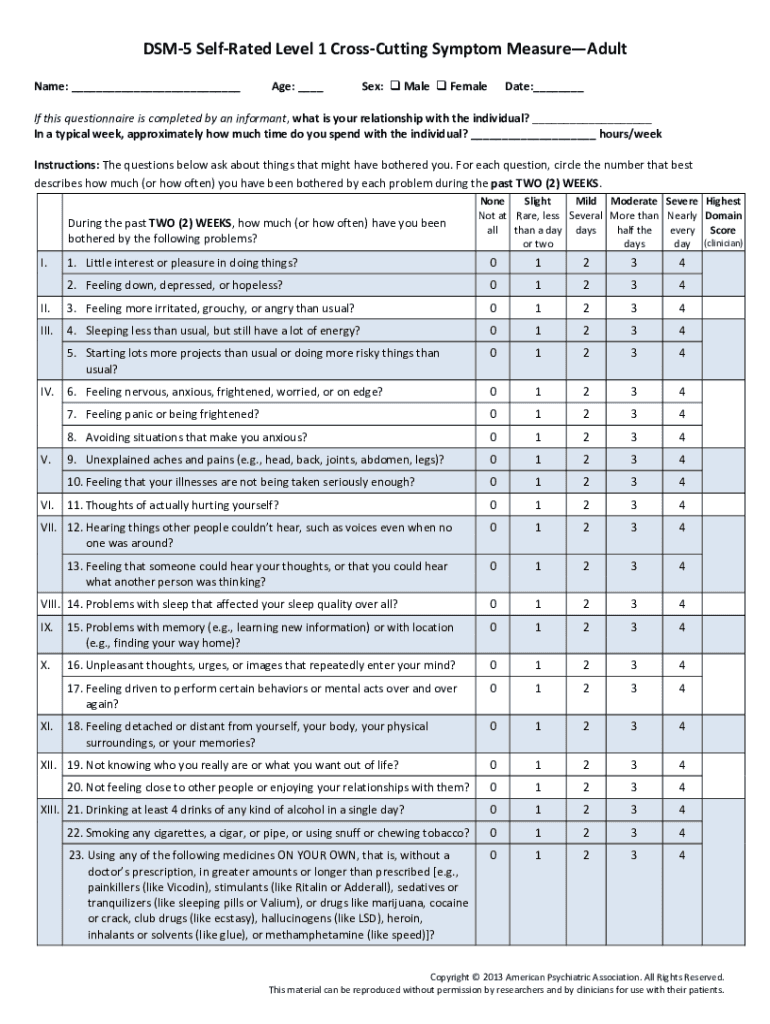
How to use or fill out dsm 5 cross cutting symptom measure pdf with our platform
- Click ‘Get Form’ to open the DSM-5 Cross-Cutting Symptom Measure PDF in the editor.
- Begin by filling in your personal information at the top of the form, including your name, age, date, and MRN number.
- Indicate your sex by selecting either Male or Female. If someone else is completing this questionnaire for you, specify your relationship with that individual.
- In the main section, respond to each question regarding symptoms experienced over the past two weeks. Circle the number that best describes how much you have been bothered by each problem.
- For each symptom listed, ensure you circle a score from 0 (None) to 4 (Highest), based on your experience.
- Once completed, review all responses for accuracy before saving or exporting the document directly from our platform.
Start using our platform today to easily fill out and manage your DSM-5 Cross-Cutting Symptom Measure PDF for free!
Fill out dsm 5 cross cutting symptom measure pdf online
It's free
It's free
Security and compliance
At DocHub, your data security is our priority. We follow HIPAA, SOC2, GDPR, and other standards, so you can work on your documents with confidence.
Learn more