




Here's how it works



How to use or fill out Making Health Care Decisions in North Dakota with our platform

- Click ‘Get Form’ to open the Making Health Care Decisions in North Dakota document in the editor.
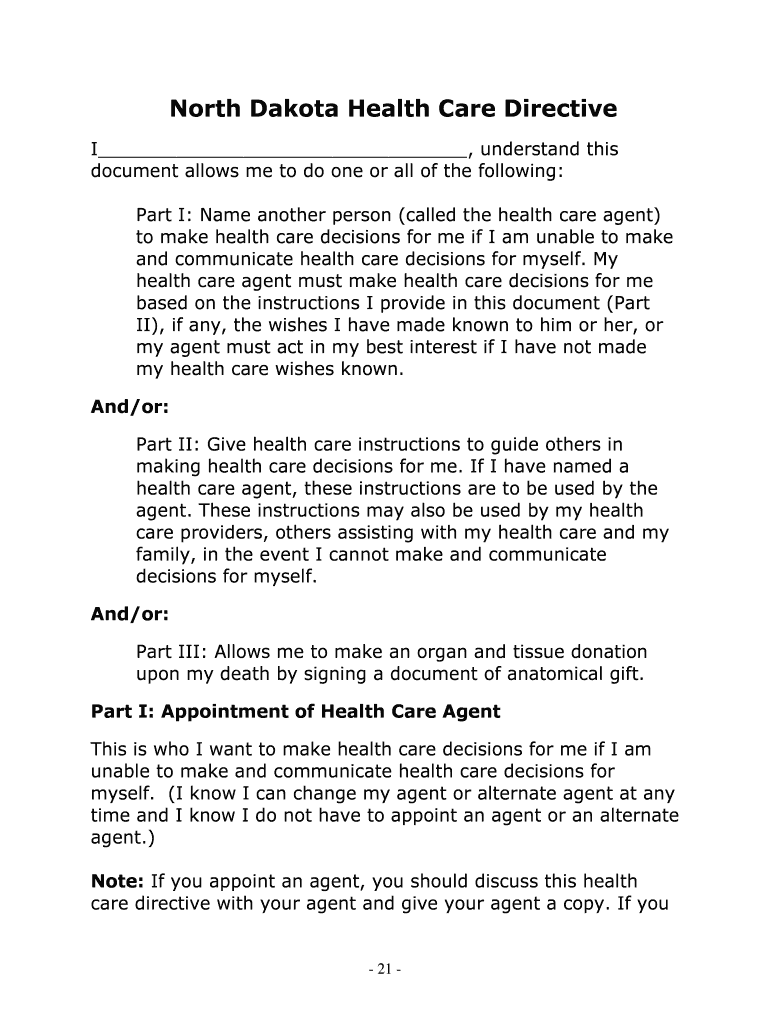
- In Part I, appoint your health care agent by filling in their name, relationship, telephone number, and address. If you prefer not to appoint an agent, you can leave this section blank.
- If desired, designate an alternate health care agent by providing their details in the optional section below Part I.
- In Part II, outline your health care instructions. Share your beliefs and values regarding health care decisions and specify what treatments you would want or not want under various circumstances.
- Complete Part III if you wish to make an anatomical gift. Indicate your preferences for organ donation by initialing the appropriate statement.
- Finally, sign and date the document in Part IV. Ensure it is notarized or witnessed as required for legal validity.
Start using our platform today to easily fill out your Making Health Care Decisions form for free!
It's free
Got questions?
What is the simplest way to electronically sign my Making Health Care Decisions in North Dakota?
Many software applications are available on the market for document modifying and signing. DocHub is one of the most widely used online solutions that comply with all data protection and compliance standards and ensures your eSigned documentation is legally enforceable. All you need to try it out is to register an account, add your Making Health Care Decisions in North Dakota, fill out the requested details, and click Sign. Generate your eSignature by typing, drawing it, uploading its picture to your template, or scanning a unique QR code.
How do you complete Making Health Care Decisions in North Dakota on Android?
It is a no-brainer on a computer or via a mobile device to complete a Making Health Care Decisions in North Dakota with DocHub. All you need to do is open any installed web browser on your smartphone and go to the DocHub site. Once authenticated, add your document and open it in editing mode. Use our toolbar to make your edits and save adjustments. Optionally, keep your file in your files or send it to a recipient immediately.
What is the age of medical consent in North Dakota?
What is the ND century code for mandated reporting?
What does decision making in healthcare require?
Security and compliance
At DocHub, your data security is our priority. We follow HIPAA, SOC2, GDPR, and other standards, so you can work on your documents with confidence.
Learn more


