




Here's how it works

01. Edit your guardian contract home dog online
Type text, add images, blackout confidential details, add comments, highlights and more.

02. Sign it in a few clicks
Draw your signature, type it, upload its image, or use your mobile device as a signature pad.

03. Share your form with others
Send pet guardianship form via email, link, or fax. You can also download it, export it or print it out.
How to use or fill out dog guardianship contract with our platform

- Click ‘Get Form’ to open the dog guardianship contract in the editor.
- Begin by filling in your name and contact information in the designated fields for the Guardian. Ensure accuracy as this information is crucial for communication.
- In the section titled 'The Guardian Home Dog', enter details about the puppy, including its name, breed, and color. This helps establish clear identification of the Guardian Dog.
- Review and agree to the responsibilities outlined for both Breeder and Guardian. Make sure you understand your obligations regarding care, training, and health management of the Guardian Dog.
- Once all sections are completed, sign and date the contract at the bottom. This finalizes your agreement and ensures both parties are committed to their responsibilities.
Start using our platform today to easily fill out your dog guardianship contract for free!
Fill out dog guardianship contract online
It's free
It's free
Security and compliance
At DocHub, your data security is our priority. We follow HIPAA, SOC2, GDPR, and other standards, so you can work on your documents with confidence.
Learn more


Related forms

4924, Withholding Certificate for Michigan Pension or Annuity Payments MI W-4P
The document provides instructions for completing Form MI W-4P, a Withholding Certificate for Michigan Pension or Annuit ...
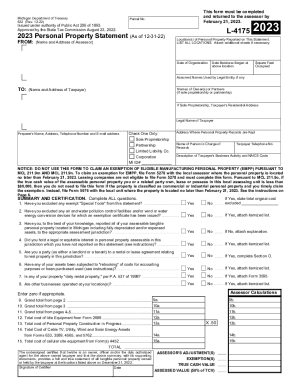
2023 Small Business Property Tax Exemption Claim Under
The document is the 2023 Personal Property Statement (Form L-4175) issued by the Michigan Department of Treasury, which ...

5081 Sales, Use and Withholding Taxes Annual Return 5081 Sales, Use and Withholding Taxes Annual Ret
5081 Sales, Use and Withholding Taxes Annual Return 5081 Sales, Use and Withholding Taxes Annual Ret
The document provides detailed instructions for completing the 2023 Sales, Use and Withholding Taxes Annual Return (Form ...

Form RP-459-c Application for Partial Tax Exemption for Real Property of Persons with Disabilities a
Form RP-459-c Application for Partial Tax Exemption for Real Property of Persons with Disabilities a
The document is an application form (RP-459-c) for a partial tax exemption for real property owned by persons with disab ...

BCCHP Breast Cervical HistoryExamScreening Form Form for providers to document assessment exam findi
BCCHP Breast Cervical HistoryExamScreening Form Form for providers to document assessment exam findi
The document is a Breast and Cervical History/Exam/Screening Form used by the BCCHP (Breast, Cervical, and Colon Health ...
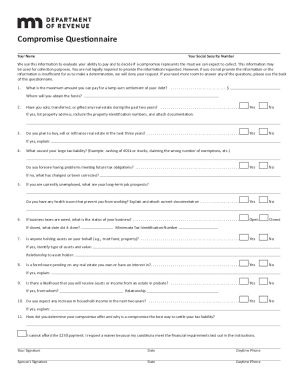
Corporate & Commercial Financial Services Agreement
The document outlines the process for submitting a compromise application to the Minnesota Department of Revenue, includ ...
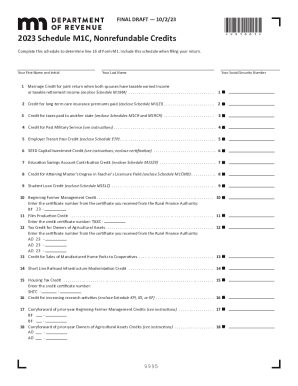
2023 Schedule M1C, Nonrefundable Credits
The document outlines the 2023 Schedule M1C for Minnesota tax credits, detailing various nonrefundable credits available ...

Minnesota Sales and Use Tax
The document is a Form 5633, a final report voucher that must be completed and submitted when the status of a business o ...