



Here's how it works



How to use or fill out letter landlord tenant with our platform

- Click ‘Get Form’ to open the letter landlord tenant in the editor.
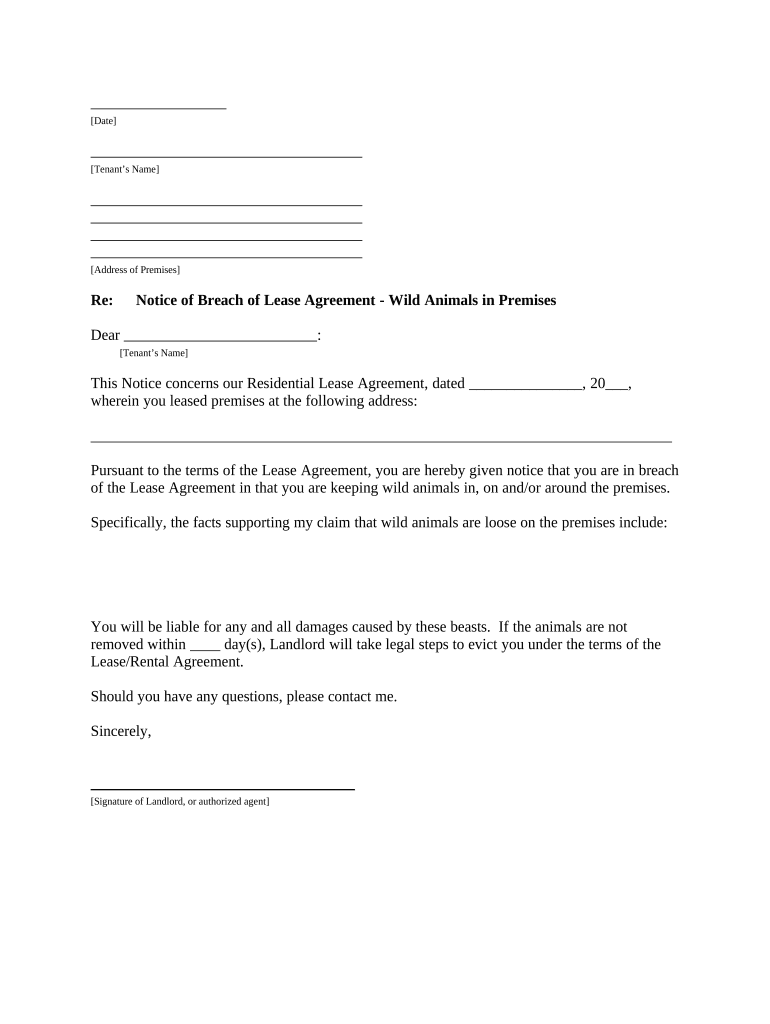
- Begin by entering the date at the top of the document. This is crucial for establishing a timeline regarding the notice.
- Fill in the tenant’s name and address of the premises where the lease agreement is applicable. Ensure accuracy to avoid any confusion.
- In the body of the letter, specify the date of the original lease agreement. This provides context for your notice.
- Clearly outline the breach of lease, mentioning that wild animals are present on or around the premises. Be specific about your observations.
- Indicate how many days you are allowing for removal of these animals before legal action may be taken.
- Sign off with your name and title, ensuring that it reflects your authority as a landlord or authorized agent.
- Complete the proof of delivery section by selecting how you delivered this notice to the tenant and signing it with today’s date.
Start using our platform today to streamline your document editing and ensure effective communication with tenants!
It's free
Got questions?
What do I need to sign my letter landlord tenant electronically?
Electronic document signing demands a software solution that works in compliance with data protection and eSignature standards. DocHub is an excellent tool for that, as it fulfills all the aforementioned requirements. Whatever method you prefer to sign your letter landlord tenant in DocHub, your eSignature will be legally binding and court-admissible.
Can I sign my letter landlord tenant while I edit it?
When you edit your letter landlord tenant with DocHub, you will not need to look for other software or services to eSign it. An electronic signature is part of DocHub’s extensive editing toolset, which allows you to implement changes in your form without jumping between websites. Just complete your form, double-check the correctness of your data and place your electronic signature at the end to make it submission-ready within a few minutes.
Security and compliance
At DocHub, your data security is our priority. We follow HIPAA, SOC2, GDPR, and other standards, so you can work on your documents with confidence.
Learn more