Injury auto accident 2026

Get Form
injury auto accident Preview on Page 1

Here's how it works

01. Edit your form online
Type text, add images, blackout confidential details, add comments, highlights and more.

02. Sign it in a few clicks
Draw your signature, type it, upload its image, or use your mobile device as a signature pad.

03. Share your form with others
Send it via email, link, or fax. You can also download it, export it or print it out.

How to use or fill out injury auto accident with our platform

Form edit decoration
9.5
Ease of Setup
DocHub User Ratings on G2
9.0
Ease of Use
DocHub User Ratings on G2
  1. Click ‘Get Form’ to open the injury auto accident document in the editor.
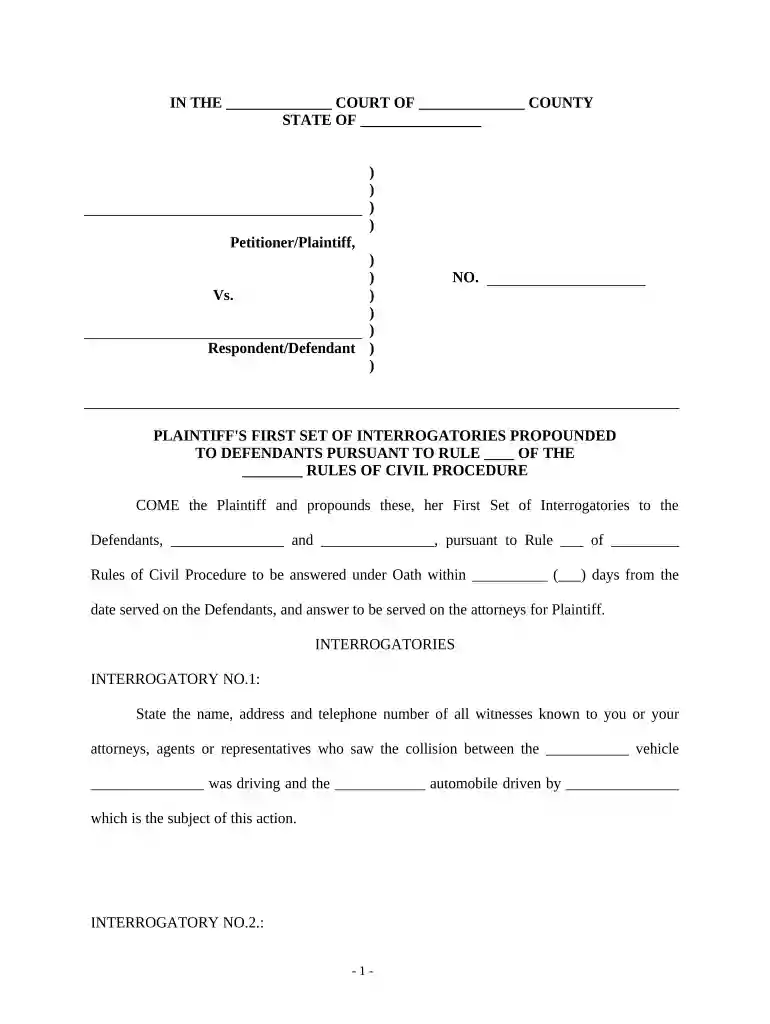
  2. Begin by filling in the court name and county at the top of the form. This information is crucial for identifying the jurisdiction of your case.
  3. Next, enter the state where the incident occurred. This helps establish legal context.
  4. In the section labeled 'Petitioner/Plaintiff', provide your name as well as any other relevant parties involved in the case.
  5. Fill in the details of the respondent/defendant, including their name and any pertinent information regarding their involvement in the accident.
  6. Complete each interrogatory by providing detailed answers. For example, when asked about witnesses, list their names, addresses, and contact numbers accurately.
  7. Finally, ensure you sign and date the document at the bottom before submitting it. This confirms that all information provided is true to your knowledge.

Start using our platform today to streamline your document editing and completion process for free!

be ready to get more

Complete this form in 5 minutes or less

Get form

Got questions?

We have answers to the most popular questions from our customers. If you can't find an answer to your question, please contact us.
Contact us

A lot of software solutions are available on the market for document modifying and signing. DocHub is one of the most widely used online solutions that comply with all security and compliance standards and ensures your eSigned paperwork is legally enforceable. All you need to give it a try is to sign up for an account, add your injury auto accident, fill out the requested information, and click Sign. Generate your electronic signature by typing, drawing it, uploading its picture to your template, or scanning a unique QR code.

In addition to an extensive toolset for editing PDFs on mobile phones, DocHub allows you to sign your injury auto accident along the way. Open our editor in your web browser, make changes using DocHub’s toolset, and complete your editing by eSigning the completed form.

Section 11 of the Limitation Act 1980 (LA 1980) states the limitation period for a personal injury claim, which include road traffic accident claims, is three years.
Time limits The most common claim in a personal injury case is negligence and the time limit for this is 3 years. This means that court proceedings must be issued within 3 years of you first being aware that you have suffered an injury.
How long after a car accident can you claim injury? StateStatute of Limitations on Car Insurance Claims California 2 years Colorado 3 years Connecticut 2 years Delaware 2 years47 more rows Sep 9, 2025

Security and compliance

At DocHub, your data security is our priority. We follow HIPAA, SOC2, GDPR, and other standards, so you can work on your documents with confidence.
Learn more
ccpa2
pci-dss
gdpr-compliance
hipaa
soc-compliance

People also ask

Theres typically one deadline for personal injury claims and one for property damage claims. For example, the statute of limitations on insurance claims in California is two years for personal injury and three years for property damage.
While there are injury cases that settle for hundreds of thousands of dollars or millions, most settlements range from several thousand dollars to around $75,000. Your legal team can help you gather evidence of your pain and suffering.

Related links