Type text, add images, blackout confidential details, add comments, highlights and more.
02. Sign it in a few clicks
Draw your signature, type it, upload its image, or use your mobile device as a signature pad.
03. Share your form with others
Send it via email, link, or fax. You can also download it, export it or print it out.
How to use or fill out agreement for show with our platform
Ease of Setup
DocHub User Ratings on G2
Ease of Use
DocHub User Ratings on G2
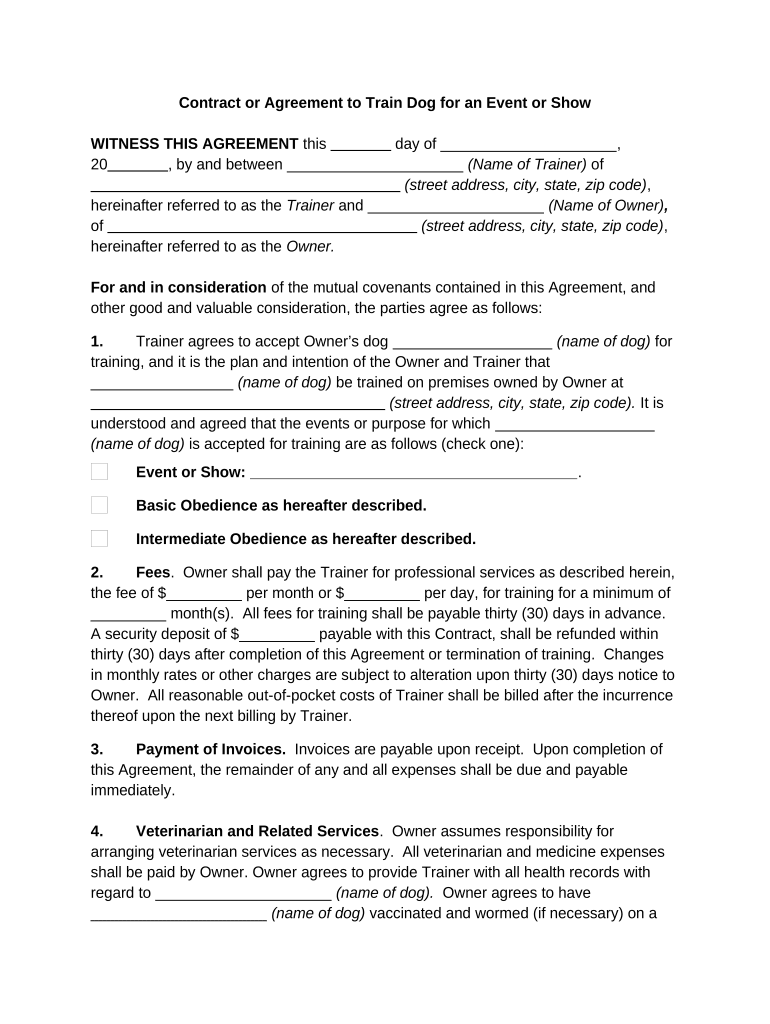
Click ‘Get Form’ to open the agreement for show in the editor.
Begin by filling in the date at the top of the document, followed by the names and addresses of both the Trainer and Owner. Ensure all details are accurate.
In Section 1, specify the name of the dog being trained and select the purpose of training by checking either 'Event or Show' or 'Basic/Intermediate Obedience'.
Proceed to Section 2 to enter the agreed fees for training services. Fill in amounts for monthly or daily rates, along with any security deposit required.
Complete Section 4 by providing health records and vaccination details for the dog. This ensures compliance with Trainer's requirements.
Review Sections 7 through 20 carefully, ensuring you understand liability, risk assumptions, and termination clauses before signing.
Start using our platform today to streamline your agreement process for free!
Agreement for show templateSample agreement for showSimple agreement for showFree agreement for showAgreement for show template freeAgreement for show template wordSimple Artist Performance contract PDFAgreement for show pdf
Security and compliance
At DocHub, your data security is our priority. We follow HIPAA, SOC2, GDPR, and other standards, so you can work on your documents with confidence.
Artist grants UP a continuing, non-exclusive right to display both still images and videos of the work publicly for documentation purposes without limitation orRead more
Cookie consent notice
This site uses cookies to enhance site navigation and personalize your experience.
By using this site you agree to our use of cookies as described in our Privacy Notice.
You can modify your selections by visiting our Cookie and Advertising Notice.