




Here's how it works

01. Edit your form online
Type text, add images, blackout confidential details, add comments, highlights and more.

02. Sign it in a few clicks
Draw your signature, type it, upload its image, or use your mobile device as a signature pad.

03. Share your form with others
Send it via email, link, or fax. You can also download it, export it or print it out.
How to use or fill out resolution amend articles with our platform

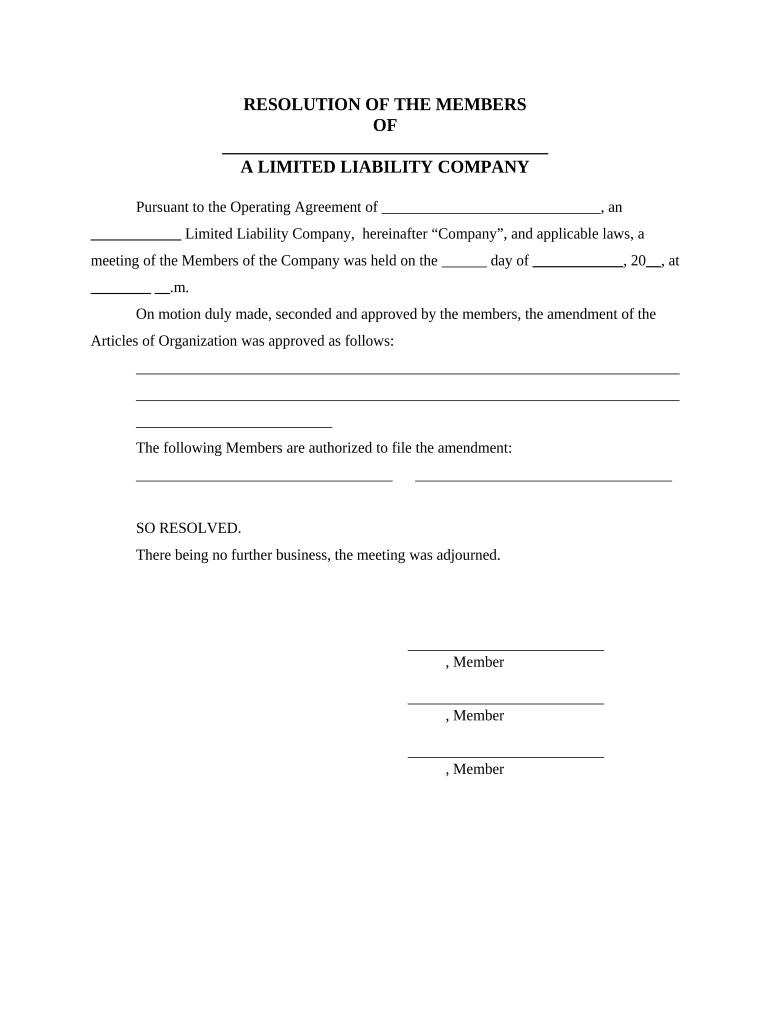
- Click ‘Get Form’ to open the resolution amend articles in the editor.
- Begin by filling in the name of your limited liability company in the designated space at the top of the form. This ensures clarity on which entity is being discussed.
- Next, indicate the date and time of the meeting where the resolution was passed. This is crucial for record-keeping and compliance.
- In the section provided, detail the specific amendments to the Articles of Organization. Be as descriptive as possible to avoid any ambiguity.
- List the names of members authorized to file this amendment. Ensure that all relevant members are included for proper authorization.
- Finally, have each member sign at the bottom of the document to validate their agreement and participation in this resolution.
Start using our platform today for free to streamline your document editing and signing process!
Fill out resolution amend articles online
It's free
It's free
Security and compliance
At DocHub, your data security is our priority. We follow HIPAA, SOC2, GDPR, and other standards, so you can work on your documents with confidence.
Learn more


