




Here's how it works

01. Edit your form online
Type text, add images, blackout confidential details, add comments, highlights and more.

02. Sign it in a few clicks
Draw your signature, type it, upload its image, or use your mobile device as a signature pad.

03. Share your form with others
Send it via email, link, or fax. You can also download it, export it or print it out.
How to use or fill out permanent injunction with our platform

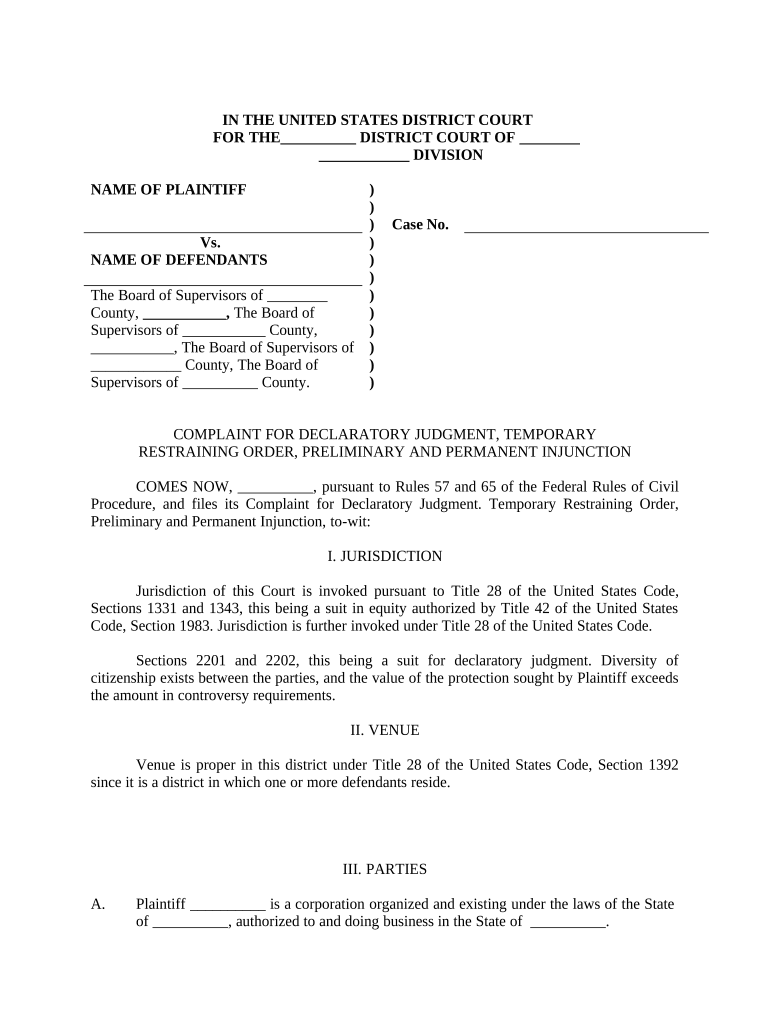
- Click ‘Get Form’ to open the permanent injunction document in the editor.
- Begin by filling in the 'Name of Plaintiff' and 'Name of Defendants' sections. Ensure that all names are accurate and reflect the parties involved in the case.
- In the 'Jurisdiction' section, specify the legal grounds for your case, referencing relevant statutes as needed. This is crucial for establishing the court's authority over the matter.
- Complete the 'Venue' section by indicating where the case is being filed, ensuring it aligns with jurisdictional requirements.
- Fill out the 'Parties' section thoroughly, detailing each party's role and how they can be served. This includes providing addresses for service of process.
- In 'Standing', articulate why you have a right to bring this action, focusing on any harm caused by the defendants’ actions.
- Detail your 'Cause of Action', clearly outlining each ordinance being challenged and why they are unconstitutional or invalid.
- Finally, in 'Requested Relief', specify what you are asking from the court, including any temporary restraining orders or declaratory judgments.
Start editing your permanent injunction form today for free on our platform!
Fill out permanent injunction online
It's free
It's free
Security and compliance
At DocHub, your data security is our priority. We follow HIPAA, SOC2, GDPR, and other standards, so you can work on your documents with confidence.
Learn more


