




Here's how it works



How to use or fill out divorce fraud with our platform

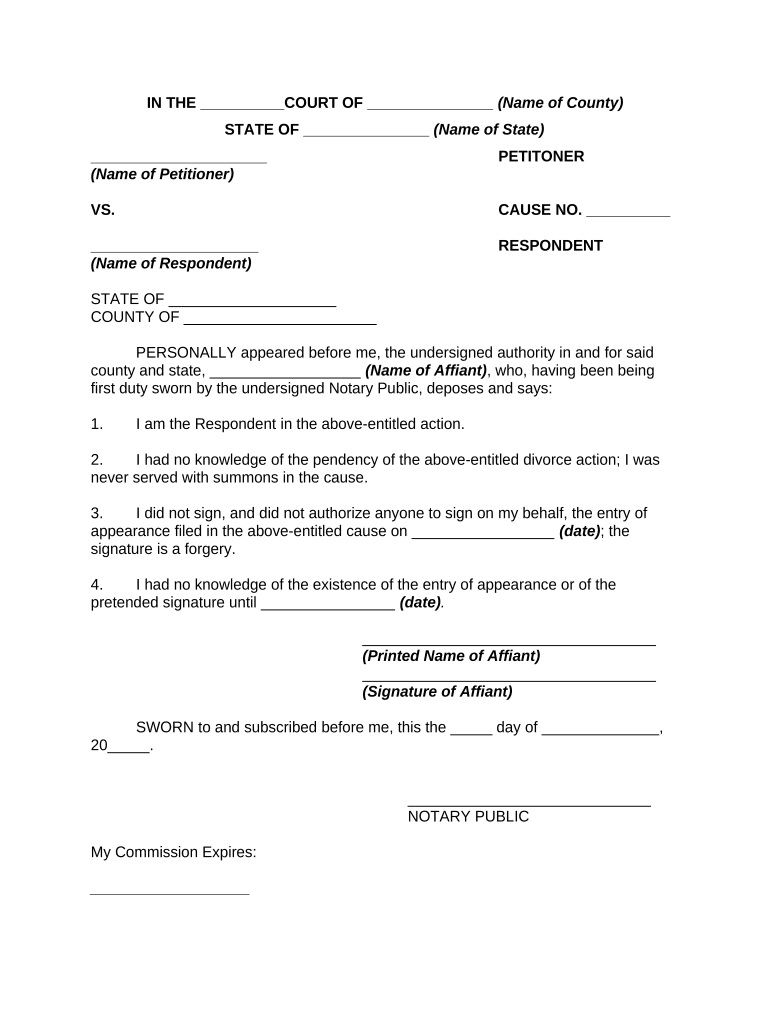
- Click ‘Get Form’ to open the divorce fraud document in the editor.
- Begin by filling in the court name and county at the top of the form. This information is crucial for identifying where your case is being filed.
- Next, enter your state name in the designated field. Ensure accuracy as this will affect jurisdiction.
- In the section labeled 'Petitioner', input your name as it appears on legal documents. This identifies you as the party initiating the action.
- For 'Respondent', provide the name of the other party involved in the divorce proceedings.
- Fill in 'Cause No.' with any case number assigned to your divorce action, if applicable.
- Complete the affidavit section by entering your printed name and signature, confirming your statements regarding lack of knowledge and forgery.
- Finally, have a Notary Public witness your signature and complete their section to validate your affidavit.
Start using our platform today to easily fill out and manage your divorce fraud documents for free!
It's free
Got questions?
Is it secure to sign my divorce fraud electronically?
You should use only reliable software solutions with strong data protection compliance to approve your documents electronically. DocHub is just the type of editor you need! It stores data on Amazon Web Servers and complies with all essential security criteria and eSignature regulations, so it’s a trustworthy way to eSign your divorce fraud or other paperwork using this tool.
Can I edit divorce fraud on my phone?
As a comprehensive document modifying service, DocHub is accessible on mobile phones. Open DocHub in your choice of mobile internet browser and use our smart mobile-friendly toolset to complete your divorce fraud.
Security and compliance
At DocHub, your data security is our priority. We follow HIPAA, SOC2, GDPR, and other standards, so you can work on your documents with confidence.
Learn more


