Type text, add images, blackout confidential details, add comments, highlights and more.
02. Sign it in a few clicks
Draw your signature, type it, upload its image, or use your mobile device as a signature pad.
03. Share your form with others
Send it via email, link, or fax. You can also download it, export it or print it out.
How to use or fill out motion set aside with our platform
Ease of Setup
DocHub User Ratings on G2
Ease of Use
DocHub User Ratings on G2
Click ‘Get Form’ to open the motion set aside document in the editor.
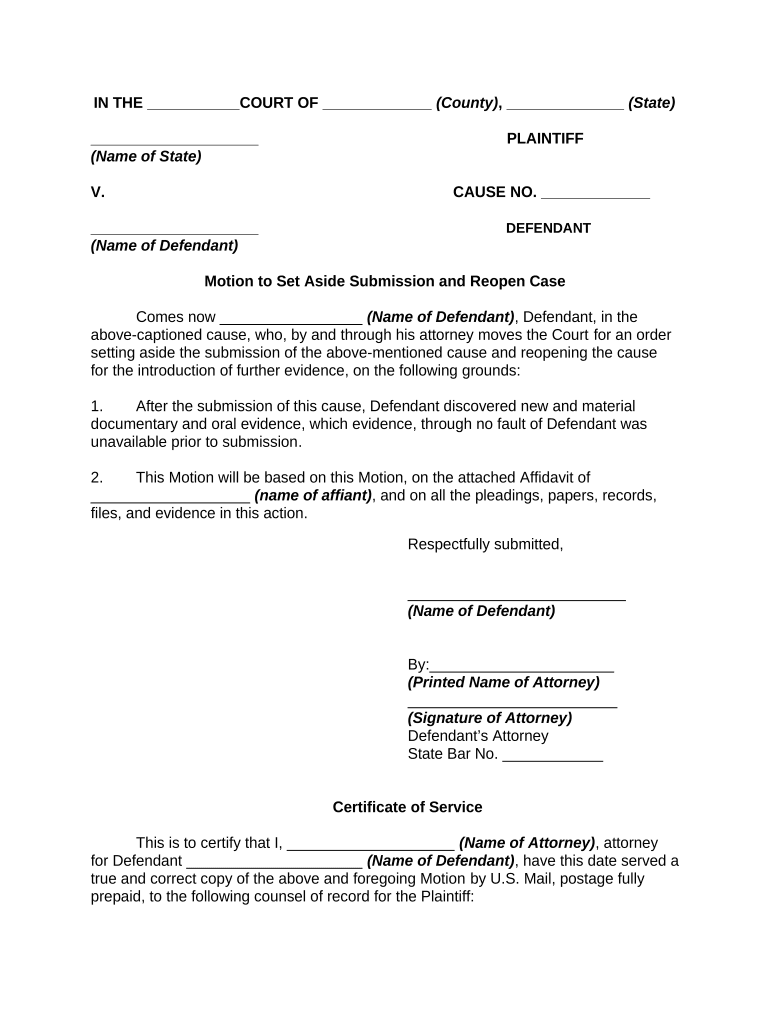
Begin by filling in the court name and county at the top of the form. This identifies where your motion is being filed.
Next, enter the names of the plaintiff and defendant along with their respective case numbers. Ensure accuracy to avoid delays.
In the body of the motion, clearly state your name as the defendant and provide a brief explanation for requesting to set aside the submission. Include any new evidence discovered.
Attach any necessary affidavits or supporting documents by using our platform’s upload feature, ensuring they are referenced in your motion.
Complete the certificate of service section by filling in your attorney's details and confirming that all parties have been notified.
Finally, review all entries for accuracy before signing electronically within our editor, then save or export your completed document.
Start using our platform today to streamline your motion set aside process for free!
Motion to Set Aside Default judgment pdfMotion to set aside Default judgment sampleMotion to set aside default judgment and notice of hearingMotion to set aside default judgment templateHow to file a motion to set aside JudgementMotion to set aside judgmentMotion to set aside convictionMotion to Vacate judgement form
Security and compliance
At DocHub, your data security is our priority. We follow HIPAA, SOC2, GDPR, and other standards, so you can work on your documents with confidence.
Several statutory tools are available to attack a fraudulent transfer, including setting aside the transfer and levying upon the assets transferred or otherRead more
On the Civil SideWhen Should an Entry of Default Be Set Aside?
Dec 3, 2025 If thirty days pass and the defendant has filed neither a motion to dismiss nor an answer, then the plaintiff can move the clerk to enterRead more
A Motion to Set Aside Default or Judgment is used to ask the court to set aside or undo a default or judgment or final order in a case, and to allow the caseRead more
Cookie consent notice
This site uses cookies to enhance site navigation and personalize your experience.
By using this site you agree to our use of cookies as described in our Privacy Notice.
You can modify your selections by visiting our Cookie and Advertising Notice.