




Here's how it works

01. Edit your easement right of way online
Type text, add images, blackout confidential details, add comments, highlights and more.

02. Sign it in a few clicks
Draw your signature, type it, upload its image, or use your mobile device as a signature pad.

03. Share your form with others
Send right of way vs easement via email, link, or fax. You can also download it, export it or print it out.
How to use or fill out easement right way with our platform

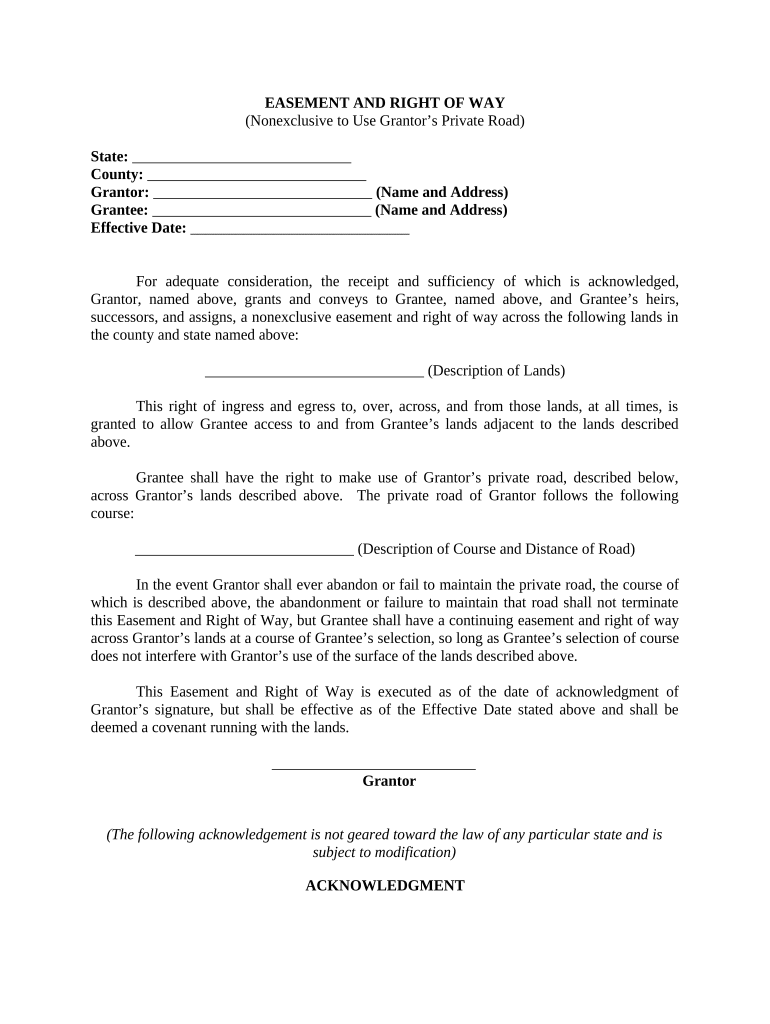
- Click ‘Get Form’ to open the easement right way document in the editor.
- Begin by filling in the 'State' and 'County' fields at the top of the form. This information is crucial for identifying the jurisdiction of the easement.
- Next, enter the names and addresses of both the Grantor and Grantee in their respective fields. Ensure accuracy as this identifies who is granting and receiving the easement.
- Specify the 'Effective Date' of the easement. This date marks when the rights granted will commence.
- In the section for 'Description of Lands', provide a detailed description of the lands over which the easement is granted. Clarity here helps avoid future disputes.
- Describe the course and distance of Grantor’s private road in detail. This ensures that Grantee knows exactly where they can exercise their rights.
- Finally, ensure that both parties sign and date at the bottom of the form, followed by a notary acknowledgment if required by your state.
Start using our platform today to easily complete your easement right way form online for free!
Fill out easement right way online
It's free
It's free
Security and compliance
At DocHub, your data security is our priority. We follow HIPAA, SOC2, GDPR, and other standards, so you can work on your documents with confidence.
Learn more


