Breach duty 2026

Get Form
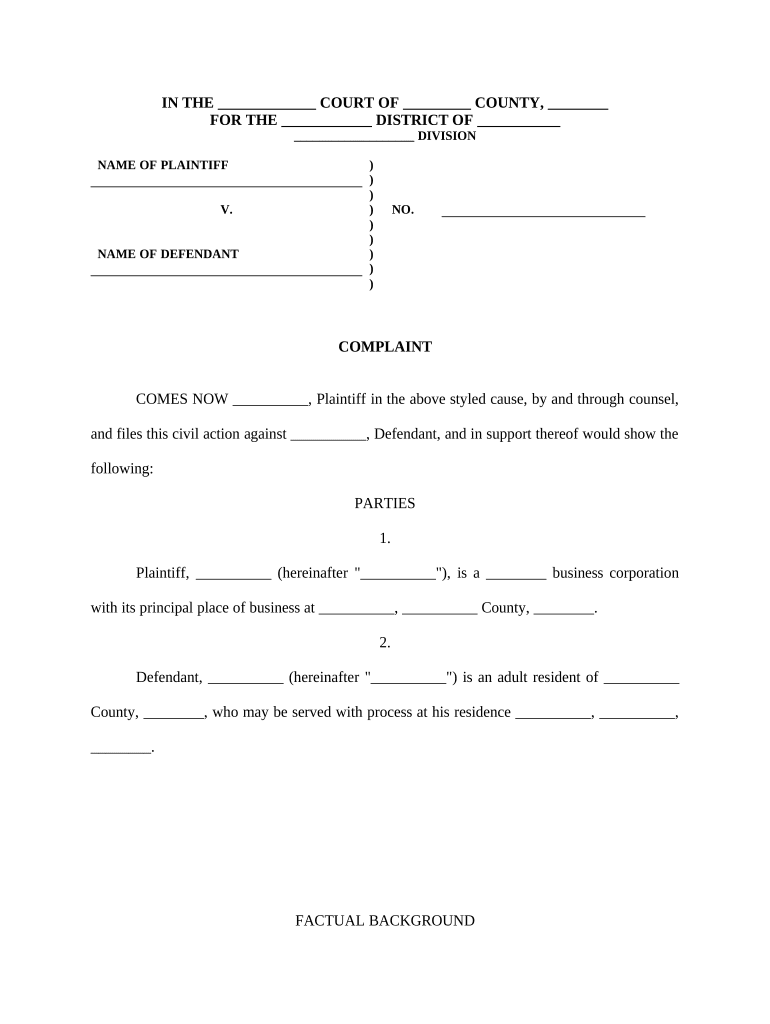
breach duty Preview on Page 1

Here's how it works

01. Edit your form online
Type text, add images, blackout confidential details, add comments, highlights and more.
02. Sign it in a few clicks
Draw your signature, type it, upload its image, or use your mobile device as a signature pad.
03. Share your form with others
Send it via email, link, or fax. You can also download it, export it or print it out.

How to use or fill out breach duty with our platform

Form edit decoration
9.5
Ease of Setup
DocHub User Ratings on G2
9.0
Ease of Use
DocHub User Ratings on G2
  1. Click ‘Get Form’ to open the breach duty document in the editor.
  2. Begin by filling in the court name, county, and district at the top of the form. This sets the context for your complaint.
  3. In the 'Parties' section, provide the names and details of both the plaintiff and defendant. Ensure accuracy as this information is crucial for legal proceedings.
  4. Move to 'Factual Background' and detail the events leading up to the breach of fiduciary duty. Use clear, concise language to outline key facts.
  5. In 'Count One', specify how the defendant breached their fiduciary duty. Clearly articulate any actions taken that were contrary to your interests.
  6. Complete subsequent counts (e.g., misappropriation of trade secrets) by detailing each claim against the defendant, ensuring all allegations are well-supported.
  7. Finally, review your entries for accuracy and completeness before saving or exporting your document for submission.

Start using our platform today to streamline your document editing and ensure a smooth completion of your breach duty form!

be ready to get more

Complete this form in 5 minutes or less

Get form

Got questions?

We have answers to the most popular questions from our customers. If you can't find an answer to your question, please contact us.
Contact us
In determining whether the defendant has bdocHubed his duty, we must demonstrate two things: Proof of what actually happened. That the defendant acted unreasonably under the circumstances as measured by the reasonable man test.
Not every bdocHub is a crime. Civil bdocHubes usually involve negligence or mistakes. The person who violated the duty might have to pay damages, return money, or make other forms of restitution. Criminal bdocHubes happen when someone intentionally breaks their fiduciary duty to gain an unfair advantage or cause harm.
Examples of a BdocHub of Duty A driver who is speeding, texting while driving, and driving under the influence. A property owner who fails to fix dangerous conditions on their property. A doctor who provides substandard care and injures a patient.
In order to be deemed as bdocHubing the duty of care, his actions must be proven to fall below the standard of care likely to be taken by the reasonable man.

Security and compliance

At DocHub, your data security is our priority. We follow HIPAA, SOC2, GDPR, and other standards, so you can work on your documents with confidence.

Learn more
ccpa2
pci-dss
gdpr-compliance
hipaa
soc-compliance
be ready to get more

Complete this form in 5 minutes or less

Get form