




Here's how it works



How to use or fill out Release of Landlord, Waiver of Liability, and Assumption of all Risks of Personal Bodily Injury Regarding a Play Structure - including a Swing Set - Owned by Landlord and Located on Landlord's Property Being Rented to Tenant

- Click ‘Get Form’ to open it in the editor.
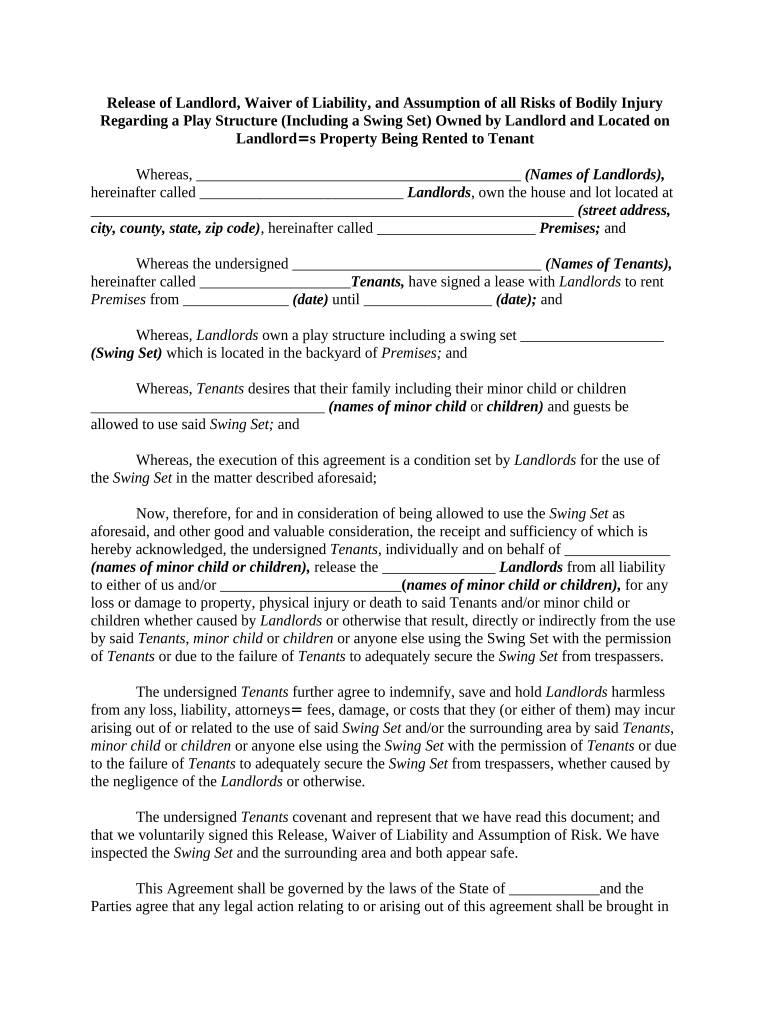
- Begin by entering the names of the landlords in the designated field. This identifies who owns the property.
- Fill in the complete address of the premises being rented, ensuring accuracy for legal purposes.
- Input the names of the tenants who are renting the property, followed by the lease start and end dates.
- Specify details about the swing set, confirming its location within the premises.
- List any minor children who will be using the swing set, as this is crucial for liability considerations.
- Review and sign where indicated, ensuring that all parties understand and agree to waive liability regarding injuries related to the swing set.
- Finally, ensure that you have read through all terms before submitting or saving your completed document.
Start using our platform today to easily fill out your Release of Landlord form for free!
It's free
Got questions?
How can I eSign my rental waiver from Gmail?
With DocHub, it’s quite simple. The platform offers users an add-on called DocHub for Gmail, which you can locate in the Google Workspace Marketplace without being charged. Set it up and give it access to your Google account. Open your email with your rental waiver attached and click on the add-on button in the right-side panel. Sign in to your DocHub account, and import the file to our editor, where you can fill it out and sign.
What browser do I need to edit liability waiver for rental property online?
If you want to edit your liability waiver for rental property on the internet swiftly, it does not matter what browser you employ. DocHub’s straightforward editing tools are accessible using any internet browser. Simply open the appropriate tab within our editor, add your file, and fill it out without stress.
How do I protect myself as a landlord in California?
What a landlord Cannot do in California?
What are 3 rights landlords have in California?
Security and compliance
At DocHub, your data security is our priority. We follow HIPAA, SOC2, GDPR, and other standards, so you can work on your documents with confidence.
Learn more


