




Here's how it works

01. Edit your georgia workers' compensation cheat sheet online
Type text, add images, blackout confidential details, add comments, highlights and more.

02. Sign it in a few clicks
Draw your signature, type it, upload its image, or use your mobile device as a signature pad.

03. Share your form with others
Send georgia workers' compensation cheat sheet 2024 via email, link, or fax. You can also download it, export it or print it out.
How to use or fill out Georgia Workers Compensation with our platform

- Click ‘Get Form’ to open the Georgia Workers Compensation form in the editor.
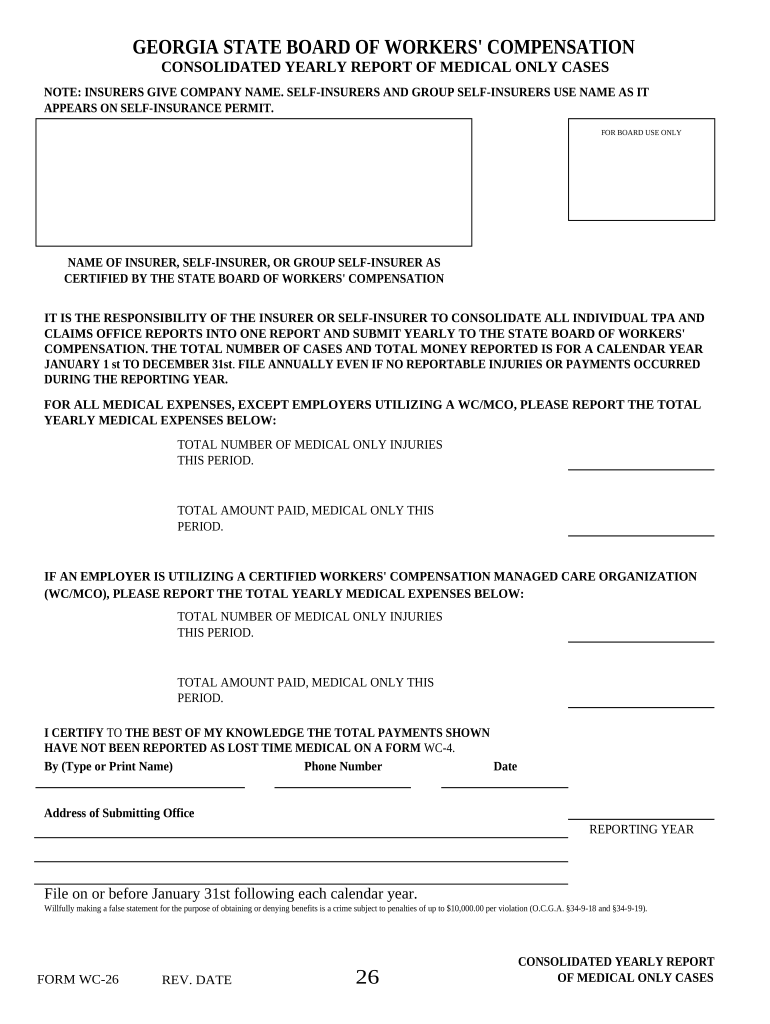
- Begin by entering the name of the insurer, self-insurer, or group self-insurer as certified by the State Board of Workers' Compensation. Ensure accuracy as this is crucial for compliance.
- Consolidate all individual TPA and claims office reports into one report. This is your responsibility, so double-check that all data is included.
- Fill in the total number of medical-only injuries for the reporting year. This should reflect all cases from January 1st to December 31st.
- Next, input the total amount paid for medical-only cases during this period. Be thorough to avoid discrepancies.
- If utilizing a certified Workers' Compensation Managed Care Organization (WC/MCO), repeat steps 4 and 5 for those specific expenses.
- Finally, certify your report by typing or printing your name, providing a phone number, and including the date and address of the submitting office.
Start using our platform today to streamline your Georgia Workers Compensation reporting process for free!
Fill out georgia workers compensation online
It's free
It's free
Security and compliance
At DocHub, your data security is our priority. We follow HIPAA, SOC2, GDPR, and other standards, so you can work on your documents with confidence.
Learn more


