




Here's how it works

01. Edit your form online
Type text, add images, blackout confidential details, add comments, highlights and more.

02. Sign it in a few clicks
Draw your signature, type it, upload its image, or use your mobile device as a signature pad.

03. Share your form with others
Send it via email, link, or fax. You can also download it, export it or print it out.
How to use or fill out Colorado Separation Agreement with our platform

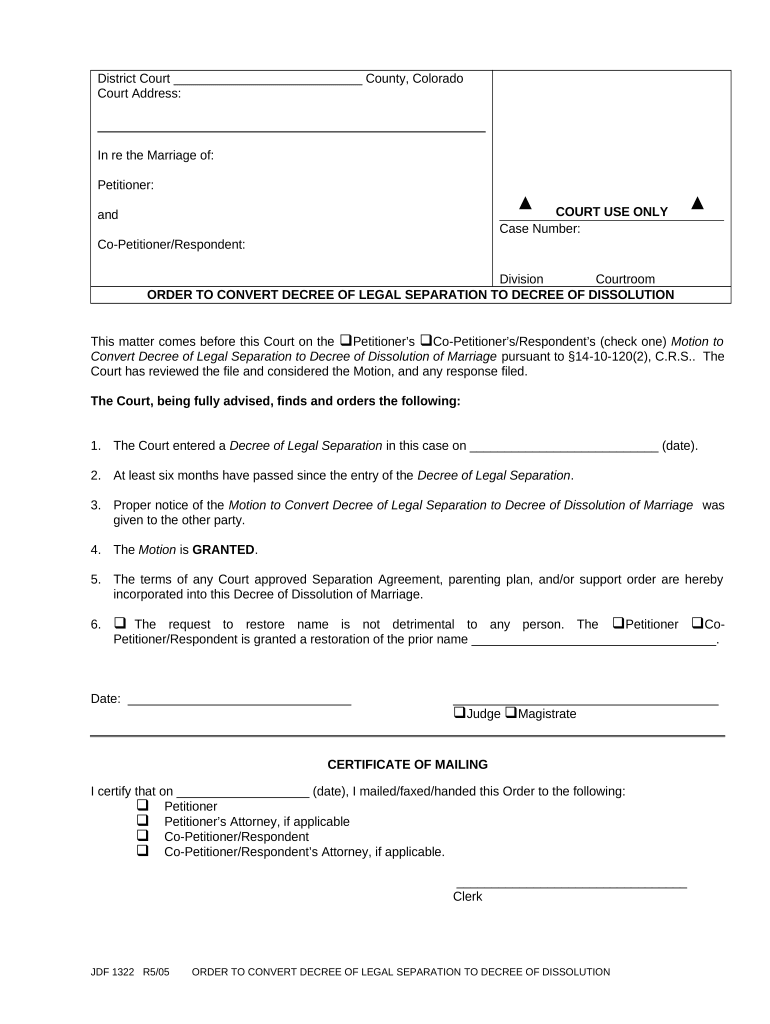
- Click ‘Get Form’ to open the Colorado Separation Agreement in the editor.
- Begin by entering the court address and case number at the top of the form. This information is crucial for identifying your case.
- In the section labeled 'In re the Marriage of', fill in the names of both parties involved: Petitioner and Co-Petitioner/Respondent.
- Indicate whether it is the Petitioner or Co-Petitioner/Respondent who is filing the motion by checking the appropriate box.
- Complete the date field where you entered a Decree of Legal Separation, ensuring accuracy as this affects your timeline.
- Confirm that at least six months have passed since that decree, as this is a requirement for conversion.
- Check off that proper notice has been given to all parties involved regarding this motion.
- If applicable, indicate if there is a request to restore a prior name and provide that name in the designated space.
- Finally, sign and date the document before submitting it through our platform for processing.
Start using our platform today to streamline your Colorado Separation Agreement process for free!
Fill out colorado separation agreement online
It's free
It's free
Security and compliance
At DocHub, your data security is our priority. We follow HIPAA, SOC2, GDPR, and other standards, so you can work on your documents with confidence.
Learn more


