




Here's how it works

01. Edit your form online
Type text, add images, blackout confidential details, add comments, highlights and more.

02. Sign it in a few clicks
Draw your signature, type it, upload its image, or use your mobile device as a signature pad.

03. Share your form with others
Send it via email, link, or fax. You can also download it, export it or print it out.
How to use or fill out joint divorce court with our platform

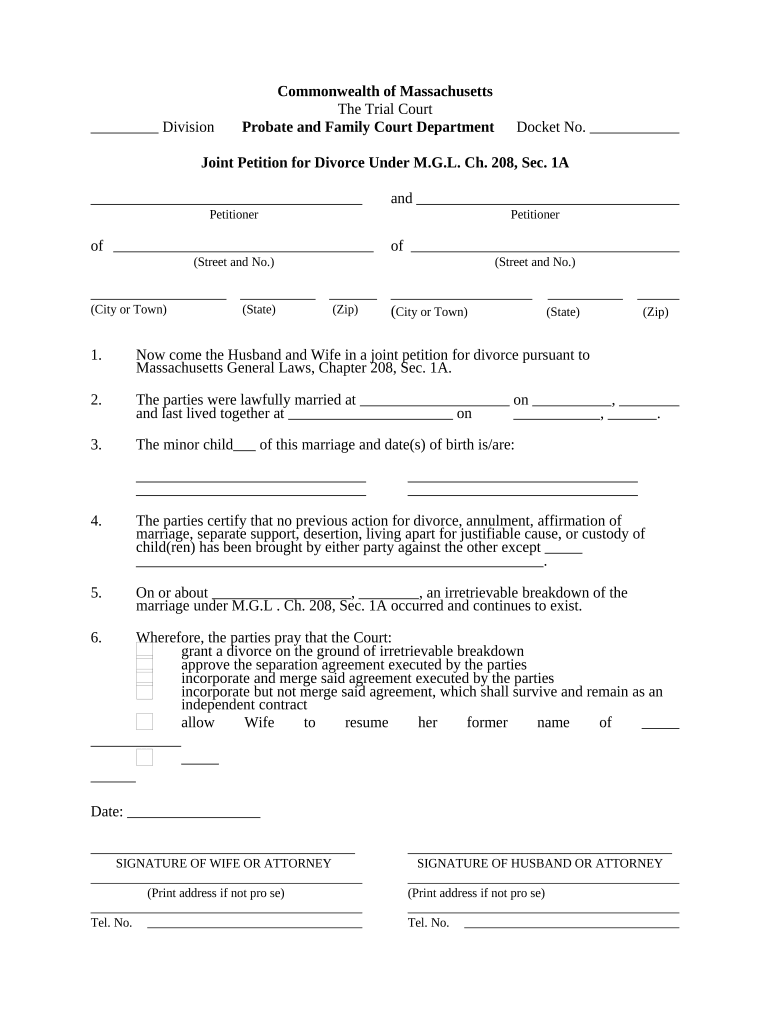
- Click ‘Get Form’ to open the Joint Petition for Divorce in the editor.
- Begin by entering the Docket Number at the top of the form. This is essential for tracking your case.
- Fill in the names and addresses of both parties in the designated fields, ensuring accuracy to avoid delays.
- Indicate where you were married and where you last lived together. This information is crucial for jurisdiction purposes.
- If applicable, provide details about any minor children involved in the divorce proceedings.
- Certify that no previous divorce actions have been filed against each other, unless otherwise stated.
- Describe the irretrievable breakdown of the marriage, including dates if possible, to support your petition.
- Review and select your requests regarding divorce grounds and agreements, ensuring all options are clearly marked.
- Finally, both parties must sign and date the document. If using our platform, you can easily add signatures electronically.
Start filling out your Joint Petition for Divorce today on our platform for free!
Fill out joint divorce court online
It's free
It's free
Security and compliance
At DocHub, your data security is our priority. We follow HIPAA, SOC2, GDPR, and other standards, so you can work on your documents with confidence.
Learn more


