




Here's how it works



How to use or fill out Agreement to Repair Household Furniture and Related Goods with our platform

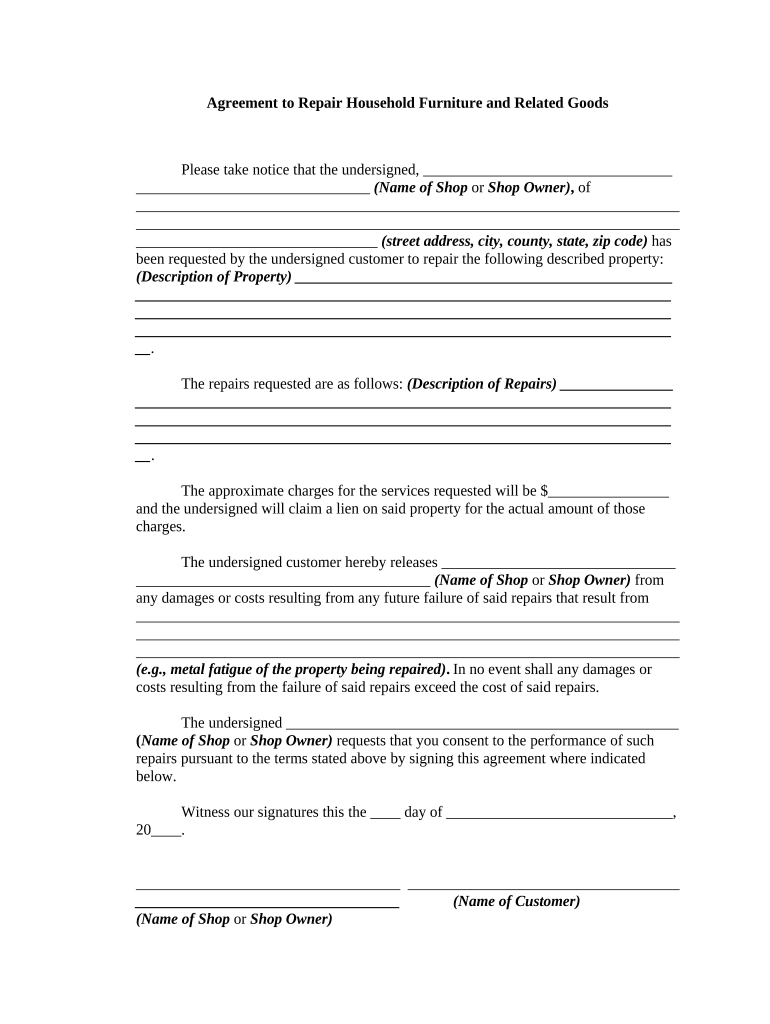
- Click ‘Get Form’ to open the Agreement to Repair Household Furniture and Related Goods in the editor.
- Begin by entering the name of the shop or shop owner in the designated field. This identifies who will be performing the repairs.
- Next, fill in the complete address of the shop, including street address, city, county, state, and zip code. This ensures proper identification and location for service.
- Describe the property that requires repair in the provided section. Be as detailed as possible to avoid any misunderstandings.
- In the next field, outline the specific repairs requested. Clarity here helps set expectations for both parties.
- Indicate the approximate charges for services in the corresponding field. This is crucial for transparency regarding costs.
- The customer must release the shop from future damages by filling out that section carefully, ensuring they understand potential risks.
- Finally, both parties should sign and date at the bottom of the form to finalize this agreement.
Start using our platform today to easily complete your Agreement to Repair Household Furniture and Related Goods for free!
It's free
Got questions?
How can I sign my Agreement to Repair Household Furniture and Related Goods without printing?
Electronic signatures are a perfect alternative to traditional signing, as they save time, effort, and costs people spend on printing, scanning, and paper delivery. You can eSign your Agreement to Repair Household Furniture and Related Goods utilizing a trustworthy and powerful online document management tool like DocHub. It complies with main eSignature regulations (ESIGN and UETA), so all forms approved there are legally binding and have the same validity as manually signed ones.
Can I print my Agreement to Repair Household Furniture and Related Goods and finish it by myself?
When you go for analog methods of completing your Agreement to Repair Household Furniture and Related Goods, you can easily download your file for printing. Search DocHub’s Forms & Templates catalog to get the exact file template you require and open it for editing or download it on your gadget in the format of your choice. It is possible to complete your form electronically and put your handwritten signature on it right after printing or eSign your file with DocHub.
Security and compliance
At DocHub, your data security is our priority. We follow HIPAA, SOC2, GDPR, and other standards, so you can work on your documents with confidence.
Learn more


