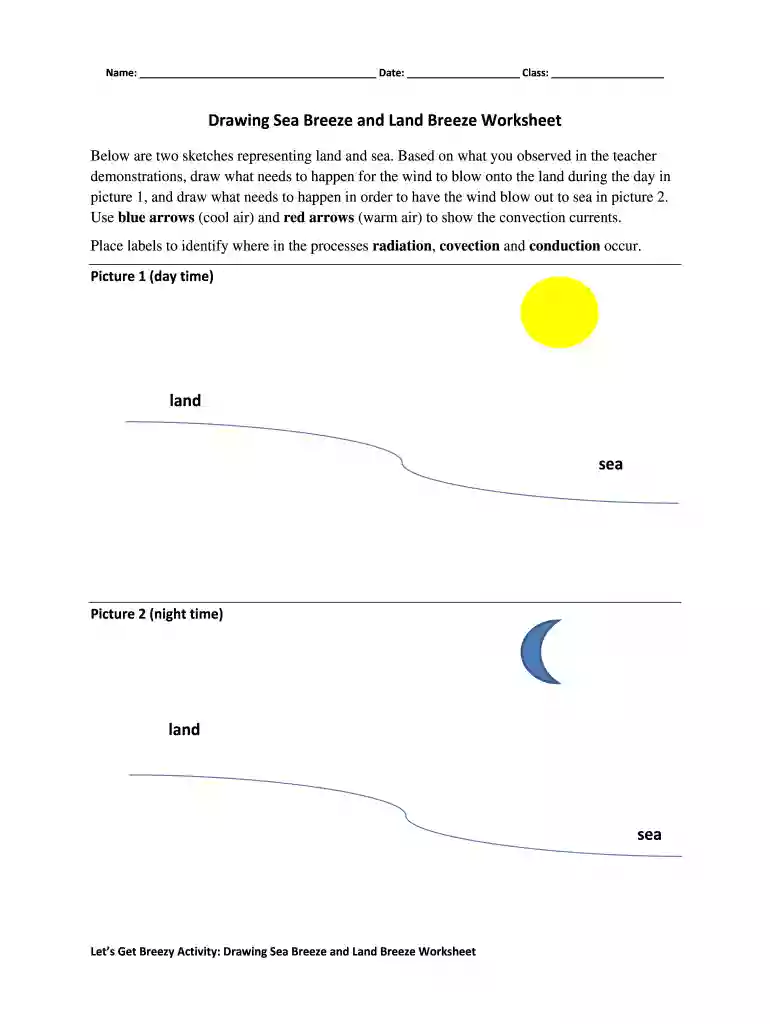
sea land worksheet Preview on Page 1

Drawing sea breeze 2026

Here's how it works

  • 01. Edit your sea land worksheet online

    Type text, add images, blackout confidential details, add comments, highlights and more.

  • 02. Sign it in a few clicks

    Draw your signature, type it, upload its image, or use your mobile device as a signature pad.

  • 03. Share your form with others

    Send breeze land worksheet via email, link, or fax. You can also download it, export it or print it out.

How to use or fill out drawing sea breeze with our platform

Form edit decoration
9.5
Ease of Setup
DocHub User Ratings on G2
9.0
Ease of Use
DocHub User Ratings on G2
  1. Click ‘Get Form’ to open the drawing sea breeze worksheet in the editor.
  2. Begin by entering your name, date, and class in the designated fields at the top of the form.
  3. In Picture 1, illustrate how the wind blows onto the land during the day. Use blue arrows to represent cool air and red arrows for warm air, indicating convection currents.
  4. Label your drawing to identify where radiation, convection, and conduction occur in the process.
  5. Proceed to Picture 2 and depict how the wind blows out to sea at night. Again, utilize blue and red arrows for airflow representation.
  6. Ensure all labels are clear and accurately describe each part of your drawings.

Start using our platform today for free to complete your drawing sea breeze worksheet effortlessly!

be ready to get more

Complete this form in 5 minutes or less

Got questions?

We have answers to the most popular questions from our customers. If you can't find an answer to your question, please contact us.

Many software applications are available out there for document modifying and signing. DocHub is one of the most in-demand online solutions that comply with all security and compliance requirements and guarantees your eSigned documentation is legally enforceable. All you need to try it out is to register an account, upload your drawing sea breeze, provide the requested information, and click Sign. Create your electronic signature by typing, drawing it, uploading its image to your document, or scanning a unique QR code.

If you edit your sea breeze and land breeze drawing with DocHub, you only need a stable web connection and virtually any browser installed on your device. No need to install any third-party applications or study guides. Just open a tab with DocHub, drag and drop your file, and modify it immediately.

Security and compliance

At DocHub, your data security is our priority. We follow HIPAA, SOC2, GDPR, and other standards, so you can work on your documents with confidence.

sea breeze worksheet

What are sea breezes and why do they occur? - Answer

Sea breezes occur during hot, summer days because of the unequal heating rates of land and water. During the day, the land surface heats up faster than theRead more

Learn more
If you believe that this page should be taken down, please follow our DMCA take down process here