




Here's how it works



How to use or fill out BID PROPOSAL FORM New Building for the New Blakes Lotaburger with DocHub

- Click ‘Get Form’ to open the BID PROPOSAL FORM in our editor.
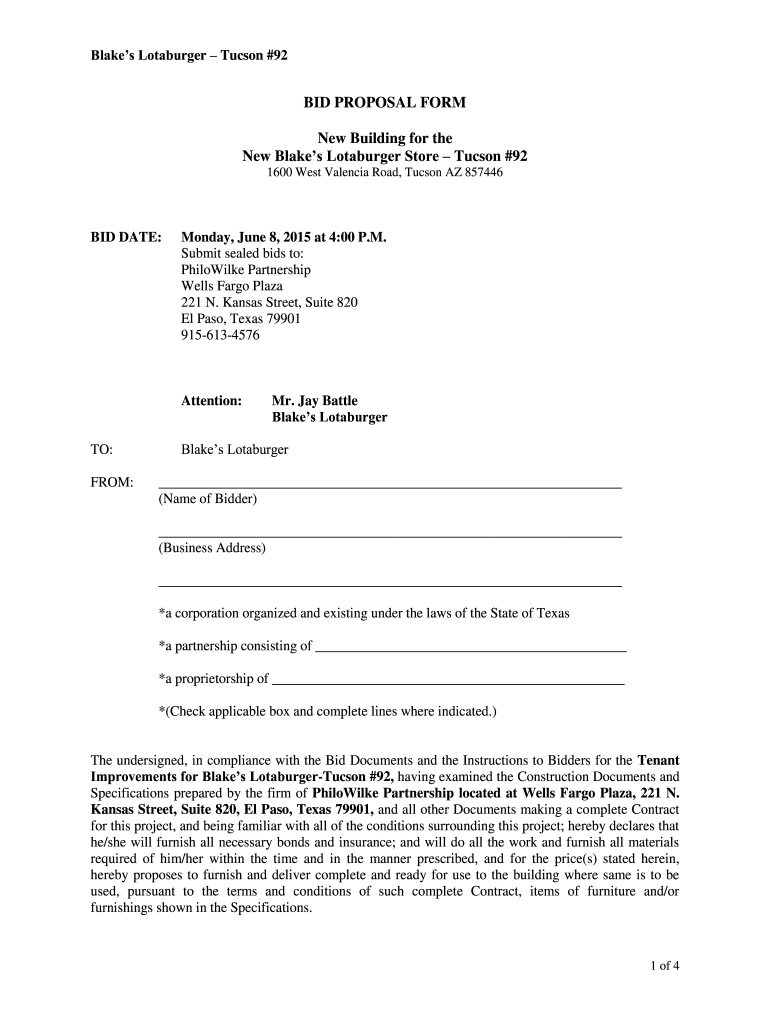
- Begin by entering your name and business address in the designated fields. Ensure that you check the appropriate box indicating your business structure (corporation, partnership, or proprietorship).
- Review the project scope outlined in the form. Familiarize yourself with the construction documents and specifications provided by PhiloWilke Partnership.
- Fill in your proposed construction time to complete the project in weeks, as well as your base bid amount for demolition and construction.
- If applicable, include any additive items that may enhance your proposal, detailing their costs and completion days.
- Complete the unit prices section for potential changes in contract work quantities, ensuring accuracy for each item listed.
- Finally, sign and date the form at the bottom. If you're representing a corporation, ensure to include a seal if required.
Start using our platform today to streamline your bid proposal process for free!
It's free
Got questions?
How can I eSign my BID PROPOSAL FORM New Building for the New Blakes Lotaburger from Gmail?
With DocHub, it’s quite simple. The editor offers users an add-on called DocHub for Gmail, which you can locate in the Google Workspace Marketplace without being charged. Install it and give it access to your Google account. Open your email with your BID PROPOSAL FORM New Building for the New Blakes Lotaburger attached and click on the add-on button in the right-side panel. Log in to your DocHub account, and upload the form to our editor, where you can complete it and sign.
Can I edit BID PROPOSAL FORM New Building for the New Blakes Lotaburger on my phone?
As a comprehensive document editing service, DocHub is available on mobile devices. Open DocHub in your choice of mobile browser and use our smart mobile-friendly toolset to complete your BID PROPOSAL FORM New Building for the New Blakes Lotaburger.
Security and compliance
At DocHub, your data security is our priority. We follow HIPAA, SOC2, GDPR, and other standards, so you can work on your documents with confidence.
Learn more


