




Here's how it works



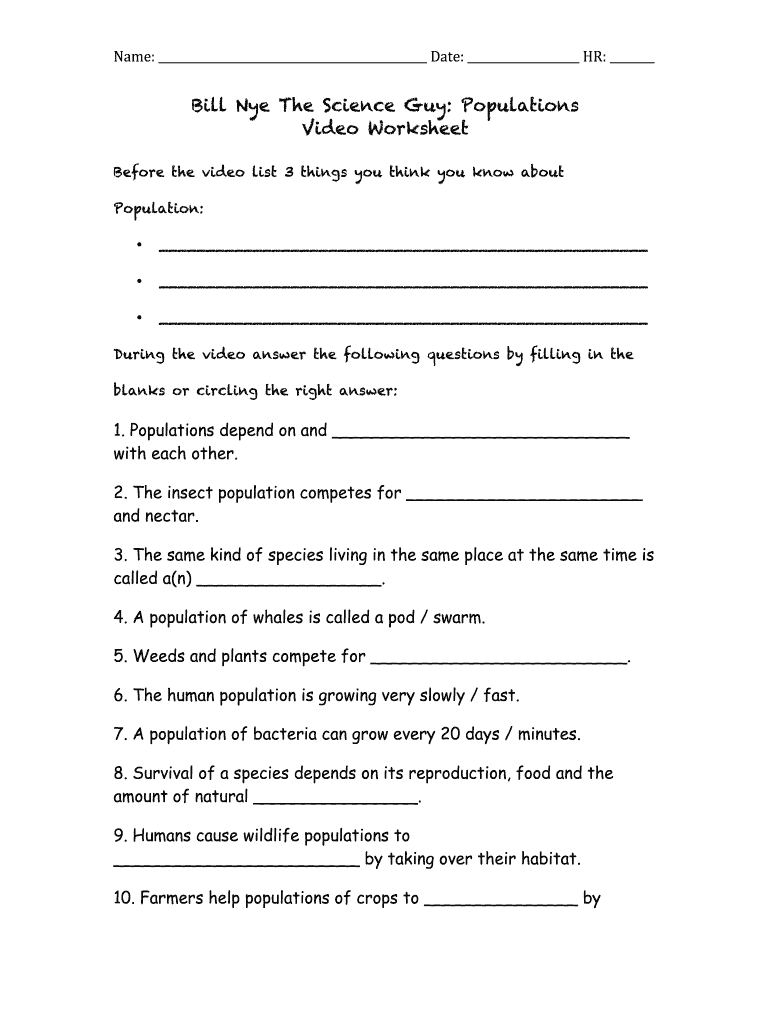
How to use or fill out the eyes of nye population worksheet answers with our platform

- Click ‘Get Form’ to open it in the editor.
- Begin by entering your name and date at the top of the worksheet. This personalizes your document and helps keep track of submissions.
- In the first section, list three things you think you know about populations. Click on each line to type your responses directly into the form.
- As you watch the video, answer the questions by filling in the blanks or circling the correct answers. Use our platform's text tools to easily input your answers.
- After completing the video, reflect on what you've learned by listing three new insights in the designated area at the bottom of the worksheet.
Start using our platform today for free to enhance your document editing experience!
It's free
Got questions?
What is the best way to electronically sign my the eyes of nye human population worksheet?
A lot of software applications are available on the market for document modifying and signing. DocHub is one of the most popular online solutions that comply with all security and compliance standards and ensures your electronically signed paperwork is legally enforceable. All you need to give it a try is to create an account, add your the eyes of nye human population worksheet, provide the requested details, and click Sign. Create your eSignature by typing, drawing it, uploading its picture to your document, or scanning a unique QR code.
How to fill out human populations and demographics the eyes of nye answers online free of charge in 2024?
Having a swift editing system like DocHub, you do not need anything but a browser and connection to the internet to modify your human populations and demographics the eyes of nye answers on the internet quickly. Add your file or find the relevant form in DocHub’s catalog, open our editor with one click, and complete it electronically. To revise your forms at any time, register a free profile with DocHub.
Security and compliance
At DocHub, your data security is our priority. We follow HIPAA, SOC2, GDPR, and other standards, so you can work on your documents with confidence.
Learn more


