Communication filled workbook form 2026

Get Form
communication workbook pdf Preview on Page 1

Here's how it works

01. Edit your communication workbook pdf online
Type text, add images, blackout confidential details, add comments, highlights and more.
02. Sign it in a few clicks
Draw your signature, type it, upload its image, or use your mobile device as a signature pad.
03. Share your form with others
Send it via email, link, or fax. You can also download it, export it or print it out.

How to use or fill out communication filled workbook form with our platform

Form edit decoration
9.5
Ease of Setup
DocHub User Ratings on G2
9.0
Ease of Use
DocHub User Ratings on G2
  1. Click ‘Get Form’ to open the communication filled workbook form in the editor.
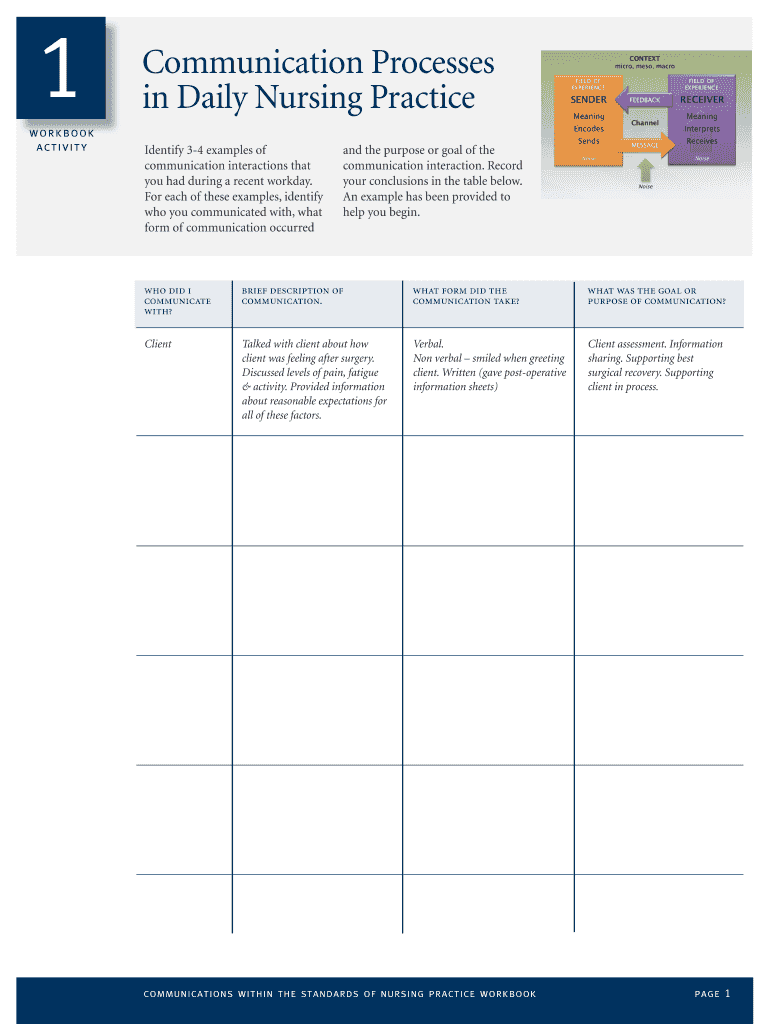
  2. Begin by identifying 3-4 examples of communication interactions from your recent workday. Fill in the table provided, detailing who you communicated with, the form of communication used, and the purpose of each interaction.
  3. In the next section, select 2-3 interactions and note common components that make up these communications. Reflect on how these components relate to one another.
  4. Continue through the workbook by reflecting on your comfort level with different forms of communication and documenting insights gained from each activity.
  5. At the end of the workbook, summarize your affirmations and insights, and create a plan for future professional growth based on your reflections.

Start using our platform today to enhance your document editing experience for free!

be ready to get more

Complete this form in 5 minutes or less

Get form

Got questions?

We have answers to the most popular questions from our customers. If you can't find an answer to your question, please contact us.
Contact us

You should use only trustworthy software solutions with strong data protection compliance to sign your documents electronically. DocHub is just the type of editor you need! It stores data on Amazon Web Servers and complies with all essential security criteria and eSignature regulations, so it’s a trusted way to electronically sign your communication filled workbook form or other documents using this tool.

You may quickly complete, edit, and even eSign your communication filled workbook form using DocHub. Create a new profile and start your free trial. After that, you can upload the document with the form and easily make all the required edits. No need to print on paper or use a third-party application to sign it, as you can place your electronic signature on your document faster through DocHub.

The following are the seven types of communication discussed in this article: Intrapersonal Communication. Dyadic and Interpersonal Communication. Small-Group Communication. Organizational Communication. Public Communication. Mass Communication. Social Media Communication.
The document discusses the 4Ss of business communication: Shortness, Simplicity, Strength, and Sincerity.
Explanation: The four basic communication skills are Listening, Speaking, Reading, and Writing.

Security and compliance

At DocHub, your data security is our priority. We follow HIPAA, SOC2, GDPR, and other standards, so you can work on your documents with confidence.

Learn more
ccpa2
pci-dss
gdpr-compliance
hipaa
soc-compliance

People also ask

The five types of communication you need to know about are verbal communication, nonverbal communication, written communication, visual communication, and listening.

Related links