Ida s service log online 2026

Get Form
ida baker high school calendar Preview on Page 1

Here's how it works

01. Edit your ida baker high school calendar online
Type text, add images, blackout confidential details, add comments, highlights and more.
02. Sign it in a few clicks
Draw your signature, type it, upload its image, or use your mobile device as a signature pad.
03. Share your form with others
Send it via email, link, or fax. You can also download it, export it or print it out.

How to use or fill out ida s service log online with our platform

Form edit decoration
9.5
Ease of Setup
DocHub User Ratings on G2
9.0
Ease of Use
DocHub User Ratings on G2
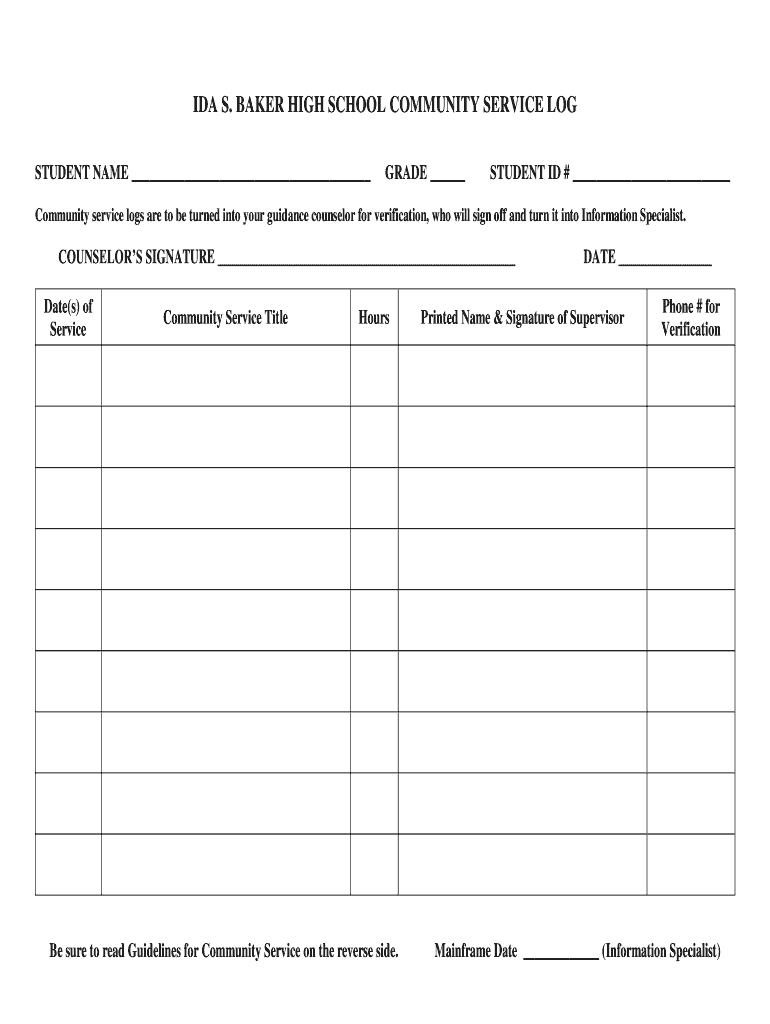
  1. Click ‘Get Form’ to open the ida s service log in the editor.
  2. Begin by entering your name in the designated field for 'STUDENT NAME'.
  3. Fill in your grade level next to 'GRADE' and your student ID number in the corresponding field.
  4. In the 'Date(s) of Service' section, input the dates when you completed your community service.
  5. Provide a brief title for each community service activity under 'Community Service Title'.
  6. Record the total hours spent on each activity in the 'Hours' field.
  7. Ensure that you have a printed name and signature from your supervisor along with their phone number for verification.
  8. Finally, leave space for your counselor’s signature and date, which will be filled out upon submission.

Start filling out your ida s service log online today for free using our platform!

be ready to get more

Complete this form in 5 minutes or less

Get form

Got questions?

We have answers to the most popular questions from our customers. If you can't find an answer to your question, please contact us.
Contact us

With DocHub, it’s quite simple. The platform offers users an add-on called DocHub for Gmail, which you can find in the Google Workspace Marketplace without being charged. Install it and give it access to your Google account. Open your email with your ida s service log online attached and click on the add-on button in the right-side panel. Log in to your DocHub account, and import the file to our editor, where you can fill it out and sign.

You can find the latest and most relevant version of the ida s service log online in our DocHub forms library. Browse it by categories or use the search field to locate the exact template that suits your case. You may open this form for editing after you find it.

FEMA is issuing U.S. Treasury Checks and Electronic Funds Transfers.
For eligible SBA disaster home and business loans approved in 2020, borrowers will be required to resume making regular principal and interest payments 12-months from their Next Installment Due Date pursuant to the terms of the Loan Authorization.
As a homeowner, renter and/or personal property owner, you may apply to the SBA for a loan to help you recover from a disaster. Homeowners may apply for up to $200,000 to replace or repair their primary residence. The loans may not be used to upgrade homes or make additions, unless required by local building code.

Security and compliance

At DocHub, your data security is our priority. We follow HIPAA, SOC2, GDPR, and other standards, so you can work on your documents with confidence.

Learn more
ccpa2
pci-dss
gdpr-compliance
hipaa
soc-compliance

People also ask

Where do I update my information and check on the status of my application? You can apply or update your information online at DisasterAssistance.gov, by calling 800-621-3362 (TTY: 800-462-7585) or through the FEMA mobile app.

Related links