




Here's how it works



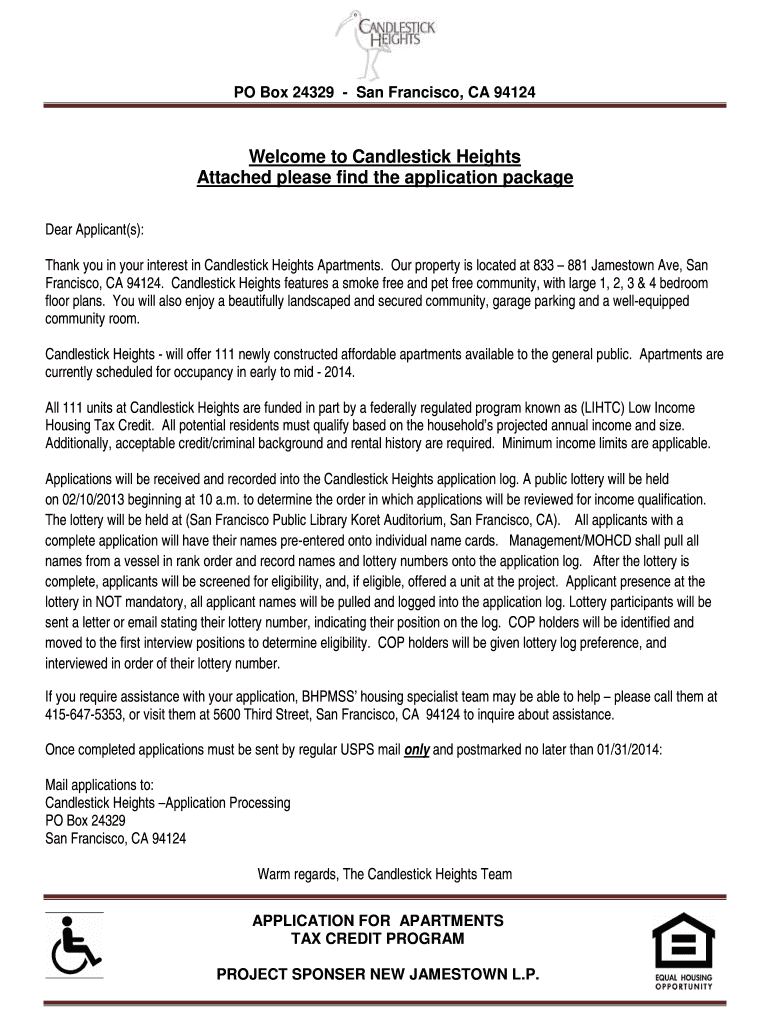
How to use or fill out New Jamestown LP Candlestick Heights Tenant Income Certification Questionnaire

- Click ‘Get Form’ to open it in the editor.
- Begin with Part A, Household Information. Fill in the number of persons in your household and select the number of bedrooms you are applying for. Ensure that all names and details are accurate.
- In Part B, provide your current address and contact information. Make sure to include how you prefer to be contacted for the interview.
- Complete Part C regarding Certificate of Preference holders if applicable, and indicate any special accommodations needed in Part D.
- For Part E, Current Housing Information, detail your current rent and landlord's contact information. If you've lived at your current address for less than two years, provide previous residency details.
- In Part F, Gross Income From all Sources, list all income sources accurately. Each adult member must complete a separate Tenant Questionnaire (pages 3 & 4).
- Review all sections thoroughly before submitting. Ensure no questions are left unanswered or blank.
Start filling out your application today using our platform for free!
It's free
Got questions?
Can I draw my eSignature to approve my cert of low income?
Yes, electronically drawing your signature is acceptable, but only if you utilize a tool that complies with industry laws and regulations. Try DocHub, which guarantees eSignature validity under ESIGN and UETA requirements. All you need to eSign your cert of low income is an account with DocHub and an internet connection. After you open your paperwork in our editor, click Sign and choose the Draw option.
How do you edit New Jamestown LP Candlestick Heights. Tenant Income Certification Questionnaire, One Form per Adult Member of the Household online?
With DocHub, you have several convenient methods to edit your New Jamestown LP Candlestick Heights. Tenant Income Certification Questionnaire, One Form per Adult Member of the Household online. You can drag and drop the form and modify it straight at the DocHub site or use our browser extension to fill out your form right away. On top of that, you can modify your PDF on your phone, as DocHub is compatible with all the available mobile platforms.
What is ticq?
What is a tenant income certification?
Security and compliance
At DocHub, your data security is our priority. We follow HIPAA, SOC2, GDPR, and other standards, so you can work on your documents with confidence.
Learn more


