




Here's how it works



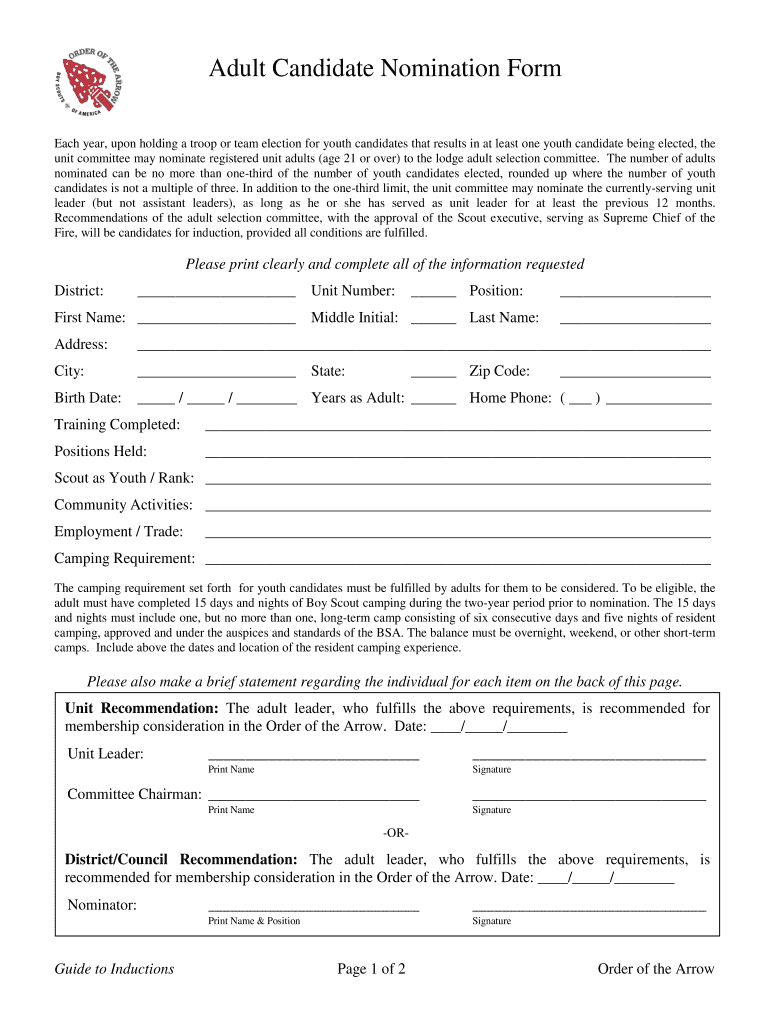
How to use or fill out OA Adult Nomination Form - Crossroads of America Council, BSA with Our Platform

- Click ‘Get Form’ to open the OA Adult Nomination Form in our editor.
- Begin by filling in the 'District' field at the top of the form. This helps identify your local scouting area.
- Complete the personal information section, including 'First Name', 'Middle Initial', 'Last Name', and 'Unit Number'. Ensure all names are printed clearly.
- Provide your address details, including 'City', 'State', and 'Zip Code'. This is essential for communication purposes.
- Fill in your birth date and years of service as an adult leader. This information is crucial for eligibility verification.
- List any training completed and positions held within scouting. This showcases your qualifications for nomination.
- Detail your camping experience, ensuring you meet the requirement of 15 days and nights of camping within the last two years.
- Finally, provide a brief statement regarding your contributions and suitability for membership consideration on the back page.
Start using our platform today to easily complete your OA Adult Nomination Form online for free!
It's free
Got questions?
Can I draw my eSignature to sign my bsa adult application form?
Sure, electronically drawing your signature is acceptable, but only if you utilize a tool that complies with industry laws and regulations. Consider DocHub, which guarantees eSignature validity under ESIGN and UETA requirements. All you need to eSign your bsa adult application form is an account with DocHub and an internet connection. After you open your paperwork in our editor, click Sign and choose the Draw tool.
Can I edit order of the arrow adult nomination form on my phone?
As a comprehensive document editing platform, DocHub is available on smart phones. Open DocHub in your choice of mobile internet browser and use our smart mobile-friendly toolset to fill out your order of the arrow adult nomination form.
What do you need for BSA OA?
Who is eligible for the Order of the Arrow for adults?
Security and compliance
At DocHub, your data security is our priority. We follow HIPAA, SOC2, GDPR, and other standards, so you can work on your documents with confidence.
Learn more


