




Here's how it works

01. Edit your search warrant template online
Type text, add images, blackout confidential details, add comments, highlights and more.

02. Sign it in a few clicks
Draw your signature, type it, upload its image, or use your mobile device as a signature pad.

03. Share your form with others
Send alabama search warrant via email, link, or fax. You can also download it, export it or print it out.
How to use or fill out Alabama Search Warrant with our platform

- Click ‘Get Form’ to open the Alabama Search Warrant in the editor.
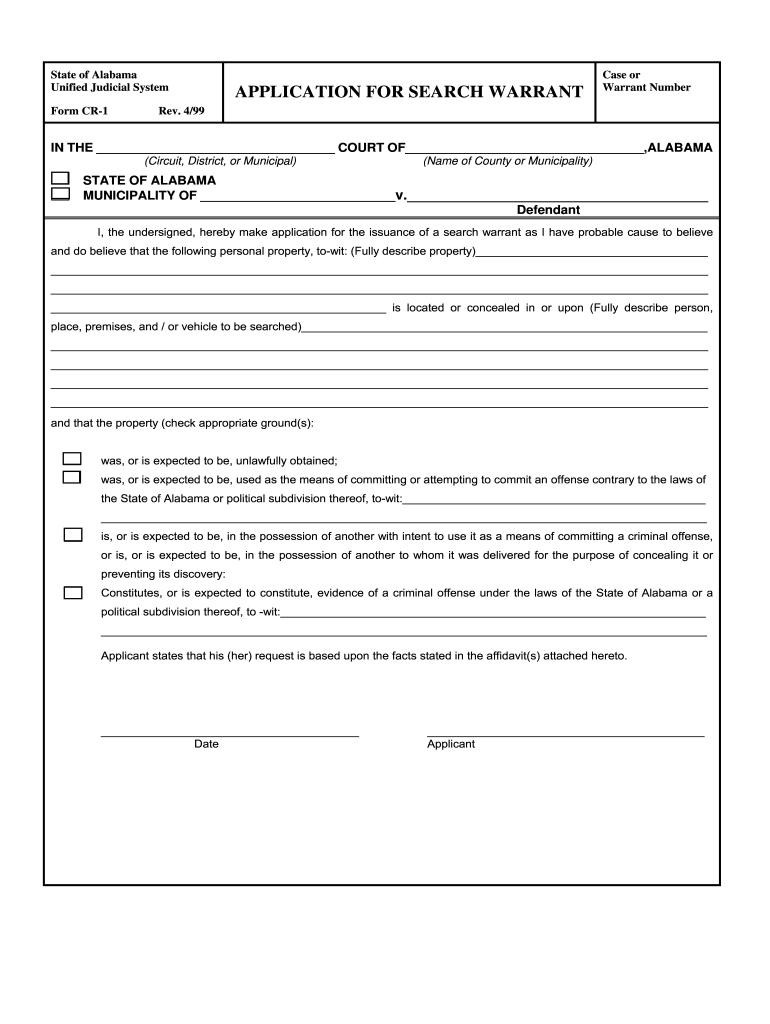
- Begin by filling in the 'Case or Warrant Number' at the top of the form. This is essential for tracking and referencing your application.
- In the court section, specify whether it is a Circuit, District, or Municipal Court, followed by the name of the County or Municipality.
- Clearly describe the personal property you believe is located at a specific place. Be as detailed as possible to ensure clarity.
- Indicate where this property is believed to be concealed by providing a thorough description of the person, place, premises, or vehicle involved.
- Check the appropriate grounds for issuing the warrant based on your belief about how the property relates to criminal activity.
- Finally, sign and date your application before submitting it through our platform for processing.
Start using our platform today to streamline your document editing and signing process for free!
Fill out alabama search warrant online
It's free
It's free
Security and compliance
At DocHub, your data security is our priority. We follow HIPAA, SOC2, GDPR, and other standards, so you can work on your documents with confidence.
Learn more


