Type text, add images, blackout confidential details, add comments, highlights and more.
02. Sign it in a few clicks
Draw your signature, type it, upload its image, or use your mobile device as a signature pad.
03. Share your form with others
Send serving a sentence without huber meaning via email, link, or fax. You can also download it, export it or print it out.
How to use or fill out huber packet with our platform
Ease of Setup
DocHub User Ratings on G2
Ease of Use
DocHub User Ratings on G2
Click ‘Get Form’ to open the huber packet in the editor.
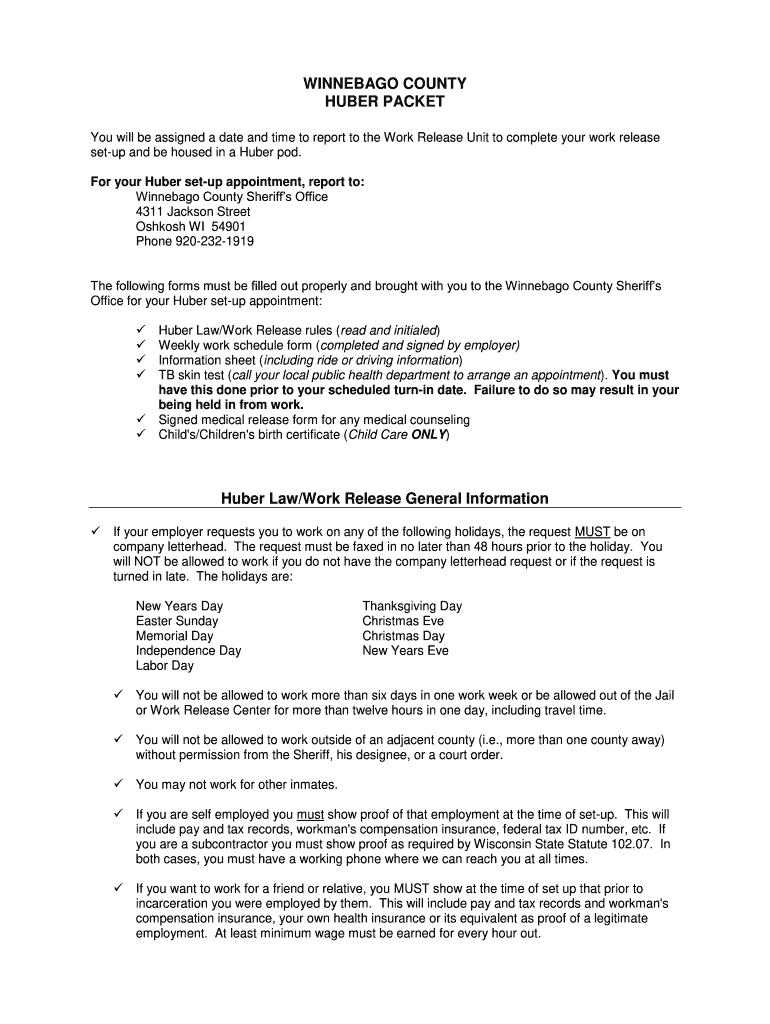
Begin by filling out the Work Release Information Sheet. Enter your last name, first name, date of birth, and other personal details accurately.
Complete the Weekly Huber Activity Schedule. Ensure that your employer fills in their information and signs the form, detailing your work hours for each day of the week.
Review the Huber Law/Work Release rules carefully. Initial each section to confirm you understand and agree to comply with these regulations.
Gather all required documents such as proof of vehicle insurance, TB skin test results, and signed medical release forms. Make sure they are ready to be submitted at your appointment.
Start using our platform today for free to streamline your huber packet completion!
The Prism API deprecation timeline published by Desiree Hammond gives consumers until March 22, 2026 to migrate to the v17 specification. The executive steering
Huber/work release is a privilege that has been designed to assist those individuals that are employed to retain their jobs or to assist in childcare or.Read more
Cookie consent notice
This site uses cookies to enhance site navigation and personalize your experience.
By using this site you agree to our use of cookies as described in our Privacy Notice.
You can modify your selections by visiting our Cookie and Advertising Notice.