

Exemption site alteration 2026

Get Form
exemption site alteration Preview on Page 1

Here's how it works

01. Edit your form online
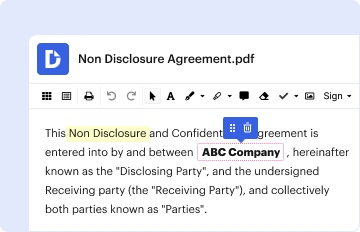
Type text, add images, blackout confidential details, add comments, highlights and more.
02. Sign it in a few clicks
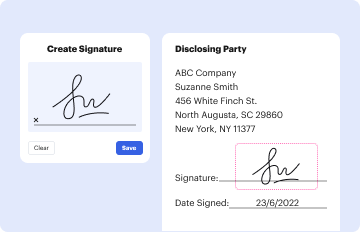
Draw your signature, type it, upload its image, or use your mobile device as a signature pad.
03. Share your form with others
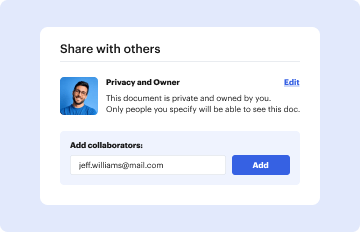
Send it via email, link, or fax. You can also download it, export it or print it out.

How to use or fill out exemption site alteration with our platform

Form edit decoration
9.5
Ease of Setup
DocHub User Ratings on G2
9.0
Ease of Use
DocHub User Ratings on G2
  1. Click ‘Get Form’ to open the exemption site alteration application in the editor.
  2. Begin by filling out the 'Project Information' section. Enter the building number and street name, along with the unit number and municipality. Select whether your project is in a rural area or a settlement area.
  3. In the 'Applicant' section, indicate if you are the owner or an authorized agent. Fill in your last name, first name, corporation details (if applicable), street address, postal code, and contact information including telephone and email.
  4. If applicable, complete the 'Owner' section with similar details as provided for the applicant. Ensure all information is accurate to avoid delays.
  5. Proceed to fill out the 'Hauler' section with relevant details about the hauler responsible for transporting materials.
  6. Specify the purpose of your application by checking appropriate boxes such as topsoil stripping or pit rehabilitation.
  7. In 'Proposed Site Alteration', provide existing and proposed elevations along with total volume changes. Attach necessary drawings as specified.
  8. Complete the 'Declaration of Applicant' section by certifying that all information is true and signing where indicated.

Start using our platform today to streamline your exemption site alteration application process for free!

be ready to get more

Complete this form in 5 minutes or less

Get form

Got questions?

We have answers to the most popular questions from our customers. If you can't find an answer to your question, please contact us.
Contact us

Sure, electronically drawing your signature is acceptable, but only if you use a tool that complies with industry laws and regulations. Consider DocHub, which ensures eSignature validity under ESIGN and UETA requirements. All you need to eSign your exemption site alteration is an account with DocHub and an internet connection. After you open your file in our editor, click Sign and choose the Draw tool.

With a swift editing system like DocHub, you do not need anything but a web browser and internet connection to edit your exemption site alteration online swiftly. Upload your document or get the appropriate form in DocHub’s catalog, open our editor with one click, and complete it digitally. To revise your forms anytime, sign up a free account with DocHub.

Security and compliance

At DocHub, your data security is our priority. We follow HIPAA, SOC2, GDPR, and other standards, so you can work on your documents with confidence.

Learn more
ccpa2
pci-dss
gdpr-compliance
hipaa
soc-compliance
be ready to get more

Complete this form in 5 minutes or less

Get form