Type text, add images, blackout confidential details, add comments, highlights and more.

02. Sign it in a few clicks
Draw your signature, type it, upload its image, or use your mobile device as a signature pad.

03. Share your form with others
Send glidewell login via email, link, or fax. You can also download it, export it or print it out.

How to use or fill out Registration Form (PDF) - Glidewell Dental Labs
Ease of Setup
DocHub User Ratings on G2
Ease of Use
DocHub User Ratings on G2
Click ‘Get Form’ to open it in the editor.
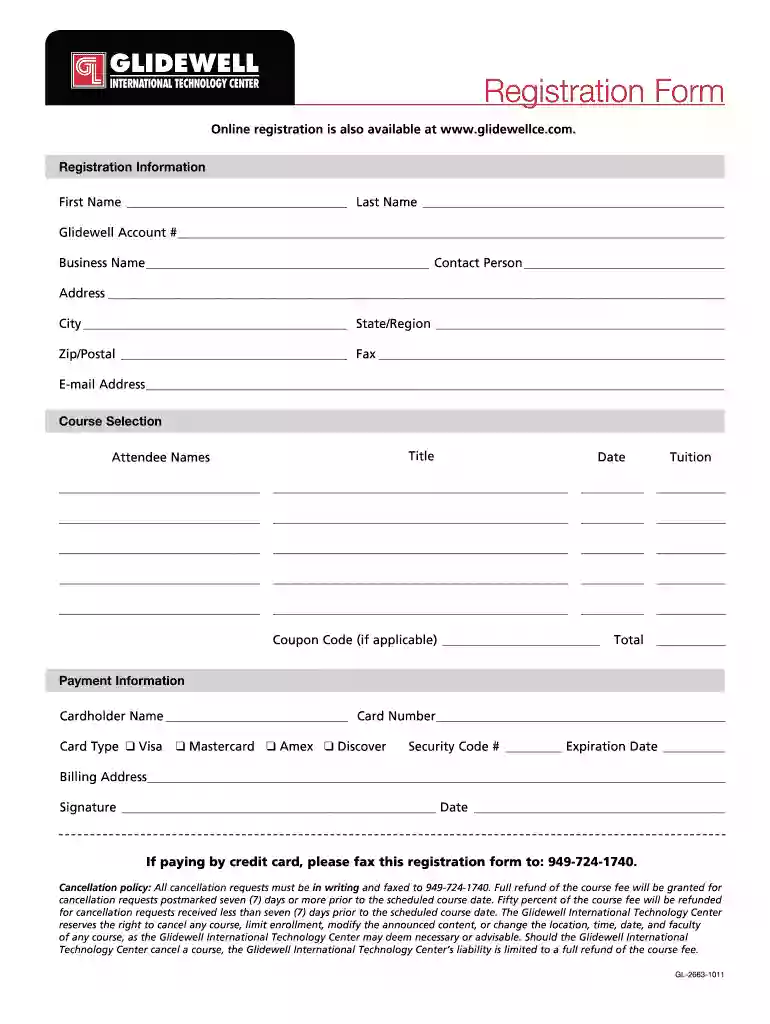
Begin by entering your personal information in the 'Registration Information' section. Fill in your first name, last name, Glidewell account number, business name, and contact person details.
Complete your address details including street address, city, state/region, and zip/postal code. Don’t forget to include your fax number and email address for communication.
In the 'Course Selection' section, list the titles of the courses you wish to attend along with attendee names and tuition fees for each course. If you have a coupon code, enter it in the designated field.
Proceed to 'Payment Information'. Enter the cardholder's name, card number, type of card (Visa, Mastercard, Amex, Discover), security code, and expiration date. Ensure that billing address matches your credit card statement.
Finally, sign and date the form at the bottom before submitting it via fax as instructed.
Start filling out your Registration Form today for free using our platform!
Fill out Registration Form (PDF) - Glidewell Dental Labs online It's free
Program Overview: The University of California, Irvine (UCI) Professional Master of Engineering. (M.Eng) programs Biomedical Engineering Concentration,Read more
Cookie consent notice
This site uses cookies to enhance site navigation and personalize your experience.
By using this site you agree to our use of cookies as described in our Privacy Notice.
You can modify your selections by visiting our Cookie and Advertising Notice.