Printable emergency card template 2026

Get Form
in case of emergency card printable Preview on Page 1

Here's how it works

01. Edit your in case of emergency card printable online
Type text, add images, blackout confidential details, add comments, highlights and more.
02. Sign it in a few clicks
Draw your signature, type it, upload its image, or use your mobile device as a signature pad.
03. Share your form with others
Send printable free emergency contact card template via email, link, or fax. You can also download it, export it or print it out.

How to use or fill out printable emergency card template with our platform

Form edit decoration
9.5
Ease of Setup
DocHub User Ratings on G2
9.0
Ease of Use
DocHub User Ratings on G2
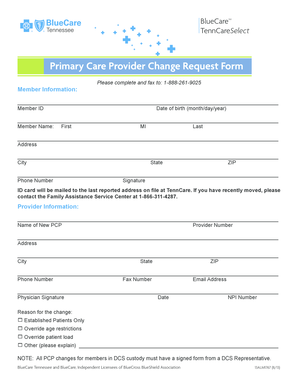
  1. Click ‘Get Form’ to open the printable emergency card template in the editor.
  2. Begin by entering the student's full name, including last name, first name, and middle name in the designated fields.
  3. Fill in the date of birth and select the gender by checking the appropriate box.
  4. Provide the grade and place of birth, followed by both mailing and physical addresses. Ensure all address fields are completed accurately.
  5. List parent or guardian names along with their contact information. Include home, cell, pager, and work numbers for each individual.
  6. Complete the emergency contacts section by providing names, relationships to the student, and their phone numbers.
  7. Indicate any siblings' names, ages/grades, and schools they attend.
  8. Check any applicable programs that the student is enrolled in and provide health history details as required.
  9. Finally, ensure all signatures are obtained from parents or guardians before saving or printing your completed form.

Start filling out your printable emergency card template today for free on our platform!

be ready to get more

Complete this form in 5 minutes or less

Get form

Got questions?

We have answers to the most popular questions from our customers. If you can't find an answer to your question, please contact us.
Contact us

Sure, electronically drawing your signature is appropriate, but only if you utilize a tool that complies with industry regulations and policies. Try DocHub, which guarantees eSignature validity under ESIGN and UETA requirements. All you need to approve your emergency card printable electronically is an account with DocHub and an internet connection. Once you open your document in our editor, click Sign and choose the Draw tool.

You need only an internet connection and a web browser to fill out your emergency card template by using an iOS phone. Open the DocHub website and authenticate. Then, add your document or select it from the list in your dashboard. Then use our editing tools to fill out your form and preserve all your adjustments. You may also send it to a dedicated recipient right away.

What to Ask for on an Emergency Contact Form The Employees Information. If your company keeps paper files, make sure to add the employees name, job title, or department. Primary Emergency Contact. Secondary Emergency Contact. Home Information. Voluntary Additional Information.
An emergency health information card communicates to rescuers what they need to know about you if they find you unconscious or incoherent, or, if they need to quickly help evacuate you.
0:06 1:04 Once you find that click. It. You can search up here in the search settings bar or you can scrollMoreOnce you find that click. It. You can search up here in the search settings bar or you can scroll down to the safety and emergency tab. Once you find that click on it.

Security and compliance

At DocHub, your data security is our priority. We follow HIPAA, SOC2, GDPR, and other standards, so you can work on your documents with confidence.

Learn more
ccpa2
pci-dss
gdpr-compliance
hipaa
soc-compliance
be ready to get more

Complete this form in 5 minutes or less

Get form

People also ask

To fill out your emergency contact card, start by entering your name and important phone numbers. Next, include the contact information for local emergency services and an out-of-area contact person. Finally, ensure everyone in your household knows where to find their card in case of an emergency.
Comments Section Get an index card. Write your full name, date of birth, home address, SSN, your allergies, medical problems and an emergency contact for a family member who lives nearby where you live. Laminate the card and keep it in your purse. Thats all you need.
Print out a card for every member of your household and for all of your preparedness sites. Fill in your emergency contact information. Carry this card with you and keep one in your preparedness kit, home communication center, automobile and at your place of work or school to reference in the event of an emergency.
Create your Medical ID Go to the Health app on your iPhone. Tap your picture at the top right, then tap Medical ID. Tap Get Started or Edit, then enter your information. Below Emergency Contacts, tap Add Emergency Contact, then add your contacts. Tap Done.

emergency cards template