
Create your US Divorce Legal Form from scratch

Start Building Now
Title decoration

Here's how it works

01. Start with a blank US Divorce Legal Form
Open the blank document in the editor, set the document view, and add extra pages if applicable.
02. Add and configure fillable fields
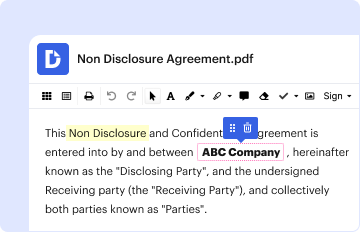
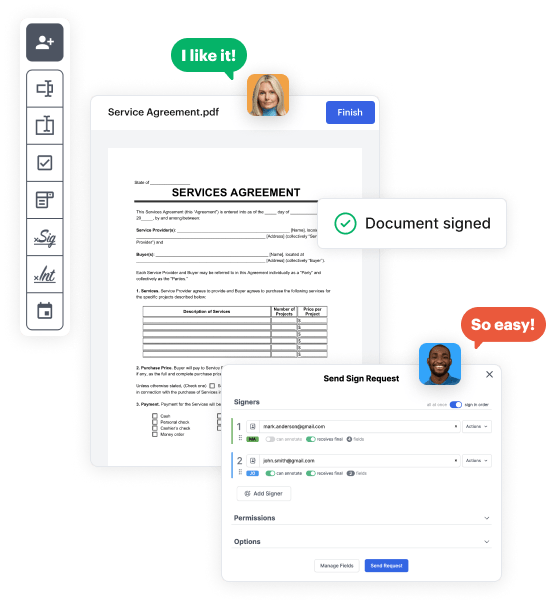
Use the top toolbar to insert fields like text and signature boxes, radio buttons, checkboxes, and more. Assign users to fields.
03. Distribute your form
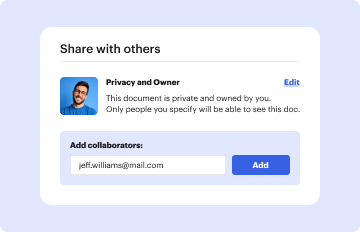
Share your US Divorce Legal Form in seconds via email or a link. You can also download it, export it, or print it out.

Create US Divorce Legal Form from the ground up with these detailed instructions

Form edit decoration

Step 1: Start off by launching DocHub.

Begin by registering a free DocHub account using any offered sign-up method. Simply log in if you already have one.

Step 2: Register for a 30-day free trial.

Try out the entire suite of DocHub's pro tools by registering for a free 30-day trial of the Pro plan and proceed to craft your US Divorce Legal Form.

Step 3: Build a new empty form.

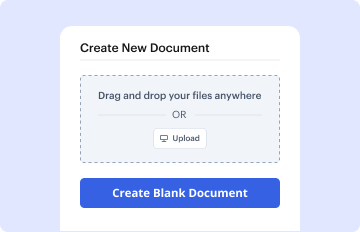
In your dashboard, hit the New Document button > scroll down and choose to Create Blank Document. You will be redirected to the editor.

Step 4: Arrange the view of the document.

Utilize the Page Controls icon indicated by the arrow to switch between different page views and layouts for more flexibility.

Step 5: Start inserting fields to create the dynamic US Divorce Legal Form.

Use the top toolbar to add document fields. Add and arrange text boxes, the signature block (if applicable), add photos, and other elements.

Step 6: Prepare and customize the incorporated fields.

Configure the fields you incorporated per your chosen layout. Adjust each field's size, font, and alignment to ensure the form is easy to use and professional.

Step 7: Finalize and share your template.

Save the ready-to-go copy in DocHub or in platforms like Google Drive or Dropbox, or design a new US Divorce Legal Form. Share your form via email or use a public link to reach more people.


be ready to get more

Build your US Divorce Legal Form in minutes

Start creating now

Got questions?

We have answers to the most popular questions from our customers. If you can't find an answer to your question, please contact us.
Contact us
You can file for divorce through online document preparation services or your states court website. However, this option is only available in a few counties.
As long as one of you fulfills the residency requirement, you can file for divorce in the state youre living in, even if the other spouse is living abroad. Filing a divorce with an international spouse usually proceeds like a normal divorce where both spouses are living in the same state.
Divorce Cost in the United States A divorce costs around $7,000 in the United States, and the average expense is between $15,000 to $20,000. However, a few complicated divorce cases, such as the ones revolving around property disputes or child custody, may be more expensive. Such cases may cost over $100,000.
If youre seeking a divorce without your spouses consent, you should know that you can move forward with divorce proceedings in all 50 states. While it takes the consent of both parties to enter into marriage, it only takes the consent of one party to end the marriage.
By filing a no-fault, uncontested divorce with an agreement an attorney has reviewedespecially in a state with a short residency periodyou can get a quick divorce. The benefits of a quick divorce are that it saves money on legal fees and it saves a lot of stress.
be ready to get more

Build your US Divorce Legal Form in minutes

Start creating now

Related Q&A to US Divorce Legal Form

Getting a divorce online means having an online document company prepare your divorce papers and, if applicable for your state and county, submit them electronically. You also can prepare forms on your states court site and submit them through that site.

Additional resources on building your forms