
Create your Education non profit Donation Form from scratch

Start Building Now
Title decoration

Here's how it works

01. Start with a blank Education non profit Donation Form
Open the blank document in the editor, set the document view, and add extra pages if applicable.
02. Add and configure fillable fields
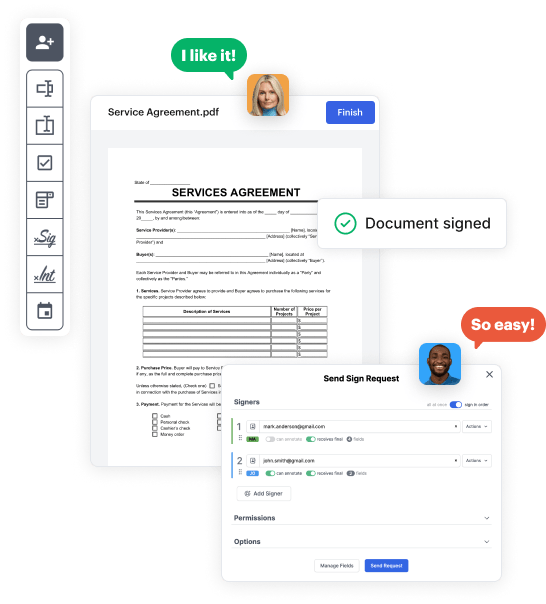
Use the top toolbar to insert fields like text and signature boxes, radio buttons, checkboxes, and more. Assign users to fields.
03. Distribute your form
Share your Education non profit Donation Form in seconds via email or a link. You can also download it, export it, or print it out.

Craft Education non profit Donation Form from scratch with these comprehensive instructions

Form edit decoration

Step 1: Get started with DocHub.

Start by registering a free DocHub account using any offered sign-up method. If you already have one, simply log in.

Step 2: Register for a free 30-day trial.

Try out the whole set of DocHub's advanced features by registering for a free 30-day trial of the Pro plan and proceed to craft your Education non profit Donation Form.

Step 3: Start with a new empty form.

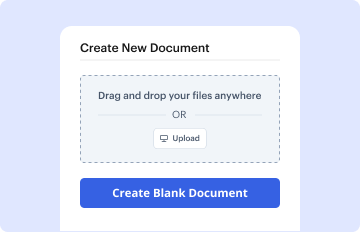
In your dashboard, choose the New Document button > scroll down and choose to Create Blank Document. You will be redirected to the editor.

Step 4: Arrange the view of the document.

Utilize the Page Controls icon indicated by the arrow to switch between different page views and layouts for more convenience.

Step 5: Start inserting fields to design the dynamic Education non profit Donation Form.

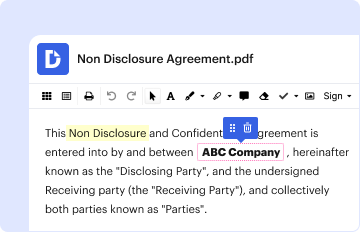
Navigate through the top toolbar to add document fields. Insert and configure text boxes, the signature block (if applicable), embed images, etc.

Step 6: Prepare and configure the incorporated fields.

Organize the fillable areas you incorporated per your chosen layout. Adjust each field's size, font, and alignment to make sure the form is user-friendly and neat-looking.

Step 7: Finalize and share your form.

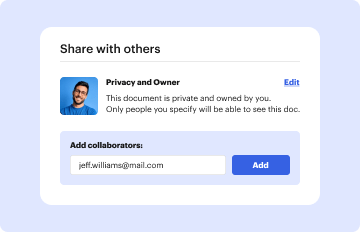
Save the ready-to-go copy in DocHub or in platforms like Google Drive or Dropbox, or create a new Education non profit Donation Form. Send out your form via email or utilize a public link to engage with more people.


be ready to get more

Build your Education non profit Donation Form in minutes

Start creating now

Got questions?

We have answers to the most popular questions from our customers. If you can't find an answer to your question, please contact us.
Contact us
Create Your Own QR Code in 4 Easy Steps! Visit a QR Code generator website such as .the-qrcode-generator.com. Select URL and enter your Giving Pages website address. Save your new QR Code to your computer. Insert your QR Code into any and all of your collateral.
Go to your website editor and find the page where you wish to add your pop-up donation form and go to the code or text editor. Paste your donation button code. Remember, if youre installing a Sticky Donate Button you must paste the embed code into the header of your website so your button will appear on every page.
8 Steps to Accept Donations Online Create a Donation Page and Form. Embed Your Donation Form on Your Website. Choose a Reliable Payment Processor. Automate Tax Receipts and Donor Acknowledgement. Segment Your Donor Email List. Use Email to Promote Your Donation Form. Identify Your Non-Digital Donors.
7 Pro Tips to Build a Charitable Donation Form that Works Include suitable donation amounts. Share how gifts are used. Dont ask too many questions. Add recurring donation intervals. Use branding. Add multiple payment options. Test your donation form before sharing it with donors.
5 Steps to Set Up a Donation Page for Your Nonprofit Step 1: Sign Up with Donorbox (for Free!) and Connect Your Payment Processor. Step 2: Create a Campaign and Your Donation Page. Step 3: Customize the Donation Form. Step 4: Customize Your Email Receipt to Donors.
be ready to get more

Build your Education non profit Donation Form in minutes

Start creating now

Related Q&A to Education non profit Donation Form

Creating a donation link for your nonprofits will require you to have access to an online donation platform like Donorbox. And once you have the link in place, you must have a plan in place to promote the link via social media, email marketing, fundraising letters, and more.
How to Set Up a Donation Page for Fundraising Success in 8 Steps Create an interesting fundraiser title. Write a meaningful fundraiser story. Choose the best types of photos and videos for your fundraiser. Pick the right fundraising goal. Share your fundraiser to get more donations. Thank your supporters.
All you need to create one is a Donorbox account; sign up with your email address and a password. Once that is done, you can create your first campaign with a campaign name and description. Then create a customized donation form for your campaign.

Additional resources on building your forms