Increase your productivity with Accident Business Forms

Document administration consumes to half of your business hours. With DocHub, you can easily reclaim your time and effort and improve your team's efficiency. Get Accident Business Forms category and explore all document templates relevant to your everyday workflows.

Effortlessly use Accident Business Forms:

  1. Open Accident Business Forms and apply Preview to find the suitable form.
  2. Click on Get Form to begin working on it.
  3. Wait for your form to upload in our online editor and begin editing it.
  4. Add new fillable fields, symbols, and pictures, modify pages order, etc.
  5. Fill out your file or set it for other contributors.
  6. Download or deliver the form by link, email attachment, or invite.

Accelerate your everyday document administration using our Accident Business Forms. Get your free DocHub account today to discover all templates.


Video Guide on Accident Business Forms management

video background

Commonly Asked Questions about Accident Business Forms

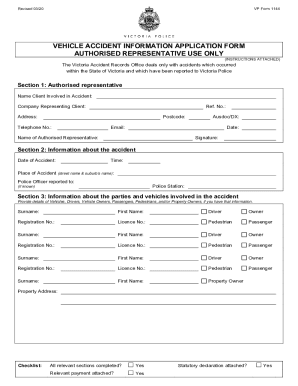
What should you include in an incident report? When where did it happen? Your report should contain the date, time and location where the accident took place. Who were involved? What did they do? Why did it happen? Were there any witnesses? What is the extent of damage to a person or property?
What must be reported? Deaths and injuries caused by workplace accidents. Occupational diseases. Carcinogens mutagens and biological agents. Specified injuries to workers. Dangerous occurrences. Gas incidents. Reporting incidents and record keeping - St John Ambulance St John Ambulance guidance-and-help reporting-i St John Ambulance guidance-and-help reporting-i
The Health and Safety Executive specifies that the following must be reported: Deaths and injuries caused by workplace accidents. Occupational diseases. Carcinogens mutagens and biological agents.
Accidents Report Forms and the Workplace Accidents can happen in any work place at any time and Accident Report Forms are there to record every incident. Your employer is under a clear duty to keep you safe and ensure that you are advised about relevant health and safety issues.
An accident report should be filled out immediately or no more than 24 hours following an accident or incident even if the injury caused by the accident is minor. Encourage your employees to report accidents as soon as possible to prevent minor accidents from becoming expensive claims. Reporting Accidents in the Workplace (With Sample) - Indeed Indeed hire info workplace-accide Indeed hire info workplace-accide
How to Write an Incident Report: A Step-by-Step Guide (with Examples) Step 1: Provide Fundamental Information. Step 2: Take Note of Any Damages and Injuries. Step 3: Identify Affected Individual(s) Step 4: Identify Witnesses and Take Their Statements. Step 5: Take Action. Step 6: Close Your Report.
All employers are required to notify OSHA when an employee is killed on the job or suffers a work-related hospitalization, amputation, or loss of an eye. A fatality must be reported within 8 hours. An in-patient hospitalization, amputation, or eye loss must be reported within 24 hours. Report a Fatality or Severe Injury - OSHA Occupational Safety and Health Administration (.gov) report Occupational Safety and Health Administration (.gov) report
Fatality and Severe Injury Reporting Employers must report any worker fatality within 8 hours and any amputation, loss of an eye, or hospitalization of a worker within 24 hours. An error occurred. Recordkeeping - Overview | Occupational Safety and - OSHA Occupational Safety and Health Administration (.gov) recordkeeping Occupational Safety and Health Administration (.gov) recordkeeping