Type text, add images, blackout confidential details, add comments, highlights and more.

02. Sign it in a few clicks
Draw your signature, type it, upload its image, or use your mobile device as a signature pad.

03. Share your form with others
Send work accident injury report forms via email, link, or fax. You can also download it, export it or print it out.

How to use or fill out accident injury report with our platform
Ease of Setup
DocHub User Ratings on G2
Ease of Use
DocHub User Ratings on G2
Click ‘Get Form’ to open the accident injury report in the editor.
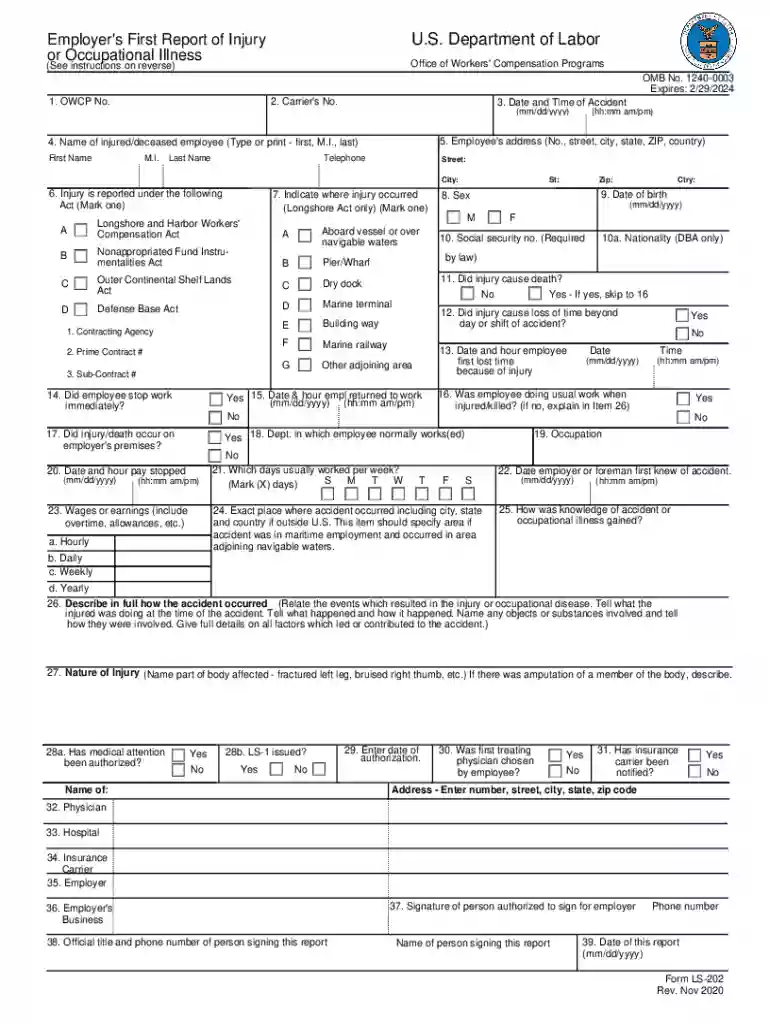
Begin by entering the OWCP number and Carrier's number at the top of the form. This information is crucial for tracking your report.
Fill in the date and time of the accident in the specified format (mm/dd/yyyy). Ensure accuracy as this will be referenced later.
Provide the injured employee's full name, address, and telephone number. This section is vital for identification and communication purposes.
Indicate under which Act the injury is reported by marking the appropriate box. This helps determine eligibility for benefits.
Describe where the injury occurred, including specific details about location if it was on a vessel or adjoining area.
Answer questions regarding loss of time, usual work conditions, and whether medical attention has been authorized. These details are essential for processing claims.
Finally, review all entries for accuracy before signing and submitting your report through our platform.
Start filling out your accident injury report today for free using our editor!
We've got more versions of the accident injury report form. Select the right accident injury report version from the list and start editing it straight away!
Accident and Injury Reporting - Environmental Health and Safety
The employee must call the NYS Accident Reporting System (ARS) at (888) 800-0029 to report the incident and receive an ARS incident number. The ARS incidentRead more
Cookie consent notice
This site uses cookies to enhance site navigation and personalize your experience.
By using this site you agree to our use of cookies as described in our Privacy Notice.
You can modify your selections by visiting our Cookie and Advertising Notice.