Insights on the DocHub vs. ROI Impact of DocuSign comparison
Choose the best editing solution for your business once and for all. Check out the detailed comparison of DocHub and ROI Impact of DocuSign
Create free account
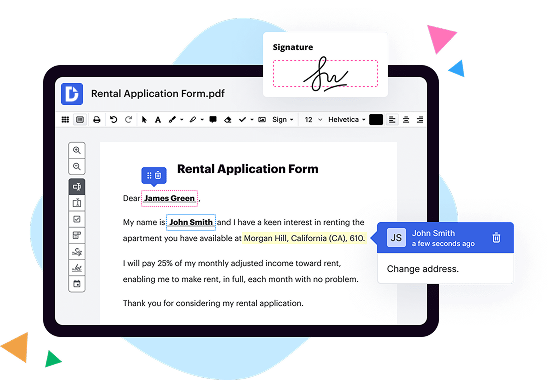
DocuSign vs. DocHub ROI Impact comparison in a nutshell

|
DocuSign | |
|---|---|---|
| No Downloads | ||
| Search Form Online | ||
| Edit PDF | ||
| Fill Online | ||
| Sign Online | ||
| Unlimited Cloud Storage | ||
| Annotate PDF | ||
| Fax Online | ||
| Track Sending Documents | ||
| Get DocHub for free |
Here are the main differences between DocHub and ROI Impact of DocuSign
eSignature customers can save an average of $4-10 per document, and by moving to an all-digital model, they can eliminate these costs altogether. Most customers report a hard cost reduction of around 50%.
Move from DocuSign PDF to DocHub in a few steps

01. Register with DocHub using your email address or Google account. It's fast and easy. No credit card required.
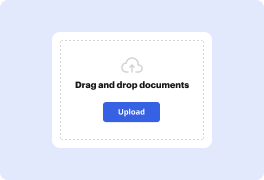
02. Upload the document you need or create it from scratch. Then, customize it by adding images, drawings, and different types of fillable fields.
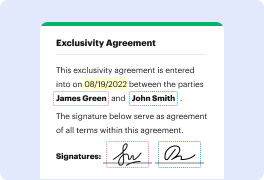
03. Customize your PDF in minutes. Type, highlight, underline, whiteout text, add comments, and sign your document.

04. Share your PDF with others to collaborate in real-time. Export your document, download or print it out.
Switch to DocHub to enjoy premium PDF customization

Online PDF creator and editor
Explore DocHub vs. DocuSign comparison data and choose the best platform for getting your perfect document without hassle. Start with a blank document or modify an existing one. Type text, add shapes, drawings, images, and highlight or whiteout information. Whatever you do with a PDF, the result is always high quality, without rasterized text or removed fields.

Diverse PDF management tools
Manage your PDF to perfection. Add, delete, and rearrange document pages or merge them to create a new document. DocHub supports a variety of file types including PDF, DOC, PPT, XLS, TXT, DOCX, and PPTX, which you can easily convert to a PDF.

Powerful PDF tools on your mobile device
Keep your work flowing from any location. Get DocHub, the most powerful DocuSign competitor. With DocHub's capabilities on your mobile device, you can edit, annotate, manage, sign, and share PDFs just as easily as you would on a desktop. No need to install the app.

Google integrations
Boost your productivity and deliver an amazing customer experience by managing your PDFs from your favorite Google apps. Import, edit, and sign your documents directly from your Gmail, Google Drive, and Dropbox.

Interactive PDF forms and templates
Get an intuitive and interactive experience when creating PDF forms and reusable document templates. Modify existing fields or create new ones for checkboxes, signatures, initials, and more. Publish forms on your website, social media, or share them via URL to collect data.

Real-time collaboration
Migrate from DocuSign to DocHub to collaborate effectively and securely on documents in real-time. Set document permissions to let others view, comment on, edit, and sign your documents. Stay in the loop with instant email notifications or track the status of your documents with court-admissible audit trails.
Industry-leading security and compliance
DocHub implements reasonable measures to comply with industry-leading standards, regulations, and certifications so you can securely edit, fill out, sign, and send documents and forms.

GDPR compliance
Regulates the collection, use, and holding of personal data for EU residents.

PCI DSS certification
Ensures the security of credit and debit card transactions made by a customer.

CPRA compliance
Enhances the privacy rights of California residents while protecting their personal data.

SOC 2 certification
Ensures the security of your data and the privacy of your clients.

HIPAA compliance
Protects privacy, security, and integrity of sensitive healthcare information.
Check out what our customers are saying about their DocHub experience
Great solution for PDF docs with very little pre-knowledge required.

A Valuable Document Signer for Small Businesses.

I can create refillable copies for the templates that I select and then I can publish those.

DocHub and ROI Impact of DocuSign comparison FAQ
What is the total economic impact of ?
The customer interviews and financial analysis found that the composite organisation experiences benefits of $7.73 million over three years versus costs of $1.69 million, adding up to a net present value (NPV) of $6.03 million and an ROI of 356%.
What is the benefit of ?
No more paper, fax, shipping and re-keying errors. manages every aspect of every transaction from preparing and sending documents to signing and managing them. With , you can see results in hours instead of weeks, save money and delight your customers along the way.
Is cheaper than docHub?
Unlike docHubs cheaper plans, offers most of its electronic signature functionality at a lower price point. For instance, even s standard plan offers a fully compliant eSignature, some integrations, basic workflows, reusable templates, reminders, and more.
Is it worth it to use ?
is an excellent tool for delivering digital documents for signing; the ability to follow the progress of papers and know if they have been signed is important, and the document editor makes it simple to put signature fields in documents.
How much money does make?
Announces Fourth Quarter and Fiscal Year 2023 Financial Results CONDENSED CONSOLIDATED STATEMENTS OF OPERATIONS (Unaudited)Total revenue659,576580,828Cost of revenue:Subscription110,46396,556Professional services and other26,96334,89834 more rows Mar 9, 2023
Is OK for tax returns?
Use Cases. can be used to send and sign many of the documents commonly required for tax and accounting purposes, including: IRS-approved tax forms.
Does make a profit?
earns money through monthly and annual subscriptions paid by its customers.