What is the difference between DocHub vs Ezidox vs. KwikTag?
When it comes to document management solutions, there are a few popular options to choose from. One of the top contenders in this field is DocHub, a versatile tool that offers a range of features to streamline your document processing needs. However, there are other noteworthy alternatives like Ezidox and KwikTag that deserve your attention as well.
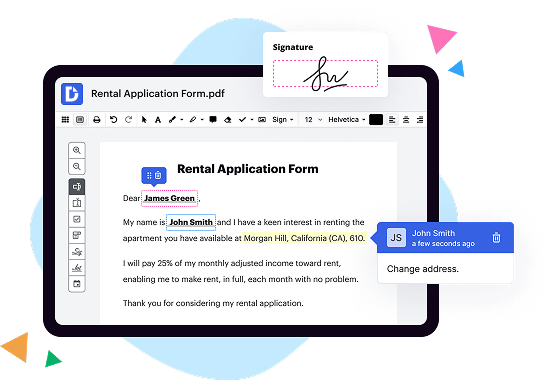
Let's start by exploring the unique qualities of DocHub. This intuitive platform empowers you to easily edit, sign, and collaborate on your documents online. With its user-friendly interface, you can effortlessly upload, modify, and share files with colleagues, clients, or anyone else involved in your document workflow. Plus, it integrates seamlessly with popular cloud storage services, ensuring that your files are always readily accessible. DocHub's commitment to providing a comprehensive solution makes it an excellent choice for individuals and businesses alike.
Moving on to Ezidox, this document management tool offers a slightly different approach. With a focus on automating document collection and verification processes, Ezidox simplifies the complex task of gathering and organizing various paperwork. By centralizing all your documents in one secure location, you can easily keep track of important files and ensure compliance with regulatory requirements. This efficient solution saves you time and reduces the risk of errors, making it a valuable asset for businesses that deal with large volumes of documents.
Last but not least, let's take a look at KwikTag. This innovative platform is designed to enhance your document management capabilities by providing intelligent document capture and workflow automation. By utilizing advanced technologies such as OCR (Optical Character Recognition) and machine learning, KwikTag automates the extraction of data from your documents, eliminating the need for manual data entry. This not only saves time but also enhances accuracy and efficiency within your organization.
In summary, while DocHub offers a comprehensive document management solution with powerful editing and collaboration features, alternatives like Ezidox and KwikTag provide unique functionalities that cater to specific needs. Whether you require streamlined document collection and verification or sophisticated automation capabilities, these alternatives have you covered. Ultimately, the choice depends on your specific requirements and preferences.
DocHub vs Ezidox vs KwikTag: which is better for Enterprises?
While Ezidox and KwikTag are good solutions to work with PDFs online, DocHub offers greater capabilities to help individuals and businesses digitize their documents and make them run smoothly across different devices and your favorite apps.
DocHub vs Ezidox vs KwikTag: which is better for small businesses?
Ezidox and KwikTag are good options for editing, signing, and sharing PDFs. However, DocHub offers a more comprehensive featureset that includes organizations, reusable templates, advanced eSignatures, seamless Google integrations, and more that are perfect for small businesses, helping them simplify and streamline document editing, sharing, signing, and form completition.
What is DocHub?
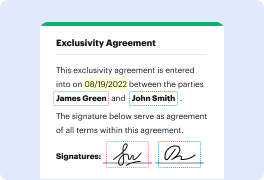
DocHub is a Google-integrated PDF editor and eSignature solution that helps you get your PDFs done online, using any device. DocHub comes with an online PDF editor, advanced eSignatures, PDF forms, reusable templates, and straightforward Google integrations so you can maximize your productivity when working within your favorite Google apps.
What is Ezidox and how does it work?
Ezidox is an amazing tool designed to simplify your document collection process and make your life easier. It's a user-friendly platform that streamlines the tedious task of gathering, organizing, and securely storing important documents.
With Ezidox, you no longer have to fret over misplaced paperwork or spend countless hours searching for that one elusive document. By providing a digital environment, it enables you to effortlessly collect, verify, and share documents online.
Here's how it works: Once you set up your Ezidox account, you can create custom document collection lists tailored to your specific needs. These lists can be easily customized and modified as per your changing requirements.
When it's time to collect documents from your clients, Ezidox generates a unique link that you can share with them. This link takes your clients to an intuitive portal where they can securely upload their necessary documents. This eliminates the hassle of physically collecting paperwork and opens up the possibility for your clients to conveniently submit documents from anywhere, at any time.
Ezidox's intelligent automation technology ensures that the documents your clients upload are accurate and complete. It even flags missing or expired documents, saving you valuable time and reducing the risk of errors or omissions.
Once your clients have provided the necessary documents, you can effortlessly review and verify them within the Ezidox platform. The intuitive interface allows you to organize and categorize the documents efficiently, making it a breeze to locate and access them when needed.
Ezidox also provides seamless integration options, allowing you to export the documents directly to your preferred CRM or document management system. This eliminates the need for manual data entry and ensures a smooth transition of information.
Not only does Ezidox streamline your document collection process, but it also enhances the overall client experience. By adopting a modern and convenient approach to document management, you boost your clients' confidence and trust in your services.
In conclusion, Ezidox is a game-changer in the world of document management. Its intuitive platform, streamlined processes, and secure storage features make it the ultimate tool for efficiently collecting and managing documents. Say goodbye to paperwork headaches and hello to a smoother, more organized document collection experience with Ezidox.
What is KwikTag and how does it work?
KwikTag is an incredibly efficient and user-friendly document management solution that can revolutionize the way you handle and organize your paperwork. With KwikTag, you no longer have to waste time sifting through endless stacks of documents or rummaging through messy filing cabinets. Instead, KwikTag provides you with a simple and intuitive system that allows you to easily capture, archive, and retrieve your documents with just a few clicks.
To get started with KwikTag, all you need is a scanner or a mobile device with a built-in camera. Simply scan or take a photo of your paper documents, and KwikTag will automatically convert them into digital files. You can then upload these files to the KwikTag platform, where they will be securely stored in the cloud.
Once your documents are in the system, KwikTag makes it a breeze to organize and find what you need. Its powerful search functionality allows you to quickly locate specific documents by entering keywords or using advanced filters. No more wasting precious time searching through stacks of papers or digging through folders!
But KwikTag doesn't stop there – it also offers intelligent and customizable workflows. This means that you can set up automated processes for tasks like invoice approval or expense reimbursements, streamlining your business operations and reducing errors. KwikTag's intuitive interface and seamless integration with popular business software such as Microsoft Dynamics and SharePoint further enhance its efficiency and convenience.
With KwikTag by your side, you can say goodbye to the chaos of paper-based document management and embrace a more organized and streamlined approach. Its user-friendly interface, powerful search capabilities, and customizable workflows make it an indispensable tool for any individual or organization looking to take control of their paperwork. Trust KwikTag to simplify your document management and free up valuable time for more important tasks.
Is DocHub free?
Yes. DocHub's free plan is a perfect fit for one-offs or occasional projects. You can start using DocHub’s Free Plan straight away after completing the quick account registration. No learning is needed. The DocHub Pro Plan has a 30-day free trial so you have enough time to test the product.
Is Ezidox free to use?
Yes, Ezidox is absolutely free to use! With Ezidox, you have no need to worry about any hidden costs or subscription fees. It's a user-friendly platform that allows you to effortlessly collect, manage, and process your documents. Whether you're an individual or a business, Ezidox provides a seamless experience without any financial burden. Plus, you can trust that your data is safe and secure. So go ahead and start enjoying the convenience and efficiency of Ezidox today!
Is KwikTag free to use?
Yes, KwikTag is indeed free to use! When you're looking for a reliable and efficient solution, rest assured that KwikTag has got you covered. It offers a user-friendly experience, making it accessible to everyone. With KwikTag, you can effortlessly streamline your document management processes and enjoy the benefits of enhanced productivity. Plus, its cost-free nature means you can take advantage of this incredible tool without worrying about any charges. So go ahead, give KwikTag a try and witness how it simplifies your workflow like never before!
What is DocHub’s cost and pricing?
DocHub has straightforward pricing that includes one free plan and one paid plan. If you need to get documents done once in a while, the Free Plan is just the thing for you. It includes all the PDF tools to help you edit, sign, share, and organize your documents. For a growing document workflow, we recommend the DocHub Pro plan at $14 per user per month. It includes unlimited PDF capabilities and priority tech support. You can even test it free for 30 days before buying.
What are the plans and prices for Ezidox?
As of September 2021, the pricing details for Ezidox are not explicitly mentioned on their official website. To obtain accurate and up-to-date information regarding their plans and pricing, it is recommended to directly contact Ezidox's customer support or sales team. You can reach out to them through their website or by sending an email to their designated contact address.
What are the plans and prices for KwikTag?
KwikTag offers various plans and pricing options depending on the specific needs and requirements of businesses. The pricing structure is not publicly disclosed and may vary based on factors such as the number of users, feature customization, and deployment options. It is recommended to contact KwikTag directly or visit their website to get detailed information about their plans and pricing.
Is Ezidox safe?
Yes, Ezidox is indeed safe. We understand that you may have concerns about the security of your documents and information, but rest assured that we have taken every measure to ensure the safety of your data. With our state-of-the-art encryption technology and stringent security protocols, you can trust that your documents will be protected throughout the entire process.
One of the key reasons why Ezidox is safe is because we prioritize the privacy and confidentiality of our users. Your documents are securely stored and can only be accessed by authorized personnel. We also regularly update our security systems to stay ahead of potential threats and ensure the continued protection of your information.
Moreover, our user-friendly platform makes it easy for you to securely upload and manage your documents. You'll have full control over who can access your files, ensuring that only authorized individuals can view and use your documents for their intended purposes.
At Ezidox, we understand the importance of trust when it comes to document security. That's why we've made it our mission to provide a safe, reliable, and user-friendly solution for document management. So go ahead and use Ezidox with confidence, knowing that your documents are in safe hands.
Is KwikTag safe?
Yes, KwikTag is absolutely safe. The security of your information is our top priority. We have robust measures in place to ensure that your data is protected at all times. With KwikTag, you can have peace of mind knowing that your documents are securely stored and easily accessible when you need them. Our user-friendly interface makes it simple to navigate and utilize the features of our software. Whether you're managing invoices, contracts, or any other important documents, KwikTag provides a secure and efficient solution. Trust in KwikTag to keep your information safe and organized.
What are the main DocHub alternatives?
The main DocHub alternatives are Lumin PDF, Small PDF, PDF escape, and others. However, DocHub’s ease of use, flexibility, affordability, and deep Google integrations are the reasons why DocHub is ahead of the competition.
What are the 10 best Ezidox alternatives?
When it comes to finding the perfect Ezidox alternative, we've got you covered with our top 10 recommendations. And guess what? DocHub is right at the top of the list! But hey, we're not playing favorites here, so let's dive in and explore all the excellent options available to you.
1. DocHub: This feature-rich platform offers seamless document management and collaboration, making it a fantastic alternative to Ezidox.
2. PandaDoc: With its user-friendly interface and comprehensive document creation tools, PandaDoc is an excellent choice for streamlining your document workflows.
3. HelloSign: If simplicity is what you're after, HelloSign is your best bet. It offers a straightforward, hassle-free document signing experience without compromising on security.
4. Adobe Sign: As a leader in the industry, Adobe Sign provides a robust set of features for managing and signing documents, ensuring both efficiency and reliability.
5. SignRequest: Seamlessly integrate electronic signatures into your workflow with SignRequest, a user-friendly platform that simplifies document signing and tracking.
6. SignNow: With its powerful document management and collaboration tools, SignNow empowers you to streamline your workflow and stay productive.
7. DottedSign: Take your document signing experience to the next level with DottedSign's intuitive interface and advanced features, designed to save you time and effort.
8. SignEasy: This versatile solution allows you to sign, send, and manage documents effortlessly, making it an excellent alternative to Ezidox.
9. DocuSign: With its industry-leading e-signature capabilities and robust document management features, DocuSign is a reliable choice for businesses of all sizes.
10. Formstack Sign: Rounding up our list is Formstack Sign, a powerful tool that provides seamless e-signature functionality and simplifies document workflows.
Rest assured, these Ezidox alternatives are all polished and ready to enhance your document management experience. Whether you're after ease of use, comprehensive functionality, or top-notch security, there's an option on this list that will meet your needs. So go ahead and explore these fantastic alternatives - the choice is yours!
What are the 10 best KwikTag alternatives?
When it comes to finding the perfect KwikTag alternative, you'll be glad to know that there are several great options out there. One standout choice that definitely deserves your attention is DocHub. Known for its user-friendly interface and powerful features, DocHub seamlessly integrates with popular document management systems, making it a top choice for many. But don't worry, there are plenty of other fantastic options to consider as well. Let's dive into the list of 10 best KwikTag alternatives:
1. DocHub: Offering an intuitive and streamlined experience, DocHub stands out for its comprehensive document editing and signing capabilities. It makes collaborating on files a breeze.
2. PandaDoc: This all-in-one document automation platform empowers businesses to create, deliver, and track digital documents effortlessly. With features like eSignatures and a robust analytics dashboard, PandaDoc is a strong contender.
3. Adobe Sign: As a trusted name in the industry, Adobe Sign lets you easily send, sign, and manage documents from anywhere. Its integration with Adobe's suite of products ensures a seamless workflow.
4. HelloSign: A popular choice for its simplicity and effectiveness, HelloSign allows you to sign, fill out, and send documents securely. It's loved by individuals and businesses alike.
5. SignNow: With a focus on simplicity and efficiency, SignNow lets you collect legally binding eSignatures and automate your document workflows. Its mobile app makes it even more convenient.
6. eversign: This user-friendly platform offers a range of features such as eSignatures, document templates, and real-time tracking. It's an excellent choice for businesses of all sizes.
7. SignRequest: Combining ease-of-use with enterprise-level security, SignRequest enables you to send and sign documents in just a few clicks. Its intuitive interface makes the whole process a breeze.
8. DocuSign: A market leader in eSignature solutions, DocuSign provides a legally binding way to sign and send documents anytime, anywhere. Its advanced authentication options give you peace of mind.
9. Nitro Sign: Nitro Sign simplifies the document signing process with its intuitive interface and robust security features. It integrates seamlessly with popular cloud storage platforms.
10. Adobe Acrobat DC: As a comprehensive PDF solution, Adobe Acrobat DC offers powerful document editing, organizing, and signing features. Its integration with other Adobe tools enhances your digital productivity.
Remember, each alternative has its own unique strengths and may cater to specific needs. So, explore these options, weigh their features, and choose the one that aligns best with your requirements. Happy document management!