What is the difference between DocHub vs eDoc Organizer vs. TeamBinder?
When it comes to digital document management, there are several great options available to you. Let's take a closer look at three popular platforms: DocHub, eDoc Organizer, and TeamBinder.
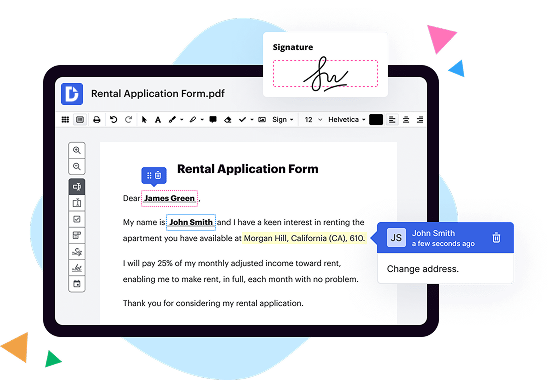
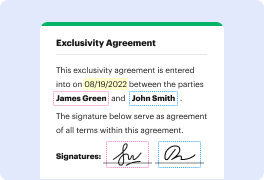
DocHub is a fantastic tool that provides a user-friendly interface for editing, signing, and sharing PDF documents. With its seamless integration with Google Drive and Dropbox, managing your files has never been easier. Whether you need to annotate PDFs or collect signatures, DocHub offers a smooth and intuitive experience.
Next up, we have eDoc Organizer, a powerful software designed to help you organize and manage your digital documents. It offers advanced features like OCR (optical character recognition), allowing you to easily search for specific keywords within your files. With eDoc Organizer, you can effortlessly categorize and locate your documents, saving you time and effort.
Last but not least, we have TeamBinder, a comprehensive document and project management solution. It not only allows you to store and track your documents but also helps you collaborate efficiently with your team. TeamBinder streamlines workflows, enhances communication, and ensures timely delivery of project-related documents.
Now that we've explored these three options, it's important to emphasize that DocHub stands out as a versatile and user-friendly platform. Its simple yet effective features make it an excellent choice for individuals and businesses alike. However, it's worth checking out eDoc Organizer and TeamBinder to see if their specific features align better with your needs.
Remember, the best way to determine which platform is right for you is to evaluate your unique requirements and try out the different options firsthand. Each platform offers its own strengths and benefits, so take the time to discover which one suits you best.
DocHub vs eDoc Organizer vs TeamBinder: which is better for Enterprises?
While eDoc Organizer and TeamBinder are good solutions to work with PDFs online, DocHub offers greater capabilities to help individuals and businesses digitize their documents and make them run smoothly across different devices and your favorite apps.
DocHub vs eDoc Organizer vs TeamBinder: which is better for small businesses?
eDoc Organizer and TeamBinder are good options for editing, signing, and sharing PDFs. However, DocHub offers a more comprehensive featureset that includes organizations, reusable templates, advanced eSignatures, seamless Google integrations, and more that are perfect for small businesses, helping them simplify and streamline document editing, sharing, signing, and form completition.
What is DocHub?
DocHub is a Google-integrated PDF editor and eSignature solution that helps you get your PDFs done online, using any device. DocHub comes with an online PDF editor, advanced eSignatures, PDF forms, reusable templates, and straightforward Google integrations so you can maximize your productivity when working within your favorite Google apps.
What is eDoc Organizer and how does it work?
eDoc Organizer is an innovative software that simplifies and streamlines document management for individuals and businesses. It's an exceptional tool designed to make your life easier, allowing you to effortlessly organize and access your digital documents.
So, how does it work exactly? Well, let me break it down for you. First, you start by scanning or uploading your paper documents into the eDoc Organizer system. This could be anything from receipts and invoices to contracts and legal documents. Once your documents are in the system, you can easily search and retrieve them whenever you need to, saving you valuable time and effort.
But the magic doesn't stop there. eDoc Organizer also allows you to categorize and tag your documents, making it even easier to find them later. No more endless searching through stacks of paper or countless folders on your computer. With eDoc Organizer, you can simply search for keywords or use filters to locate the documents you're looking for in a matter of seconds.
Another fantastic feature of eDoc Organizer is its ability to automate processes. It can automatically sort and categorize your documents based on predefined rules, reducing your manual workload. This means that you can focus on more important tasks instead of wasting time on mundane paperwork.
In addition, eDoc Organizer offers advanced security measures to protect your sensitive information. You can set up user access controls, ensuring that only authorized individuals can view or edit specific documents. This gives you peace of mind knowing that your documents are safe and secure.
eDoc Organizer is compatible with various devices, including computers, tablets, and smartphones. This means that you can access your documents anytime, anywhere, allowing for greater flexibility and convenience.
In summary, eDoc Organizer is a game-changer when it comes to document management. It's an easy-to-use software that empowers you to take control of your digital documents, enhancing productivity and efficiency. Say goodbye to the hassle of paper clutter and the frustration of searching for important documents. With eDoc Organizer, you'll have everything you need at your fingertips.
What is TeamBinder and how does it work?
TeamBinder is a powerful and intuitive project management software designed to streamline collaboration and document control. It's like having a super-efficient assistant by your side, keeping all your project information organized and easily accessible.
So, how does TeamBinder work its magic? Let's dive in! When you first start using TeamBinder, you'll notice its user-friendly interface and intuitive design. It's built to make your life easier, plain and simple. With just a few clicks, you'll be able to create and manage projects, upload and share files, track changes, and communicate with your team seamlessly.
One of the standout features of TeamBinder is its document control capabilities. Gone are the days of sifting through endless email threads to find the latest version of a file. TeamBinder allows you to centralize all your project documents in one secure location, eliminating confusion and ensuring everyone is working from the same page. You can easily upload, organize, and categorize files, and set access permissions for different team members. This means you have complete control over who can view, edit, or approve documents, ensuring security and confidentiality.
Collaboration is at the heart of TeamBinder. You can invite team members to join your project and assign tasks to individuals or groups. Team members can then contribute their ideas, provide feedback, and track progress, all within the platform. With real-time updates and notifications, you can say goodbye to endless email chains and communication breakdowns. TeamBinder keeps everyone on the same page, promoting transparency, accountability, and efficiency.
Another noteworthy feature of TeamBinder is its comprehensive reporting and analytics. You can generate reports that provide key insights into project performance, helping you identify areas of improvement and make data-driven decisions. This feature allows you to monitor progress, track milestones, and stay on top of deadlines, ensuring your project runs smoothly from start to finish.
In summary, TeamBinder is a game-changer when it comes to project management. Its user-friendly interface, document control capabilities, collaboration tools, and robust reporting features make it a must-have for any team looking to streamline their workflow, boost productivity, and achieve successful project outcomes. Give TeamBinder a try today and see the difference it can make in your team's efficiency and success!
Is DocHub free?
Yes. DocHub's free plan is a perfect fit for one-offs or occasional projects. You can start using DocHub’s Free Plan straight away after completing the quick account registration. No learning is needed. The DocHub Pro Plan has a 30-day free trial so you have enough time to test the product.
Is eDoc Organizer free to use?
Yes, eDoc Organizer is absolutely free to use! With its user-friendly interface and seamless organization capabilities, eDoc Organizer provides a hassle-free solution to manage and efficiently store your documents digitally. You may easily access and categorize your files, enabling you to locate them effortlessly whenever you need them. Plus, eDoc Organizer offers secure cloud storage, ensuring the safety and confidentiality of your important documents. So why wait? Start using eDoc Organizer for free today and experience the convenience of a streamlined document management system that simplifies your life!
Is TeamBinder free to use?
Yes, TeamBinder is absolutely free to use! As a user, you can access all the amazing features and functionalities without spending a single penny. With TeamBinder, you have the power to collaborate seamlessly, streamline your team's workflow, and efficiently manage your projects, all at no cost. So, rest assured, experience the freedom and convenience that TeamBinder offers without any financial burden. Start using TeamBinder today and unlock a world of possibilities!
What is DocHub’s cost and pricing?
DocHub has straightforward pricing that includes one free plan and one paid plan. If you need to get documents done once in a while, the Free Plan is just the thing for you. It includes all the PDF tools to help you edit, sign, share, and organize your documents. For a growing document workflow, we recommend the DocHub Pro plan at $14 per user per month. It includes unlimited PDF capabilities and priority tech support. You can even test it free for 30 days before buying.
Is eDoc Organizer safe?
Yes, eDoc Organizer is absolutely safe to use. With its robust security measures and advanced encryption protocols, you can trust that your important documents and personal information will remain fully protected. As a user, you can have peace of mind knowing that eDoc Organizer prioritizes your privacy and implements stringent security measures to keep your data secure. Furthermore, eDoc Organizer offers regular updates and maintenance to ensure that any potential vulnerabilities are promptly addressed. So rest assured, your documents are in good hands with eDoc Organizer.
Is TeamBinder safe?
Yes, TeamBinder is safe. It has been designed with robust security measures to ensure the safety and privacy of your data. As a user, you can rest assured knowing that your information is protected. TeamBinder utilizes industry-standard encryption techniques to safeguard your data from unauthorized access. Furthermore, the platform undergoes regular security audits to identify and address any potential vulnerabilities. We prioritize the confidentiality and integrity of your information, making TeamBinder a trustworthy and secure solution for your team collaboration needs.
What are the main DocHub alternatives?
The main DocHub alternatives are Lumin PDF, Small PDF, PDF escape, and others. However, DocHub’s ease of use, flexibility, affordability, and deep Google integrations are the reasons why DocHub is ahead of the competition.
What are the 10 best eDoc Organizer alternatives?
When it comes to finding the perfect eDoc Organizer alternative, you're in luck! There are several fantastic options available that are sure to meet your needs. One standout choice is DocHub, which truly sets itself apart from the rest. But let's not stop there; there's so much more to explore!
1. DocHub: Known for its user-friendly interface and powerful features, DocHub is a top contender in the eDoc Organizer market. It offers seamless document collaboration, impressive annotation tools, and secure cloud storage. You'll definitely want to give DocHub a try!
2. Evernote: A popular choice for its versatility, Evernote allows you to organize and store all your important documents in one place. With its robust search capabilities and intuitive interface, staying organized has never been easier.
3. Google Drive: If you're looking for a familiar and reliable option, look no further than Google Drive. It provides seamless integration with other Google services, ample storage space, and effortless collaboration. Plus, with its accessibility across devices, you can access your documents anytime, anywhere.
4. Adobe Acrobat DC: Widely recognized as a leader in the document management realm, Adobe Acrobat DC offers a comprehensive set of tools for creating, editing, and signing electronic documents. Its advanced features and intuitive design make it a powerhouse in the industry.
5. Zoho Docs: Designed with simplicity and efficiency in mind, Zoho Docs offers a range of features to help you manage your documents effortlessly. From editing to sharing, collaborating to organizing, Zoho Docs has got you covered.
6. Dropbox Paper: As a collaborative workspace, Dropbox Paper streamlines document collaboration and eliminates the hassle of constant back-and-forth. With its sleek interface and real-time editing capabilities, it's a great alternative worth considering.
7. OneDrive: Microsoft's OneDrive provides a seamless experience for those familiar with the Windows ecosystem. With generous storage options, cross-platform accessibility, and robust security measures, it's an excellent choice for both personal and professional document management.
8. Box: If security is your top concern, look no further than Box. Trusted by many businesses, Box provides enhanced security features to protect your sensitive documents. Its intuitive interface and comprehensive collaboration tools make it a reliable choice.
9. Quip: Quip combines document creation, collaboration, and communication into one unified platform. With its focus on teamwork and efficiency, Quip helps you streamline your document workflows and avoid unnecessary clutter.
10. PDFelement: Last but certainly not least, PDFelement offers a feature-packed suite for managing your PDFs effectively. From editing to converting, annotating to securing, PDFelement has all the tools you need to take control of your digital documents.
So, there you have it - a marvelous lineup of excellent eDoc Organizer alternatives for you to explore. Whether you choose DocHub or any of the other fantastic options on this list, you can be confident that your document management needs will be met with ease and efficiency. Let the organizing begin!
What are the 10 best TeamBinder alternatives?
If you're searching for top-notch alternatives to TeamBinder, look no further! There are several outstanding options available that will surely meet your requirements. One noteworthy alternative to consider is DocHub. With its powerful features and user-friendly interface, DocHub steals the spotlight as an excellent choice. But let's not focus solely on one alternative; there are nine other fantastic options to explore!
1. DocHub: Considered one of the top alternatives, DocHub offers seamless document collaboration and editing capabilities that are incredibly user-friendly. It's definitely a must-try.
2. Samepage: A fantastic option that combines file sharing, task management, and real-time collaboration all in one platform. Get ready for productivity to skyrocket!
3. Bitrix24: Bringing together project management and collaboration, Bitrix24 offers an extensive array of tools to help your team excel in every aspect. Communication has never been easier!
4. Wrike: Known for its intuitive interface and robust project management features, Wrike empowers teams to stay organized and work together effortlessly. Stay on track and achieve greatness!
5. Google Drive: A widely utilized and reliable alternative, Google Drive offers seamless document sharing, editing, and cloud storage. Teams can collaborate in real time, leaving no room for delays or confusion.
6. Monday.com: This visually appealing and highly customizable platform enables teams to streamline their workflow and manage projects effortlessly. Get everyone on the same page with Monday.com!
7. Basecamp: Renowned for its simplicity and ease of use, Basecamp excels at project management and collaboration. Say goodbye to complexity and hello to smooth sailing!
8. Trello: Need a visual and intuitive solution for organizing tasks and projects? Look no further than Trello. With its drag-and-drop interface, you'll be amazed at how easy project management can be!
9. Asana: Perfect for teams of any size, Asana offers a comprehensive suite of project management tools with a clean and user-friendly interface. Simplify your workflows and conquer your goals!
10. Jira: Widely recognized as an industry-leading software, Jira provides top-tier project management and issue tracking functionalities. Enhance your team's productivity and keep projects on track!
There you have it! These ten exceptional TeamBinder alternatives are just a click away, waiting to elevate your team's collaboration and productivity. Explore these options to find the perfect fit for your needs and embark on a journey towards seamless teamwork!