
Wet-Sign a Document



Learn how to Wet-Sign a Document stress-free
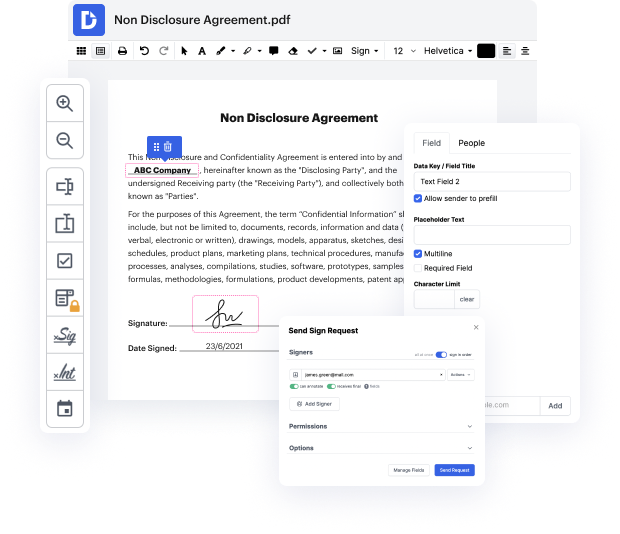
PDFs are crucial to today’s modern world. Yet, working with PDFs isn't always straightforward, especially when you don't have the proper tool to edit and endorse them. If you’re looking for a breezy way to Wet-Sign a Document, DocHub is your top pick. With its easy-to-use interface, you can execute any action using a PDF in no time.
Follow the steps below to Wet-Sign a Document:
- Register with DocHub—it’s free of charge.
- Upload a PDF and open it in the editor.
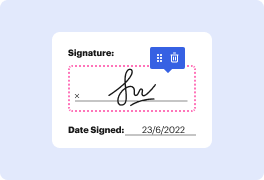
- Check out the tools and find the option to Wet-Sign a Document.
- Save the PDF onto your device or import it to the storage service of your preference.
- Send it to a dedicated receiver, or retain it for further revisions.
DocHub provides a polished interface, powerful editing and eSignature features, and deep integrations with Google Workspace and other products. Discover the simplicity of using our platform to Wet-Sign a Document directly within our platform. No more having to master yet another online program. DocHub’s user-friendly interface and range of free features are what make it differentiate as the superior option for all your PDF editing and signing needs!
PDF editing simplified with DocHub






Drive efficiency with the DocHub add-on for Google Workspace
Got questions about wet signature on pdf?
What is the meaning of wetting of documents?
What is the difference between a wet signature and an e signature?
What is a wet copy of a document?
What is the professional way to say wet signature?
How do I create a wet signature in PDF?
What is a wet stamp on a document?
What is the difference between a wet and dry signature?
What does it mean to wet the document?
See why our customers choose DocHub


Security and compliance
At DocHub, your data security is our priority. We follow HIPAA, SOC2, GDPR, and other standards, so you can work on your documents with confidence.
Learn more


