
Split DOCX Online






How to Split DOCX Online at No Cost and Hassle-Free
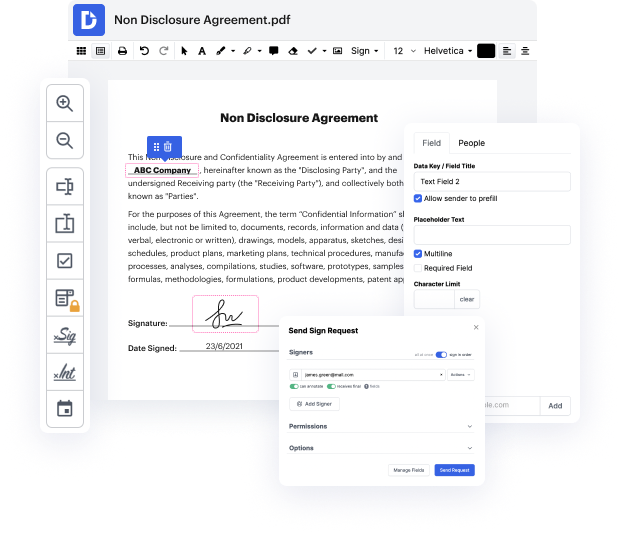
Embrace the convenience of DocHub, a one-stop editor that caters to all your editing needs. You can Split DOCX Online and edit .doc and related file formats free of charge without resorting to popular Microsoft editing program! Create, edit, convert formats, annotate, and discover a host of other tools that make the editing experience a breeze. All you need is a web browser, a stable internet connection, and a few seconds to register for a new account.
How to easily Split DOCX Online
- Navigate to the DocHub main page and start your registration.
- Head to the Dashboard and select the most suitable option for adding your file.
- Start completing the available fields in your document, if any.
- Find the option to Split DOCX Online and keep discovering other tools.
- Enable integrations to save your file in the third-party solution of your choice.
- Send out your form or download it to your device.
The editing process is as easy as ABC. DocHub offers an alternative to the troubles associated with program like MS Word, which often requires subscription costs, is resource-intensive, and can be excessively intricate if you only require important tools.
Try our editor today and improve your experience for good!
PDF editing simplified with DocHub






Drive efficiency with the DocHub add-on for Google Workspace
Got questions about docx splitter?
How do I split a long Word document?
How do I split a Word document into sections?
How do I cut one page from a DOCX file?
How do I split a Word document into multiple files?
How do I split a Word document into separate files online?
What do I do if a Word document is too large?
How do you separate pages in Word Online?
How do I split a large Word document into multiple files?
What is the tool to split a Word document?
How do I break a DOCX file?
See why our customers choose DocHub


Security and compliance
At DocHub, your data security is our priority. We follow HIPAA, SOC2, GDPR, and other standards, so you can work on your documents with confidence.
Learn more


