
Snip impression in pdf smoothly



How to Snip impression in Pdf files anytime from anyplace
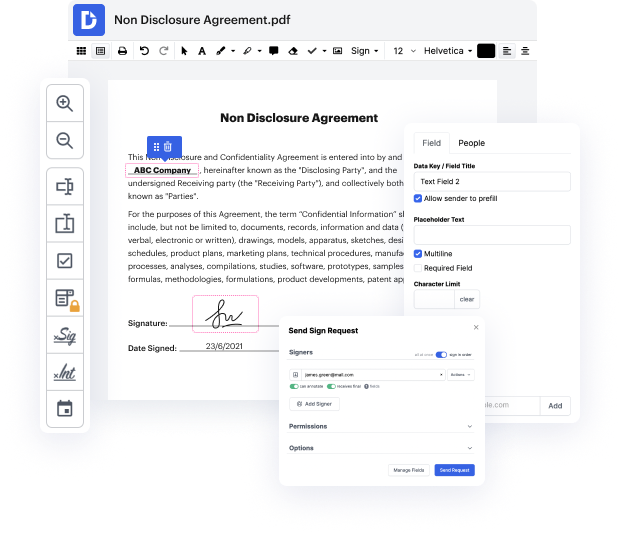
Have you ever had trouble with editing your Pdf document while on the go? Well, DocHub comes with a great solution for that! Access this cloud editor from any internet-connected device. It allows users to Snip impression in Pdf files quickly and whenever needed.
DocHub will surprise you with what it provides you with. It has robust capabilities to make any changes you want to your paperwork. And its interface is so straightforward that the entire process from beginning to end will take you only a few clicks.
Explore DocHub’s capabilities while you Snip impression in Pdf files:
- Import your Pdf from your device, an email attachment, cloud storage, or through a URL.
- Create new content by clicking on our Text button on the top, and alter its color, size, and fonts as needed.
- Click on our Strikeout or Whiteout tools to remove details that just don’t make sense any longer.
- Make visual upgrades by drawing or inserting pictures, lines, and icons.
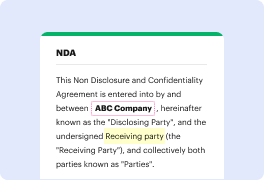
- Highlight crucial details in your paperwork.
- Click on the Comment option to note your most significant changes.
- Transform your Pdf file into a fillable template by clicking on the Manage Fields tool.
- Place fields for various types of data.
- Assign Roles to your fields and set them mandatory or optional to guarantee parties fill them out properly.
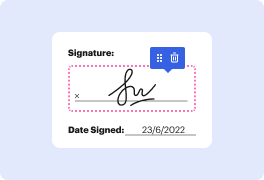
- Drop Signature Fields and click on Sign to approve your form yourself.
- Decide on how you share your form - via email or using a shareable link.
As soon as you complete adjusting and sharing, you can save your updated Pdf file on your device or to the cloud as it is or with an Audit Trail that contains all adjustments applied. Also, you can save your paperwork in its original version or convert it into a multi-use template - complete any document management task from anyplace with DocHub. Sign up today!
PDF editing simplified with DocHub






Drive efficiency with the DocHub add-on for Google Workspace
How to how to save a snip as a pdf
over the last several months people keep asking how to capture a smaller portion of their screen to copy text an image or anything else they need saved you could use the screenshot feature in many of the popular browsers which have their limits or you could third-party software if you run the Windows operating system to have a built-in screen shot program called the snipping tool which has most of the features that most people would ever need today I will show you how to use the snipping tool and go over the key features coming up next on tech gumbo the snipping tool has been around for more than 10 years and it can be used with Windows Vista Windows 7 Windows 8.1 and Windows 10 if youre still running Windows Vista you seriously need to upgrade since Microsoft and its support for that operating system in April of 2017 for many of you the most convenient way to open the snipping tool is to use a keyboard shortcut at the end of this video Ill show you how to add a keyboard shortcut to

Got questions about how to snip a pdf?
How do I cut a signature from a PDF?
How do you copy and paste from Snip Sketch?
Can you turn a snip into a PDF?
How do I paste from snip and sketch to PDF?
How do I paste from snipping tool to PDF?
How do I insert a snip into a PDF?
How do I paste a screenshot into a PDF?
Is there a snip tool in PDF?
See why our customers choose DocHub


Security and compliance
At DocHub, your data security is our priority. We follow HIPAA, SOC2, GDPR, and other standards, so you can work on your documents with confidence.
Learn more


