
Remove outline in WPS smoothly



How to remove outline in WPS faster
When you edit files in different formats daily, the universality of the document tools matters a lot. If your tools work for only some of the popular formats, you may find yourself switching between application windows to remove outline in WPS and handle other document formats. If you wish to take away the hassle of document editing, go for a platform that can effortlessly manage any format.
With DocHub, you do not need to focus on anything short of the actual document editing. You won’t need to juggle applications to work with diverse formats. It will help you revise your WPS as effortlessly as any other format. Create WPS documents, modify, and share them in one online editing platform that saves you time and boosts your efficiency. All you need to do is sign up a free account at DocHub, which takes just a few minutes or so.
Take these steps to remove outline in WPS in no time
- Open the DocHub website and sign up by clicking on the Create free account button.
- Enter your email and make up a password to sign up your new account or link your personal information through your Gmail account.
- Go to the Dashboard and add the WPS you have to edit. Do it by uploading your document or linking it from the cloud or wherever you have it placed.
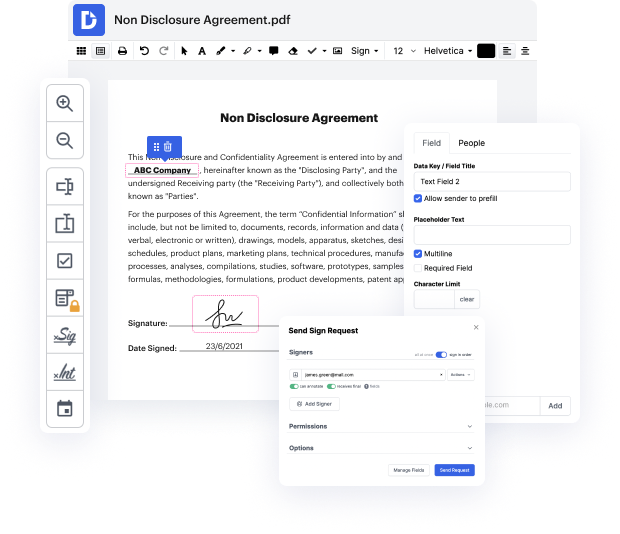
- Open the document in editing mode and then make all adjustments using the upper toolbar.
- When done editing, make use of the easiest method to save your file: download it, save it in your account, or send it straight to your recipient via DocHub.
You won’t need to become an editing multitasker with DocHub. Its feature set is enough for speedy document editing, regardless of the format you need to revise. Begin with registering a free account and discover how easy document management can be with a tool designed specifically to suit your needs.
PDF editing simplified with DocHub






Drive efficiency with the DocHub add-on for Google Workspace
Got questions about how to remove border in wps office?
Which tool is used to erase the cell boundaries in a table?
How do I delete a specific border?
How do I remove an outline border?
How do I remove a border from a WPS spreadsheet?
How do I get rid of the line in WPS Office?
How do I remove a border in WPS Office?
How do I remove table borders?
How do I remove an outline in Word?
See why our customers choose DocHub


Security and compliance
At DocHub, your data security is our priority. We follow HIPAA, SOC2, GDPR, and other standards, so you can work on your documents with confidence.
Learn more


