
Open locked PDF on Website quickly
Aug 6th, 2022

0
forms filled out

0
forms signed

0
forms sent
01. Upload a document from your computer or cloud storage.
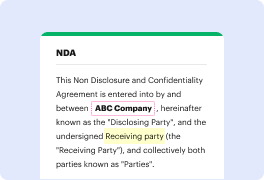
02. Add text, images, drawings, shapes, and more.
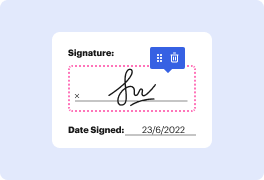
03. Sign your document online in a few clicks.
04. Send, export, fax, download, or print out your document.
How to open locked PDF on Website with DocHub
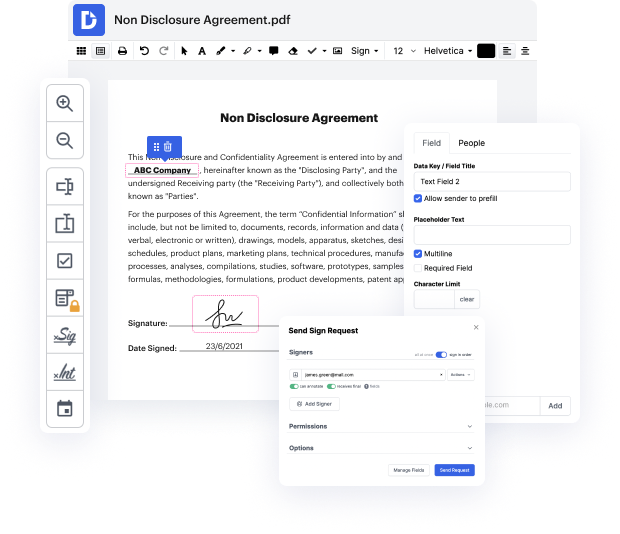
DocHub is a powerful platform designed to streamline document editing, signing, distribution, and form completion, making your document management tasks a breeze. With deep integration into Google Workspace, our editor allows users to import, export, modify, and sign documents directly from Google apps, ensuring a smooth and efficient workflow. Whether you're working on a business proposal or personal project, discovering how to open locked PDF on Website can enhance your productivity and convenience.
Follow the steps to unlock your PDF with ease
- Begin by visiting the DocHub website and logging into your account. If you don’t have an account, you can easily create one for free.
- Once logged in, locate the option to upload your PDF file. Ensure that you select the locked PDF you wish to open.
- After uploading, you will see options to unlock or edit the document. Choose the relevant tool to remove the restrictions.
- Make any necessary edits or modifications to your document using the available features in the editor.
- Once you are satisfied with the changes, you can save your work. Select the option to download or export the document in your desired format.
- Finally, you can print your document or share it directly via email or through integrated sharing options.
Unlock your documents today with DocHub and experience seamless document management for free!
PDF editing simplified with DocHub

Seamless PDF editing
Editing a PDF is as simple as working in a Word document. You can add text, drawings, highlights, and redact or annotate your document without affecting its quality. No rasterized text or removed fields. Use an online PDF editor to get your perfect document in minutes.

Smooth teamwork
Collaborate on documents with your team using a desktop or mobile device. Let others view, edit, comment on, and sign your documents online. You can also make your form public and share its URL anywhere.

Automatic saving
Every change you make in a document is automatically saved to the cloud and synchronized across all devices in real-time. No need to send new versions of a document or worry about losing information.

Google integrations
DocHub integrates with Google Workspace so you can import, edit, and sign your documents directly from your Gmail, Google Drive, and Dropbox. When finished, export documents to Google Drive or import your Google Address Book and share the document with your contacts.

Powerful PDF tools on your mobile device
Keep your work flowing even when you're away from your computer. DocHub works on mobile just as easily as it does on desktop. Edit, annotate, and sign documents from the convenience of your smartphone or tablet. No need to install the app.

Secure document sharing and storage
Instantly share, email, and fax documents in a secure and compliant way. Set a password, place your documents in encrypted folders, and enable recipient authentication to control who accesses your documents. When completed, keep your documents secure in the cloud.






Drive efficiency with the DocHub add-on for Google Workspace
Access documents and edit, sign, and share them straight from your favorite Google Apps.
Install now
See why our customers choose DocHub
Great solution for PDF docs with very little pre-knowledge required.

A Valuable Document Signer for Small Businesses.

I can create refillable copies for the templates that I select and then I can publish those.

Security and compliance
At DocHub, your data security is our priority. We follow HIPAA, SOC2, GDPR, and other standards, so you can work on your documents with confidence.
Learn more


