
Notarized Document Editor Online For Free






Increase your day-to-day document routines with Notarized Document Editor
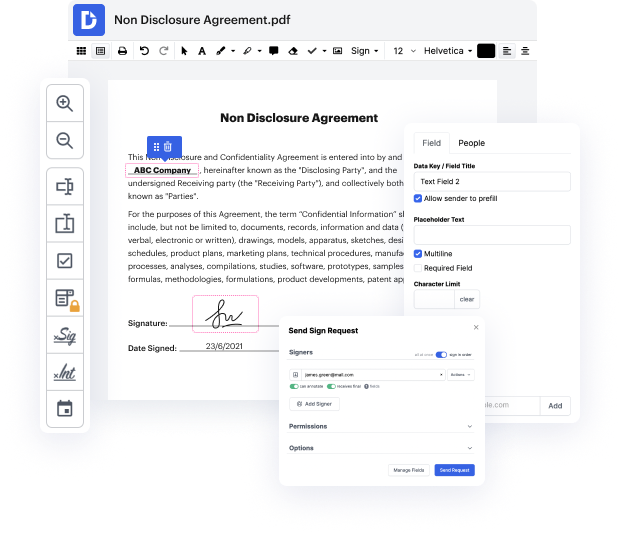
Keeping up with the rapid-transforming work environment that has emerged because COVID remains an essential concern for a lot of industries. Many businesses seek out an accessible and easy-to-adopt remedy that would be accessible for them 24/7. The principal interest lies in covering all document generation and approval procedures with minimal time and effort. DocHub presents strong features and storage space integrations that will change your day-to-day document processes forever. You simply need a cost-free DocHub profile to gain access to Notarized Document Editor.
DocHub is an end-to-end editing and annotation app that addresses all your document generation demands. Create documents from scratch, modify them, leave feedback, and quickly gather signatures from your teammates and clients. Forget about losing your files or worrying about safety - DocHub has industry-leading safety standards that safeguard your information.
Use Notarized Document Editor using these basic steps
- Get a cost-free DocHub account to begin working on your files.
- Register your account with the current email address, Google profile, or SSO.
- Drag and drop your file from your computer or upload it from the incorporated cloud storage space (OneDrive, Google Drive, Dropbox).
- Start editing, add or get rid of text, highlight relevant sections, allocate recipients to particular fields, or check out capabilities provided by DocHub.
- Save adjustments and come back to your file whenever you want, or build a Template for your most frequently used papers.
- Save, download, or send out your finished document with your teammates or clients to collect signatures.
Focus on agreements and contracts anywhere, anytime. Get the most from Notarized Document Editor and enhance your day-to-day document administration, from document creation to approval and storage space.
PDF editing simplified with DocHub






Drive efficiency with the DocHub add-on for Google Workspace
How to document editor free
This video tutorial provides tips for brand new notaries on how to prepare for their first notarization. Notaries have a big responsibility in protecting document signers against forgery and fraud. It is common to feel nervous before your first notarization, but it's not as daunting as it seems. Remember to bring your notary seal and journal for every assignment. It is important not to give advice or answer questions about documents as a notary, to avoid potential legal issues.

Got questions about document editor?
How do I docHub a document format?
Can I write a document and have it docHubd?
See why our customers choose DocHub


Security and compliance
At DocHub, your data security is our priority. We follow HIPAA, SOC2, GDPR, and other standards, so you can work on your documents with confidence.
Learn more


