
Make image attestation easily



How to Make image attestation and save your time
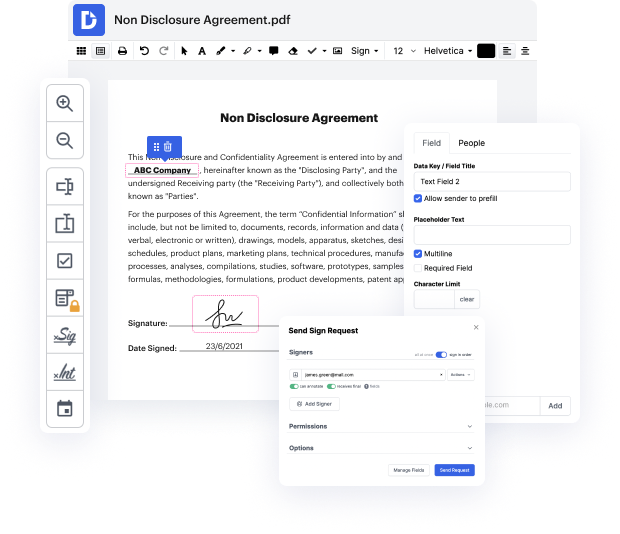
You realize you are using the right file editor when such a simple job as Make image attestation does not take more time than it should. Editing files is now an integral part of many working operations in various professional fields, which is the reason convenience and straightforwardness are crucial for editing tools. If you find yourself researching guides or trying to find tips on how to Make image attestation, you may want to find a more intuitive solution to save your time on theoretical learning. And this is where DocHub shines. No training is needed. Just open the editor, which will guide you through its principal functions and features.
Kickstart your editing flows in several easy steps.
- Go to the DocHub site and hit the Sign up button.
- Provide your account details for the signup or go for the fast signup using your current email profile.
- Once you see the Dashboard, you are all set. Click the New Document button to add the file in which you need to Make image attestation.
- Add it from your device as a drag and drop or use a link to the cloud where it is saved.
- Open the file in the editing mode and use the user-friendly toolbar to apply the adjustments needed.
- Save the file in your account or download it on your device immediately.
A workflow becomes smoother with DocHub. Make use of this tool to complete the paperwork you need in short time and take your productivity to another level!
PDF editing simplified with DocHub






Drive efficiency with the DocHub add-on for Google Workspace
How to sign a document online
well hi everyone Steve Patterson here from photoshop essentials comm in this video well learn how to create one of photoshops most popular and classic effects placing an image inside text as well see thanks to the power of clipping masks placing any image inside text with Photoshop is simple and easy Ill be using photoshop CC here but you can follow along with any recent version of Photoshop and if youre watching this video on our website you also have access to the text version so you can watch the video or read through the steps anytime you like thanks for joining me and lets get started so the first thing we need to do is open the image we want to place inside our text and heres the image Ill be using I downloaded this one from docHub stock if we look in the layers panel we can see the image sitting on the background layer which is currently the only layer in the document we need to make a copy of this layer to do that go up to the layer menu in the menu bar along the top of

Got questions about self attested com?
How do I give myself attested documents?
How do you attest a photo?
What does it mean to attest a photo?
How do I make an attestation?
How do I attest a picture in a PDF?
What is picture attestation?
See why our customers choose DocHub


Security and compliance
At DocHub, your data security is our priority. We follow HIPAA, SOC2, GDPR, and other standards, so you can work on your documents with confidence.
Learn more


