
Excel Business Partnership Agreement Templates to Download in 2024
Aug 6th, 2022

0
forms filled out

0
forms signed

0
forms sent
01. Upload a document from your computer or cloud storage.
02. Add text, images, drawings, shapes, and more.
03. Sign your document online in a few clicks.
04. Send, export, fax, download, or print out your document.
Find the best Excel Business Partnership Agreement Templates with DocHub
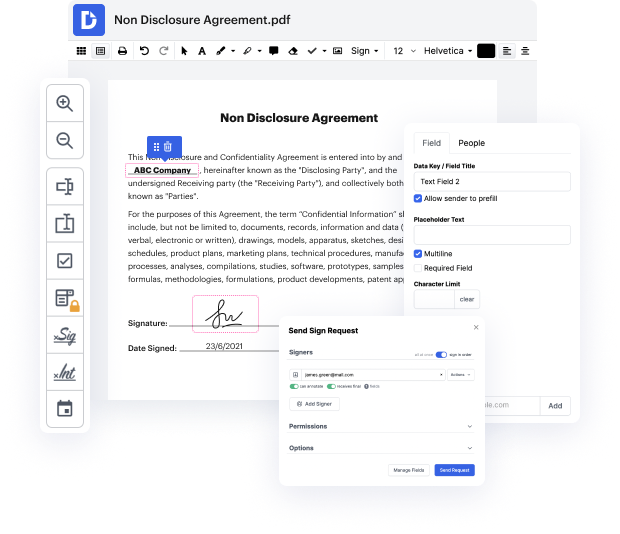
Generally, you would spend about 5 hours per week looking for a document you require. 18 minutes more you attempt to locate it inside your management . DocHub allows you to save valuable time and have each file you require within your reach. Access Excel Business Partnership Agreement Templates in a single click and focus on tasks that matter the most.
Straightforward guide on how to find Excel Business Partnership Agreement Templates
- Find a template you need to use.
- Select it and begin editing Business Partnership Agreement with DocHub's advanced tools.
- Highlight, add or take away fields, arrange your document, and explore much more available choices using the DocHub editor.
- Double-check the details and easily fix or take away alterations.
- Delegate fillable fields for the specific assignee.
- Save documents and gain access to them whenever you want with your Documents directory.
DocHub transforms usual document management and alleviates tiresome document search procedures. Get all functions and features of document flow at your fingertips, no extra management platform is needed. Begin your free DocHub trial right now.
PDF editing simplified with DocHub

Seamless PDF editing
Editing a PDF is as simple as working in a Word document. You can add text, drawings, highlights, and redact or annotate your document without affecting its quality. No rasterized text or removed fields. Use an online PDF editor to get your perfect document in minutes.

Smooth teamwork
Collaborate on documents with your team using a desktop or mobile device. Let others view, edit, comment on, and sign your documents online. You can also make your form public and share its URL anywhere.

Automatic saving
Every change you make in a document is automatically saved to the cloud and synchronized across all devices in real-time. No need to send new versions of a document or worry about losing information.

Google integrations
DocHub integrates with Google Workspace so you can import, edit, and sign your documents directly from your Gmail, Google Drive, and Dropbox. When finished, export documents to Google Drive or import your Google Address Book and share the document with your contacts.

Powerful PDF tools on your mobile device
Keep your work flowing even when you're away from your computer. DocHub works on mobile just as easily as it does on desktop. Edit, annotate, and sign documents from the convenience of your smartphone or tablet. No need to install the app.

Secure document sharing and storage
Instantly share, email, and fax documents in a secure and compliant way. Set a password, place your documents in encrypted folders, and enable recipient authentication to control who accesses your documents. When completed, keep your documents secure in the cloud.






Drive efficiency with the DocHub add-on for Google Workspace
Access documents and edit, sign, and share them straight from your favorite Google Apps.
Install now
Got questions about format for partnership agreement?
Here are some common questions from our customers that may provide you with the answer you need. If you can’t find the answer to your free partnership agreement template excel-related question, please don’t hesitate to reach out to us.
Contact us
How do you ask a company for a partnership?
How to write a partnership email Identify which customers you want to connect with. Find the appropriate partners. Understand the other companys interests. Use a persuasive subject line. Personalize your email. Write an introduction. Explain the benefits of partnership. Include a call to action.
How can I get partnership?
Checklist for Partnership Firm Registration Drafting of Partnership Deed. Minimum two members as partners. Maximum of equal to or less than twenty partners. Selection of appropriate name. Principal Place of business. PAN card and bank account of the firm.
What are the 4 types of partnership?
The laws of individual countries vary, but, broadly speaking, there are four major types of partnership agreements in the United States: General partnerships. Limited partnerships. Limited liability partnerships. Limited liability limited partnerships.
What is the agreement for two companies to work together?
A business partnership agreement is a document that establishes clear business operation rules and delineates each partners role. These agreements are enacted to resolve disputes, delineate responsibilities, and define how to allocate profits and losses.
How do you create a simple partnership agreement?
Use the following steps to draft a partnership agreement: Outline Partnership Purpose. Document Partners Name and Business Address. Document Ownership Interest and Partner Shares. Outline Partner Responsibilities and Liabilities. Consult With a Lawyer.
How do you get a partnership with a company?
How to form a partnership: 10 steps to success Choose your partners. Determine your type of partnership. Come up with a name for your partnership. Register the partnership. Determine tax obligations. Apply for an EIN and tax ID numbers. Establish a partnership agreement. Obtain licenses and permits, if applicable.
How is a partnership formed in a business?
A business partnership is usually formed when two or more companies or individuals come up with a written agreement to join forces. This legal relationship means that any profits or losses are shared between the partners.
See why our customers choose DocHub
Great solution for PDF docs with very little pre-knowledge required.

A Valuable Document Signer for Small Businesses.

I can create refillable copies for the templates that I select and then I can publish those.

Security and compliance
At DocHub, your data security is our priority. We follow HIPAA, SOC2, GDPR, and other standards, so you can work on your documents with confidence.
Learn more


