
Email Signature for a Retirement Letter
Aug 6th, 2022

0
forms filled out

0
forms signed

0
forms sent
01. Upload a document from your computer or cloud storage.
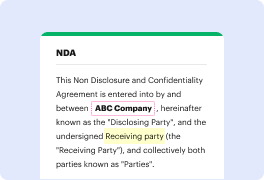
02. Add text, images, drawings, shapes, and more.
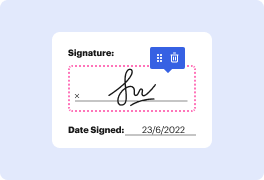
03. Sign your document online in a few clicks.
04. Send, export, fax, download, or print out your document.
How to complete Email Signature for a Retirement Letter fast using DocHub
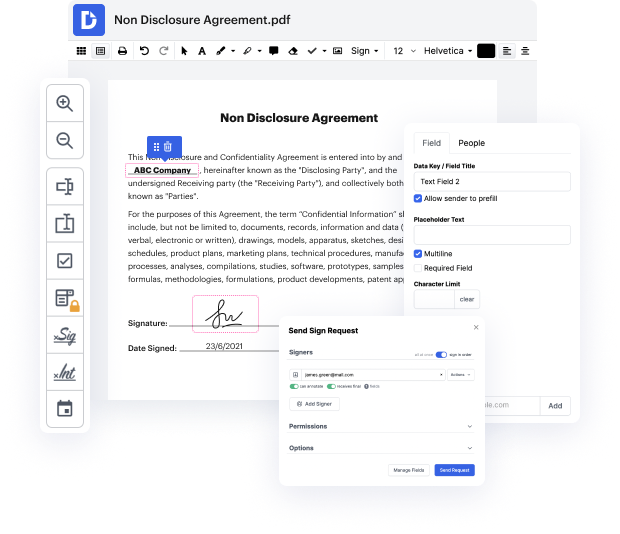
Prepare and finalize your Email Signature for a Retirement Letter in minutes. Try DocHub to conveniently create, edit, and approve documents. Its online tools allow you to start working efficiently without prior preparation due to the platform’s intuitive interface. Simply add your document and approve it with your autograph.
Steps to complete your Email Signature for a Retirement Letter
- Go to the DocHub page and log in to your account. If you are a new user, you can start your free trial by signing up with your existing email.
- Open the Dashboard and click the New Document button.
- Upload, create, or link your file and open the editor.
- Introduce the adjustments you require utilizing the editing tools.
- Once your Email Signature for a Retirement Letter is ready, select the Sign tool.
- Configure your signature and place it where required in the document.
- Preserve the document in your history, send it out, or download it right away.
Enhance your experience with online signature processing. Create your profile and discover the many advantages of swift online document editing.
PDF editing simplified with DocHub

Seamless PDF editing
Editing a PDF is as simple as working in a Word document. You can add text, drawings, highlights, and redact or annotate your document without affecting its quality. No rasterized text or removed fields. Use an online PDF editor to get your perfect document in minutes.

Smooth teamwork
Collaborate on documents with your team using a desktop or mobile device. Let others view, edit, comment on, and sign your documents online. You can also make your form public and share its URL anywhere.

Automatic saving
Every change you make in a document is automatically saved to the cloud and synchronized across all devices in real-time. No need to send new versions of a document or worry about losing information.

Google integrations
DocHub integrates with Google Workspace so you can import, edit, and sign your documents directly from your Gmail, Google Drive, and Dropbox. When finished, export documents to Google Drive or import your Google Address Book and share the document with your contacts.

Powerful PDF tools on your mobile device
Keep your work flowing even when you're away from your computer. DocHub works on mobile just as easily as it does on desktop. Edit, annotate, and sign documents from the convenience of your smartphone or tablet. No need to install the app.

Secure document sharing and storage
Instantly share, email, and fax documents in a secure and compliant way. Set a password, place your documents in encrypted folders, and enable recipient authentication to control who accesses your documents. When completed, keep your documents secure in the cloud.






Drive efficiency with the DocHub add-on for Google Workspace
Access documents and edit, sign, and share them straight from your favorite Google Apps.
Install now
Got questions about how to complete email signature approve it with your autograph?
Here are some common questions from our customers that may provide you with the answer you need. If you can’t find the answer to your retirement email-related question, please don’t hesitate to reach out to us.
Contact us
What to say to coworkers when you retire?
10 messages to coworkers when youre retiring Thank you all for making this company a great place to work. Im proud of the work Ive done here with you. Work doesnt feel like work when you love what you do every day. Thanks for always making me feel like an important part of the team.
How to communicate retirement?
Meet with your boss one-on-one to tell them youre retiring. Thank them for all of their support and then send them a formal email or letter announcing your retirement. Can I be fired after announcing my retirement? While it is considered rare, you can be fired after announcing your retirement.
What is a good example of a retirement letter?
Dear [Employers Name], It is with mixed emotions that I announce my intention to retire from my position as [Job Title] at [Company Name]. My last day of work will be [Retirement Date]. It has been an honor to be a part of this company and work with such a talented and dedicated team.
How to write a retirement letter to coworkers?
When writing your letter, be sure to: Personalize your message. Consider tailoring each letter to the individual person rather than sending out a group email to everyone. Say thank you. Include your personal contact information. Keep it positive. Keep it short. Start with a sample letter.
How do you let coworkers know you are retiring?
Retirement Announcement Letter Guide Focus on essential information: Include your company name, retirement date, and a brief expression of gratitude. Express gratitude: Emphasize your appreciation for the company and your colleagues. Keep it concise: Aim for a short and impactful letter that is easy to read.
How to write a goodbye letter when retiring?
Dear [HR Manager], Please accept this letter as my formal notice of retirement. My employment with [Company] will end on [Date]. I look forward to my retirement, but would like to take the opportunity to extend my gratitude to you and the whole team for the wonderful workplace environment Ive enjoyed here.
How do you announce retirement in an email?
Template Email On [Retirement Date], [Name] will be departing the company. On behalf of the company, we would like to take this opportunity to thank [Name] for everything that they have done for [Company/Organization]. He/she has been a crucial member of the team, and [his/her] commitment and toil have been priceless.
See why our customers choose DocHub
Great solution for PDF docs with very little pre-knowledge required.

A Valuable Document Signer for Small Businesses.

I can create refillable copies for the templates that I select and then I can publish those.

Security and compliance
At DocHub, your data security is our priority. We follow HIPAA, SOC2, GDPR, and other standards, so you can work on your documents with confidence.
Learn more


