
Electronically Signed Form W-4
Aug 6th, 2022

0
forms filled out

0
forms signed

0
forms sent
01. Upload a document from your computer or cloud storage.
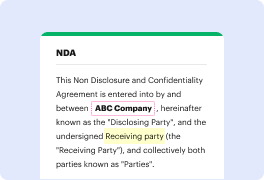
02. Add text, images, drawings, shapes, and more.
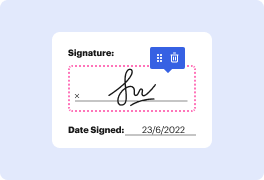
03. Sign your document online in a few clicks.

04. Send, export, fax, download, or print out your document.
How to use DocHub for Electronically Signed Form W-4
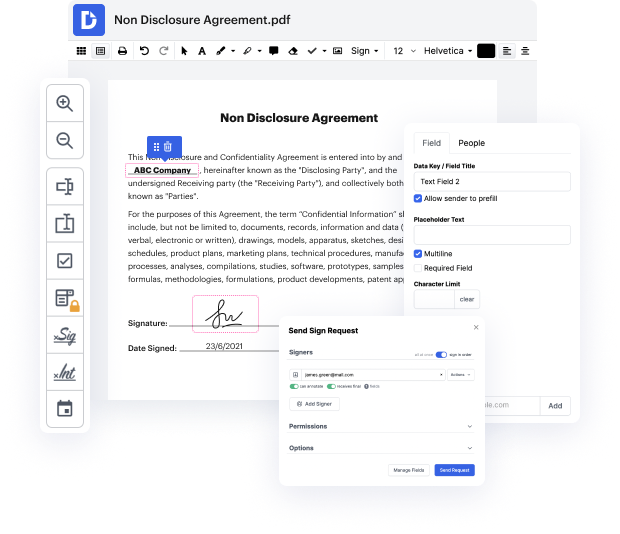
Get the optimal platform for document-related tasks that unifies every tool you need to create, edit, annotate, and approve files in one place. Try DocHub to easily complete your Electronically Signed Form W-4. With its robust functionality and simple user interface, you can start working with it without delay.
Finalize your Electronically Signed Form W-4 with ease
- Open the DocHub site. Log in or create a new account by starting a free trial.
- Proceed to the Dashboard, choose New Document, and add your file for approval utilizing the handiest method.
- Open it in the editor and make the modifications you need using the toolbar.
- To complete your Electronically Signed Form W-4, pick the Sign instrument and set up your eSignature.
- Place the autograph where needed.
- Save your modifications and download, send out the document, or simply leave it in your document history.
Unlock a better editing and deal-closing experience with intuitive DocHub tools. Create your account right now to reap the benefits with a free trial.
PDF editing simplified with DocHub

Seamless PDF editing
Editing a PDF is as simple as working in a Word document. You can add text, drawings, highlights, and redact or annotate your document without affecting its quality. No rasterized text or removed fields. Use an online PDF editor to get your perfect document in minutes.

Smooth teamwork
Collaborate on documents with your team using a desktop or mobile device. Let others view, edit, comment on, and sign your documents online. You can also make your form public and share its URL anywhere.

Automatic saving
Every change you make in a document is automatically saved to the cloud and synchronized across all devices in real-time. No need to send new versions of a document or worry about losing information.

Google integrations
DocHub integrates with Google Workspace so you can import, edit, and sign your documents directly from your Gmail, Google Drive, and Dropbox. When finished, export documents to Google Drive or import your Google Address Book and share the document with your contacts.

Powerful PDF tools on your mobile device
Keep your work flowing even when you're away from your computer. DocHub works on mobile just as easily as it does on desktop. Edit, annotate, and sign documents from the convenience of your smartphone or tablet. No need to install the app.

Secure document sharing and storage
Instantly share, email, and fax documents in a secure and compliant way. Set a password, place your documents in encrypted folders, and enable recipient authentication to control who accesses your documents. When completed, keep your documents secure in the cloud.






Drive efficiency with the DocHub add-on for Google Workspace
Access documents and edit, sign, and share them straight from your favorite Google Apps.
Install now
Got questions about w4 electronic signature requirements?
Here are some common questions from our customers that may provide you with the answer you need. If you can’t find the answer to your can w4 be signed electronically-related question, please don’t hesitate to reach out to us.
Contact us
Can a W4 be filled out online?
This W4 Form Tool lets you complete, sign, and create your W-4 which will be emailed as an attachment to you (eFile.com does not store or share any of your W-4 information). You can then submit or email the W-4 PDF Form via this tool to your employer, not the IRS.
Can I use for W-4?
Hi @LisaN - doesnt automatically add the forms in the product, but University updates some of the most popular Federal Tax forms in the Template Library. The pre-tagged W-4, W-9 and more are available for you to download and upload directly into your account to customize and use.
Can tax forms be electronically signed?
We accept electronic signatures for Individual e-filed returns and stand-alone electronic funds withdrawal (EFW) payment requests.
Can you fill out a W4 by yourself?
It has only five steps. If you are single, have one job, have no children, have no other income and plan on claiming the standard deduction on your tax return, you only need to fill out Step 1 (your name, address, Social Security number and filing status) and Step 5 (your signature).
Can W-4 forms be signed electronically?
The IRS has authorized the use of electronic signatures on W4. Employers, thus, who are capable, can establish a system for its employees to file W4 electronically.
How do I fill out a W4 to get taxes taken out?
You can choose to have taxes taken out. The amount of taxes taken out is decided by the total number of allowance you claim on line five. By placing a 0 on line 5, you are indicating that you want the most amount of tax taken out of your pay each pay period.
Is there a fillable W-4 form?
This blank, fillable W-4 form PDF template is ready for you to download and send out to employees. You can pre-populate the document with employee information by using one of our many integrations or uploading data with a CSV.
See why our customers choose DocHub
Great solution for PDF docs with very little pre-knowledge required.

A Valuable Document Signer for Small Businesses.

I can create refillable copies for the templates that I select and then I can publish those.

Security and compliance
At DocHub, your data security is our priority. We follow HIPAA, SOC2, GDPR, and other standards, so you can work on your documents with confidence.
Learn more


