
Copy & Paste Text in PDF hassle-free






Copy & Paste Text in PDF with DocHub
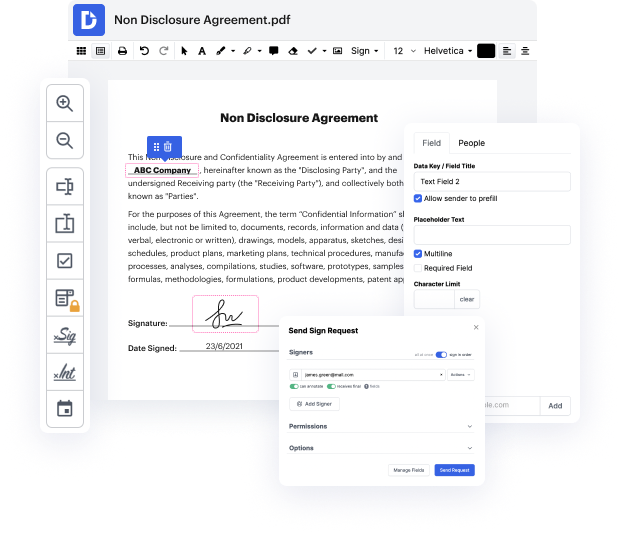
Editing documents doesn't have to be a tedious and time-consuming process anymore. With the DocHub editing service, it is now easier than ever to modify contracts, invoices, and other documents. The service enables you to adjust your file to your requirements. It supports multiple formats, like PDF, DOC, XLS, DOCX, XLSX, PPT, TXT, and RTF.
You can use online document editing services to modify nearly any type of document with ease. You just need to upload your document on the website and use the toolbar to make the necessary corrections. DocHub has all essential editing tools allowing you to insert and erase text and pictures, add signature fields, annotate and highlight parts of the content, and more.
Follow this guide to Copy & Paste Text in PDF with DocHub
- Add a file to DocHub using the Drag-and-Drop area.
- Use the toolbar to Copy & Paste Text in PDF and make other changes to the document.
- Click the Download / Export icon in the upper right area to proceed.
- Select the storage location for your file.
- Click Download or Export, depending on your selected storage location.
In order to send the edited file directly from the editor, you need to click the Share or send icon instead of Download / Export. Then you can choose the suitable sharing method: via a link, an attachment, or a signing request.
Whether you need to Copy & Paste Text in PDF or use other editing tools, DocHub is a perfect service for modifying any document type. Create a DocHub account and take advantage of our comprehensive editor.
PDF editing simplified with DocHub






Drive efficiency with the DocHub add-on for Google Workspace
Got questions about copy paste text pdf online?
Why can I not copy and paste from a PDF?
How do I copy and paste text from a PDF in the same format?
How do I edit text in a PDF without losing formatting?
Why cant I select text in PDF?
How do I copy text and keep formatting in PDF?
Where is copy with formatting in PDF?
Can you copy from Word to PDF without losing formatting?
How do I copy and paste part of a PDF?
See why our customers choose DocHub


Security and compliance
At DocHub, your data security is our priority. We follow HIPAA, SOC2, GDPR, and other standards, so you can work on your documents with confidence.
Learn more


