
Convert PNG to PDF and Remove Password from PDF on Computer quickly
Aug 6th, 2022

0
forms filled out

0
forms signed

0
forms sent
01. Upload a document from your computer or cloud storage.
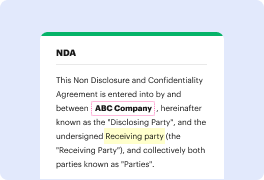
02. Add text, images, drawings, shapes, and more.
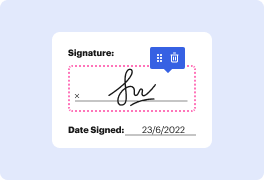
03. Sign your document online in a few clicks.

04. Send, export, fax, download, or print out your document.
Convert PNG to PDF and Remove Password from PDF on Computer with DocHub
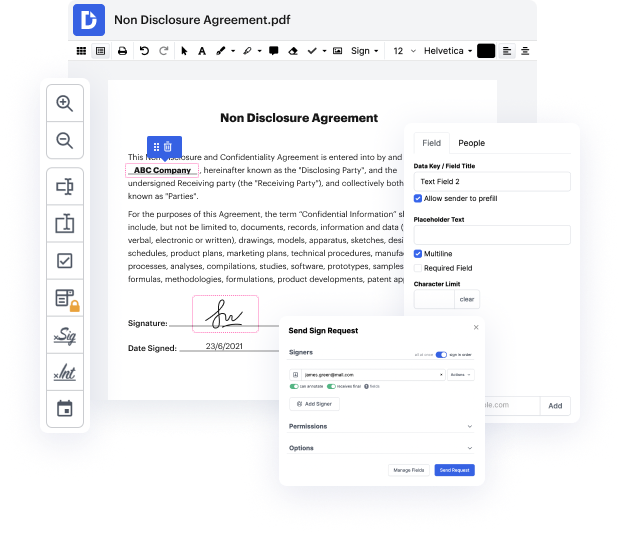
DocHub is a versatile online platform that empowers users to manage their documents efficiently. With features that allow for seamless editing, signing, and distribution, DocHub makes it simple to convert images and handle password-protected files. The integration with Google Workspace enhances collaboration and streamlines workflows, making document management a breeze.
Follow the steps to convert PNG to PDF and remove password from PDF:
- Open the DocHub website and log in to your account.
- To convert a PNG file, locate the upload option and select your desired PNG image from your computer.
- Once the PNG is uploaded, access the conversion tools available on the platform to transform it into a PDF format.
- After the conversion, if your PDF is password-protected, navigate to the security settings to enter the current password.
- Follow the prompts to remove the password, ensuring your document is accessible without restrictions.
- Finally, download your newly created PDF or share it directly through the platform for easy distribution.
Get started with DocHub today and simplify your document management tasks for free!
PDF editing simplified with DocHub

Seamless PDF editing
Editing a PDF is as simple as working in a Word document. You can add text, drawings, highlights, and redact or annotate your document without affecting its quality. No rasterized text or removed fields. Use an online PDF editor to get your perfect document in minutes.

Smooth teamwork
Collaborate on documents with your team using a desktop or mobile device. Let others view, edit, comment on, and sign your documents online. You can also make your form public and share its URL anywhere.

Automatic saving
Every change you make in a document is automatically saved to the cloud and synchronized across all devices in real-time. No need to send new versions of a document or worry about losing information.

Google integrations
DocHub integrates with Google Workspace so you can import, edit, and sign your documents directly from your Gmail, Google Drive, and Dropbox. When finished, export documents to Google Drive or import your Google Address Book and share the document with your contacts.

Powerful PDF tools on your mobile device
Keep your work flowing even when you're away from your computer. DocHub works on mobile just as easily as it does on desktop. Edit, annotate, and sign documents from the convenience of your smartphone or tablet. No need to install the app.

Secure document sharing and storage
Instantly share, email, and fax documents in a secure and compliant way. Set a password, place your documents in encrypted folders, and enable recipient authentication to control who accesses your documents. When completed, keep your documents secure in the cloud.






Drive efficiency with the DocHub add-on for Google Workspace
Access documents and edit, sign, and share them straight from your favorite Google Apps.
Install now
Got questions about remove password from image?
Here are some common questions from our customers that may provide you with the answer you need. If you can’t find the answer to your png to pdf with password-related question, please don’t hesitate to reach out to us.
Contact us
How do I convert a PNG file to docHub online?
Follow these steps to convert a PDF to a PNG file. Navigate to the Convert PDF page on docHub online. Click the blue button labeled Select a file or drag and drop the file into the drop zone to upload your PDF. Choose PNG from the file format drop-down menu.
How do I convert a PNG to PDF in Acrobat?
Steps to Convert PNG to PDF With docHub Step 1: Launch docHub. Step 2: Select Create PDF Step 3: Choose PNG Files. Step 5: Convert PNG to PDF. Step 6: Save the PDF File. Step 1: Visit docHubs online converter. Step 2: Upload a PNG file. Step 3: Convert PNG to PDF.
How do I convert a PNG file to PDF on my computer?
Once the file opens, choose the Print option in the right corner. On the print menu that pops up, pick Printer at the top and then Microsoft Print to PDF. Press the Print button at the bottom of the window and it will change PNG to PDF. You can also customize your PDF by hitting Settings.
Can docHub convert PNG to PDF?
You can convert JPEG, PNG, BMP, GIF, and TIFF files into PDF documents using the Acrobat online tool.
How do I convert a PDF to PNG on my computer?
Navigate to the Convert PDF page on docHub online. Click the blue button labeled Select a file or drag and drop the file into the drop zone to upload your PDF. Choose PNG from the file format drop-down menu. Or choose JPG or TIFF instead, if you wish.
How do I convert a PNG to an editable PDF?
The Acrobat online PNG image converter makes it easy to convert an image file into a high-quality PDF document. Just select the PNG image you want to convert, or drag and drop your image file into the PDF conversion tool. You can then save the new PDF file on your device.
How do I import a PNG into docHub?
Click Tools, then edit PDF and add image. Select the image you want to use and where you want it to go. Wrapping up. Your image will be in the right place and you can click-drag to make it the right size.
See why our customers choose DocHub
Great solution for PDF docs with very little pre-knowledge required.

A Valuable Document Signer for Small Businesses.

I can create refillable copies for the templates that I select and then I can publish those.

Security and compliance
At DocHub, your data security is our priority. We follow HIPAA, SOC2, GDPR, and other standards, so you can work on your documents with confidence.
Learn more


