
Add watermark in the Curriculum Vitae effortlessly



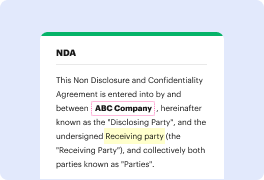
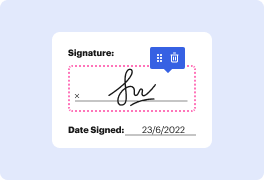

Create forms from scratch and quickly Add watermark in Curriculum Vitae with DocHub
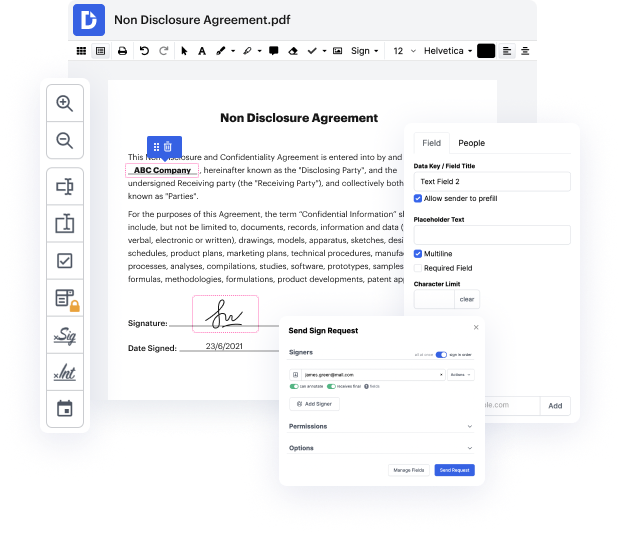
At the first blush, it may seem that online editors are very similar, but you’ll discover that it’s not that way at all. Having a robust document management solution like DocHub, you can do much more than with standard tools. What makes our editor unique is its ability not only to rapidly Add watermark in Curriculum Vitae but also to design documentation totally from scratch, just the way you want it!
Regardless of its comprehensive editing capabilities, DocHub has a very easy-to-use interface that offers all the functions you want at hand. Thus, adjusting a Curriculum Vitae or a completely new document will take only a few minutes.
Adhere to our guideline on how to create forms and Add watermark in Curriculum Vitae in just a few clicks:
- Import a file that needs to be modified. Our tool provides several ways to upload files - import your Curriculum Vitae from your device, cloud storage, an email attachment, or a template catalog. There’s also a URL-upload option offered.
- Build your own fillable form. As an alternative, click on the Create Blank Document button in your Dashboard and design your form yourself as you need.
- Make necessary updates. Utilize the upper toolbar to add, highlight, or whiteout text, insert images and graphics, draw, or add various symbols as required. Let other parties know about your content changes with Notes and Comment buttons.
- Create fields for fill-out. Use the Manage Fields button on the left and place areas for text, checkmarks, dropdowns, dates, initials, and signatures where you need them to appear.
- Approve your Curriculum Vitae. After you finish editing, click Sign to create your legally-binding electronic signature - request signatures from others after adding Signature areas and assigning them to relative parties.
- Save and share your documentation. Download or export your file after completing it with additional password protection. Send your Curriculum Vitae via email, fax, signing request link, or a shareable link.
Register for a free trial and enjoy your best-ever document-related practice with DocHub!
PDF editing simplified with DocHub






Drive efficiency with the DocHub add-on for Google Workspace
How to resume watermark
Today I want to show you how you can insert a watermark into a Microsoft Word document. Maybe you have a secret recipe that you want to make sure no one shares. You can throw on a top-secret watermark. First, well look at how you can insert a preset watermark, and then well also look at how you can customize it. All right, lets check this out here. Here I am in Microsoft Word and I have the secret chocolate chip cookie recipe open for the Kevin Cookie Company. This is what turned us into a Unicorn or a $1 billion company. Now I definitely dont want employees at the company to share this out, so I think adding a top-secret watermark can help keep it a little bit safer. To insert a watermark, up on the top ribbon, click on the option called design. Within design over on the right-hand side youll see an option for Watermark. See, its really easy to insert a watermark. At the top, we have all of the preset categories. There is a set of confidential watermarks, disclaimers and also ur

Got questions about watermark cv?
Is it okay to have watermark on CV?
Is it okay to have watermark on CV?
What is a watermark on a CV?
How do you put a watermark on your CV?
How do I add a professional watermark?
What is the purpose of watermark?
How do you put a watermark on your CV?
What is an example of watermark?
See why our customers choose DocHub


Security and compliance
At DocHub, your data security is our priority. We follow HIPAA, SOC2, GDPR, and other standards, so you can work on your documents with confidence.
Learn more


