What is the difference between DocHub and Sejda on Macbook?
DocHub and Sejda are both document editing tools available for Macbook, but there are some key differences between the two.
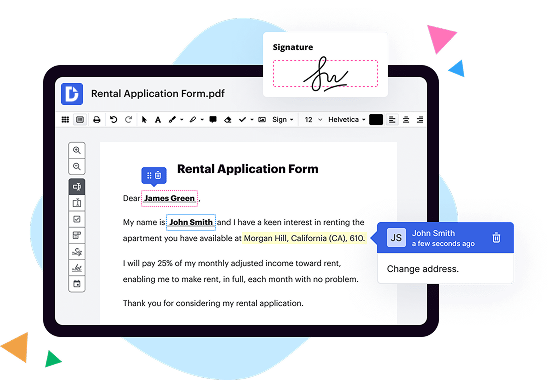
DocHub sets itself apart by offering a more comprehensive and user-friendly experience. It provides a range of features that empower anyone to streamline document editing, signing, distribution, and form completion. With DocHub, you can easily collaborate with others and make changes to your documents effortlessly.
One of the standout features of DocHub is its deep integration with Google Workspace. This integration allows users to seamlessly import, export, modify, and sign documents directly from Google apps. It eliminates the need for tedious back-and-forth between different platforms. With DocHub, you can work on your documents without any hassle.
In addition to its easy-to-use interface, DocHub offers a wide array of tools and functionalities that make document editing a breeze. You can highlight, underline, and strikethrough text, add comments, and even draw on your documents. DocHub also allows you to create fillable forms, collect signatures electronically, and send documents for review or signing with just a few clicks.
With Sejda, on the other hand, while it provides some similar features, it may not offer the same level of comprehensiveness and ease of use that DocHub does. Sejda may be more suitable for specific editing needs or for users who prefer a simpler interface.
In conclusion, if you're looking for a comprehensive and user-friendly document editing solution for your Macbook, DocHub may be the perfect choice. Its deep integration with Google Workspace, extensive set of tools, and intuitive interface make it a powerful tool for streamlining your document workflow. Try DocHub today and experience the convenience it brings to your document editing and signing activities.
How does DocHub compare to Sejda in terms of security features for enterprises?
DocHub offers a range of security features designed for enterprises. It complies with industry-leading security and compliance standards, including GDPR, PCI DSS certification, HIPAA, FERPA, CCPA, SOC 2 Type II, and Google Security Assessment for secure Google Workspace environments. To make an informed comparison of DocHub vs. Sejda, you need to do more in-depth research on the latter solution and any certifications or compliance standards it adheres to.
Is DocHub an excellent alternative to Sejda when it comes to pricing for small businesses?
DocHub offers two subscription options — Free and Pro. Each plan caters to the needs of individuals and businesses of any size. The Free plan has certain restrictions on the number of documents, signature requests, and attachments you can use. The Pro plan costs $14 per user/per month. It offers unlimited document workflow capabilities, which makes DocHub one of the most competitive solutions on the market. It’s a great alternative to Sejda.
What makes DocHub the best document management solution?
DocHub is shaping the future of robust, intuitive, and hassle-free document editing, signing, completion, and distribution experiences. It offers all the features you need to simplify complex document-driven workflows by supercharging them with multi-signer options, as well as an extensive PDF editing toolset, reusable templates, and various integration and collaboration capabilities. Over 83 million users can’t be wrong in choosing DocHub. Become one of them today!
What is Sejda and how does it work?
Sejda is a fantastic online tool that allows you to easily manipulate your PDF documents with just a few clicks. It is designed to be user-friendly and intuitive, making it a breeze for anyone to use.
So, let's dive into how Sejda works! When you visit the Sejda website, you'll notice a clean and straightforward interface, making it easy to navigate. You can upload your PDF document directly from your computer, Google Drive, or Dropbox. No hassle, no complications!
Once your document is uploaded, you'll have access to a wide range of features to enhance and modify your PDF. Need to merge multiple PDFs into one? Sejda has got you covered! Just select the files you want to merge and click a button - it's as simple as that.
Now, let's say you want to split your PDF into individual pages or extract certain pages. With Sejda, you can do that effortlessly too. Just specify the page range you want, and Sejda will do the rest.
But wait, there's more! Sejda also allows you to compress your PDF, reducing its file size without compromising the quality. This is particularly helpful when you need to share your PDFs quickly and efficiently.
Formatting your PDF document has never been easier with Sejda. You can rotate pages, add watermarks, insert page numbers, and even edit the text directly within the PDF. These features make it a go-to tool for professionals, students, and anyone dealing with PDFs on a regular basis.
One of the most impressive aspects of Sejda is its speed. No need to waste time waiting for your document to be processed. Sejda works swiftly, ensuring you can complete your tasks in no time.
So, if you're looking for a convenient, user-friendly, and powerful PDF tool, Sejda is the ultimate choice. With its straightforward interface, versatile features, and lightning-fast performance, it's the perfect solution for all your PDF needs. Give Sejda a try today and unlock the full potential of your PDF documents!
How much does DocHub cost?
The price for the Pro plan starts at $14 per user/per month. If you pay for one year upfront, you will save 29%, and the monthly price will be $10. DocHub also offers special discounts for non-profits, charities, and schools. For more information, please contact the DocHub support team.
Is Sejda free to use?
Yes, Sejda is absolutely free to use! With Sejda, you can effortlessly handle your PDF files and enjoy a wide range of useful features without paying a dime. Whether you need to merge, split, compress, edit, or convert your PDF documents, Sejda has got you covered. You'll find it extremely user-friendly and intuitive, allowing you to accomplish all your PDF tasks with ease. Plus, Sejda is constantly expanding its functionalities to meet your evolving needs. So why not give it a try? Experience the power of Sejda for free and take control of your PDF files today!
Do I need to pay for DocHub?
DocHub offers both free and paid subscriptions. Of course, you get more premium features with the paid version, such as unlimited documents and electronic signatures. You can always upgrade your account to the Pro version using your credit card, writing a check, or making a bank wire transfer (ACH) as your payment method. Switching back to a free account is also possible.
How much does Sejda cost?
Sejda, the incredible PDF software, is quite affordable and offers excellent value for your money. You'll be thrilled to know that Sejda's pricing has been carefully designed to cater to all your needs while being budget-friendly. Whether you're an individual or part of a team, Sejda has the perfect pricing plan just for you.
The cost of using Sejda depends on the type of subscription you choose. There are various options available, including a monthly subscription, an annual subscription, and even a forever plan. Each plan offers an array of impressive features that will undoubtedly enhance your PDF experience.
But wait, there's more! Sejda goes the extra mile to ensure customer satisfaction by providing a free trial period. This allows you to explore and make the most of Sejda's incredible capabilities before committing to a subscription.
With Sejda's user-friendly interface and powerful features, you'll find yourself effortlessly editing, merging, and converting PDF documents like never before. Plus, the seamless integration with popular cloud services makes it even more convenient for you to access and work on your PDFs anytime, anywhere.
So, don't hesitate any longer, my dear friend. Try out Sejda today and discover just how affordable and amazing this PDF software truly is. Start your PDF journey with Sejda and unlock endless possibilities.
How can I additionally protect documents in DocHub?
To ensure no third party will open your document after you share it with your recipients, you can protect it with a password. Edit your form and add fields for fill-out according to your requirements, and then proceed to the dropdown menu on the top of the page and choose Send → Email Attachment. Check the Password Protect option and type your secret combination in the relative field.
Is Sejda safe?
Yes, Sejda is a safe and reliable tool that you can confidently use for all your PDF needs. With Sejda, you can easily and securely edit, merge, split, compress, and convert your PDF documents. Rest assured that your files are treated with utmost care, as Sejda prioritizes the privacy and security of its users. Your documents are not shared with third parties and are deleted from Sejda's servers shortly after processing. By using Sejda, you can have peace of mind knowing that your sensitive information remains confidential and your PDFs are in trusted hands. So go ahead and give Sejda a try, it's the perfect solution for all your PDF-related tasks!
Is DocHub’s eSignature legally binding?
Yes, DocHub's eSignature is indeed legally binding. When you sign a document using DocHub's eSignature feature, it holds the same legal weight as a traditional handwritten signature. This means that the document is legally enforceable and can be used in court if necessary.
DocHub's eSignature feature ensures that the signing process is secure and authentic. It uses advanced encryption technology to protect your signature and ensures that it cannot be tampered with or forged. This adds an extra layer of security and authenticity to your signed documents.
Using DocHub's eSignature feature is not only legally binding but also convenient and efficient. It eliminates the need to print, sign, and scan documents, saving you time and effort. With just a few clicks, you can securely sign any document online, from anywhere in the world.
In conclusion, rest assured that DocHub's eSignature is legally binding, secure, and efficient. By using this feature, you can confidently sign your documents and have peace of mind knowing that their legal validity is upheld.
Are Sejda signatures legal?
Yes, Sejda signatures are absolutely legal! When it comes to signing your important documents and contracts online, Sejda provides a reliable and secure solution. Rest assured that using Sejda's signatures is compliant with all legal requirements, ensuring the validity and authenticity of your digital signatures.
By using Sejda, you can conveniently sign your documents without the hassle of printing, scanning, or mailing. This not only saves you valuable time but also helps reduce paper waste, making it an environmentally friendly choice.
Sejda signatures have been designed to meet the highest security standards, providing you with peace of mind knowing that your electronic signatures are legally binding and protected from any tampering or unauthorized access. With advanced encryption and authentication measures in place, you can trust that your documents are in safe hands.
Moreover, Sejda offers a user-friendly interface that makes the signing process intuitive and straightforward. Whether you're an individual or a business, Sejda provides a seamless experience, allowing you to sign documents with just a few clicks.
So, if you're looking for a dependable and legally compliant solution for online signatures, Sejda is your go-to choice. Start signing your documents confidently and conveniently with Sejda today!
How can I sign a document in DocHub?
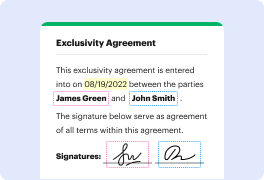
DocHub offers several options for document signing. You can type in your full name and stylize its look, upload an image of your handwritten signature, draw it with your touchpad or stylus, or use your fingernail on your phone screen. You can also sign your form through a secure QR code or by requesting a phone text (SMS) link for signing after providing your mobile number. Whatever option you choose, your electronic signature will be legally binding.
How do I use Sejda?
Sejda is an amazing tool that allows you to easily and efficiently work with PDFs. To start using Sejda, all you need to do is visit their website and upload the PDF file you want to work on. Once your file is uploaded, you can then choose from a wide range of features and options to enhance and edit your PDF.
One of the great things about Sejda is that it offers a user-friendly interface. It's designed in a way that makes navigation and finding the tools you need a breeze. Whether you're merging multiple PDFs into one, splitting a large PDF into smaller files, or even adding watermarks and page numbers, Sejda provides all the necessary tools in a clear and simple manner.
Another advantage of using Sejda is its speed and efficiency. The processing time for your PDFs is impressively fast, saving you valuable time and allowing you to accomplish your tasks effortlessly. Whether you're working on a single page or a document with hundreds of pages, Sejda can handle it all efficiently.
The Sejda team has also taken great care to ensure the security of your documents. Privacy is essential, and Sejda understands that. They have implemented encryption and secure protocols to protect your files from unauthorized access.
Moreover, Sejda offers both a free version and a premium version. The free version already provides a plethora of useful features, but if you require more advanced capabilities and faster processing times, the premium version is worth considering.
Overall, Sejda is an exceptional tool that allows you to work with PDFs seamlessly. Its user-friendly interface, fast processing, and commitment to security make it a top choice for anyone needing to edit, enhance, or manage PDF files. Give Sejda a try today, and you'll wonder how you ever managed without it.
What are the main DocHub alternatives?
There are many online PDF editing tools out there. The most popular DocHub alternative solutions are DocuSign, Lumin PDF for GSuite, PandaDoc, and Adobe Sign. Each tool has its advantages and drawbacks, so it’s essential to compare their features, ease of use, and pricing plans to select the one that best suits your requirements.
What are the 10 best Sejda alternatives on Macbook?
Looking for the best Sejda alternatives on your Macbook? Look no further! We've compiled a list of the top 10 alternatives that will meet all your document needs, while offering a unique and user-friendly experience.
One standout alternative is DocHub. With its comprehensive set of features, DocHub empowers you to streamline document editing, signing, distribution, and form completion. It's a complete solution that caters to all your document management needs.
What sets DocHub apart is its deep integration with Google Workspace. This seamless integration allows you to import, export, modify, and sign documents directly from your favorite Google apps. With just a few clicks, you can access and work on your documents without any hassle.
DocHub's simplicity and ease of use make it a standout alternative. Its intuitive interface ensures that you can effortlessly navigate through the various features and functionalities without feeling overwhelmed. Whether you're a seasoned professional or new to document editing, DocHub is designed to be user-friendly for all.
Furthermore, DocHub offers a wide range of tools that allow you to annotate, highlight, add text, and even create fillable forms. You'll have everything you need at your fingertips to make your documents stand out and convey your ideas effectively.
Transferring documents between different devices is made seamless with DocHub. You can access your documents from anywhere, on any device, and continue working without missing a beat. Say goodbye to the hassle of transferring files between devices or worrying about compatibility issues.
In summary, while Sejda offers some features, DocHub takes it a step further by providing a more comprehensive and easy-to-use solution. Its deep integration with Google Workspace, along with its user-friendly interface and abundant features, make it the ideal alternative for anyone looking to streamline their document management process. With DocHub, you can revolutionize the way you edit, sign, distribute, and complete documents effortlessly.